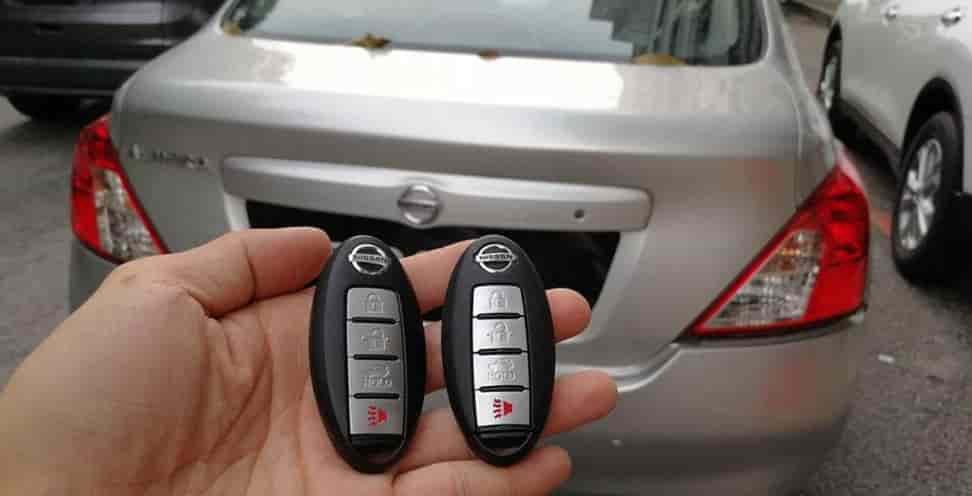
Did your Nissan key fob suddenly stop working at the worst possible moment, like when you are rushing to work or stuck in a parking lot late at night? This is a frustrating situation that many car owners experience, especially when the remote stops responding without warning. Most people assume they need to visit a dealership and spend a significant amount of money just to fix a small issue. However, that is not always the case.
Learning how to reprogram Nissan key fob at home can save you both time and money. In many situations, the problem is not as complicated as it seems. A simple reprogramming process can restore the connection between your key fob and your vehicle within minutes. The best part is that you do not need advanced tools or technical expertise to do it yourself.
In this step by step guide, you will discover how to reprogram Nissan key fob at home for different models. This guide is updated for 2026 and designed to be beginner friendly, so you can follow along easily even if you have never done it before. Whether your key fob stopped working after replacing the battery or you just bought a new remote, this article will walk you through everything you need to know.
By the end of this guide, you will feel confident handling the process on your own and avoid unnecessary trips to the dealer. Now let’s start with the basics so you understand exactly what key fob programming means and why it matters.
What Is Nissan Key Fob Programming?
Before you start the process, you need to understand what key fob programming really means. Many car owners skip this step and jump straight into fixing the issue. That often leads to confusion when the method does not work.
Nissan key fob programming is the process of syncing your remote with your vehicle. The key fob sends a radio signal to the car. This signal allows you to lock, unlock, or start the engine remotely. When the connection breaks, the car no longer recognizes the key fob.
Several common situations can cause this problem. Replacing the battery is one of the main reasons. Even though it seems simple, it can reset the connection. Buying a new or replacement key fob is another common case. The new remote will not work until you pair it with the car. In some cases, system errors or signal interference can also disrupt the connection.
When you understand this process, you can avoid costly mistakes. Many people think the key fob is broken and rush to buy a new one. This often leads to unnecessary expenses. In reality, learning how to reprogram Nissan key fob is usually enough to fix the issue.
Now that you understand the basics, the next step is to identify your key fob type. This is important because each type follows a different programming method.
Types of Nissan Key Fobs
Before you begin the process, you need to identify your Nissan key fob type. This step is important because each type uses a different programming method. If you follow the wrong process, the key fob will not sync with your vehicle.
Nissan vehicles usually come with three main types of key fobs. The first type is the traditional key fob. This is the most basic version and often comes with older models. It includes a physical key and simple remote buttons for locking and unlocking the car. This type is usually the easiest to reprogram at home.
The second type is the intelligent key. This version allows keyless entry and adds more convenience for daily use. You can unlock the car without inserting the key. Many Nissan models from the past decade use this system. The programming process is slightly more complex, but some models still support DIY methods.
The third type is the push start key system. This is the most advanced option. It allows you to start the engine with a button instead of a traditional key. While it offers more comfort and modern features, it is also harder to reprogram at home. In many cases, this system requires special diagnostic tools.
You should take a moment to check which type you have before moving forward. This will save you time and help you avoid errors during the process. Once you identify your key fob type, you can prepare the right tools and follow the correct steps.
Requirements Before Reprogramming
Before you start the process, you need to prepare a few basic things. This step may seem simple, but it plays a major role in your success. Many people fail because they skip small details that affect the connection.
First, make sure your key fob battery is new or still strong. A weak battery is one of the most common reasons the process does not work. Most Nissan key fobs use a CR2032 battery. Replacing it only takes a few minutes but can save you a lot of frustration.
Next, sit inside your car and close all doors. This helps the system enter programming mode without interruption. You should also lock the doors using the control button on the driver side. This step prepares the vehicle for syncing.
Keep your key ready in hand and make sure it works at a basic level. If the key is completely dead or damaged, reprogramming will not fix the issue. In that case, you may need a replacement instead.
It is also important to avoid distractions during the process. Timing matters when you follow the steps, especially when inserting and removing the key. If you move too slowly or miss a step, the system may not respond.
When you prepare everything correctly, the process becomes much easier. Now you are ready to move on to the most important part, which is the step by step guide on how to reprogram Nissan key fob at home.
Step by Step: How to Reprogram Nissan Key Fob at Home
Now you are ready for the most important part. Follow these steps carefully to reprogram your Nissan key fob at home. Make sure you stay focused because timing plays a key role in this process.
Step 1: Get Inside and Lock the Doors
Sit inside your car and close all doors. Then lock the doors using the power lock button on the driver side. This step helps the system prepare for programming mode. Do not skip it because the process may fail if the car is not fully secured.
Step 2: Insert and Remove the Key
Insert the key into the ignition and pull it out. Repeat this action about six to ten times within ten seconds. You need to move at a steady and quick pace. If done correctly, the hazard lights may flash. This signal means the car has entered programming mode.
Step 3: Turn the Key to ACC Position
Insert the key again and turn it to the ACC position. Do not start the engine. The dashboard lights should turn on. This confirms that the system is active and ready to receive the signal from your key fob.
Step 4: Press a Button on the Key Fob
Press any button on your key fob. The car should respond by locking or unlocking the doors. This response confirms that the key fob has been successfully programmed.
If you have additional key fobs, press a button on each one within a few seconds. This ensures all remotes sync with the vehicle during the same session.
Step 5: Test the Key Fob
Remove the key from the ignition and step out of the car. Test all buttons on your key fob. Check the lock, unlock, and trunk functions to confirm everything works properly.
If the key fob does not respond, repeat the process from the beginning. Make sure you follow the timing closely and do not rush or skip any steps.
By following this method, most drivers can successfully complete the process at home. This is one of the easiest ways to fix a non working remote without spending money at a dealership.
How to Program Nissan Intelligent Key
If your Nissan uses a push start system, the process will be slightly different. This type of key is more advanced and uses a smart connection instead of a simple signal. Because of that, programming can be more limited compared to traditional key fobs.
To begin, sit inside the car with all doors closed. Keep the intelligent key with you at all times during the process. Press the brake pedal and then press the Start button once without starting the engine. This will switch the system to accessory mode.
Next, press and hold the unlock button on the key fob for a few seconds. In some models, you may need to press the lock and unlock buttons at the same time. The vehicle may respond by cycling the door locks. This confirms that the system has detected the key.
Repeat this step for any additional intelligent keys you want to program. Make sure you do this within the same session so all keys stay synced with the vehicle.
However, it is important to understand one limitation. Many newer Nissan models do not allow full key programming at home. These vehicles often require a diagnostic tool to complete the process. If your car does not respond to the steps above, this is likely the reason.
In that case, you may need help from a professional locksmith or a dealership. While this can cost more, it ensures the key is programmed correctly and securely.
Understanding this difference helps you avoid wasting time on methods that may not work for your specific model. Now let’s move on to the most common problems people face and how to fix them quickly.
Common Problems and How to Fix Them
Even when you follow the steps correctly, the process may not work on the first try. This is normal and happens to many car owners. The key is to identify the problem and fix it quickly instead of repeating the same mistake.
One of the most common issues is that the key fob does not respond at all. In most cases, the battery is weak or installed incorrectly. You should replace the battery with a new one and make sure it sits firmly in place. This simple fix often solves the problem immediately.
Another issue occurs when the car does not enter programming mode. This usually happens when the timing is off. You need to insert and remove the key at a steady pace within a short time. If you move too slowly or pause between steps, the system will not respond. Try again and keep your movements consistent.
Some drivers notice that the car enters programming mode but does not react when they press the key fob button. This can happen if the key fob is not compatible with the vehicle. It may also mean the remote is damaged internally. In this case, testing with another key fob can help confirm the issue.
Signal interference is another hidden cause. Devices like phones or other electronic signals can sometimes disrupt the connection. Try performing the process in a different location to see if the result improves.
If none of these solutions work, the problem may be more complex. The vehicle system could require a reset or professional diagnostics. At this point, contacting a locksmith or dealer becomes the best option.
By understanding these common problems, you can save time and avoid frustration. Now let’s look at which Nissan models support DIY programming and which ones may require extra tools.
Nissan Models That Support DIY Programming
Not all Nissan vehicles allow you to complete the process at home. This is an important detail that many people overlook. If your model does not support DIY programming, no method will work without special tools.
Several older and mid range Nissan models still support at home programming. Popular models include Altima, Rogue, Sentra, and Maxima. These vehicles often use traditional key systems or early versions of intelligent keys. Because of that, they are more flexible and easier to work with.
For example, many Altima models from the early 2000s to around 2019 allow manual key fob programming. The same applies to older versions of Rogue and Sentra. These cars respond well to the insert and remove key method described earlier.
However, newer Nissan models tell a different story. Vehicles produced after 2020 often come with advanced security systems. These systems protect against theft but also limit DIY programming. In most cases, you will need a diagnostic device to pair a new key fob.
This does not mean you cannot fix simple issues at home. You can still replace the battery, reset the system, and troubleshoot basic problems. But full programming for newer models usually requires professional support.
Understanding your vehicle model helps you set the right expectations. It also prevents you from wasting time on methods that may not apply to your car. Now let’s compare the cost between doing it yourself and using professional services so you can make the best decision.
DIY vs Dealer vs Locksmith Cost Comparison
When your key fob stops working, cost becomes a major concern. Many drivers assume they must go to a dealership, but that is often the most expensive option. Understanding the differences between each solution can help you make a smarter decision.
Doing it yourself is the cheapest method. In most cases, you only need to replace the battery or follow a simple programming process. The total cost is very low, and sometimes completely free if you already have the tools. This is why many people prefer learning how to reprogram Nissan key fob at home before seeking professional help.
A locksmith offers a middle ground. They usually charge between fifty to one hundred fifty dollars depending on your location and vehicle model. Locksmiths have the right tools and can complete the process quickly. This option works well if your car does not support DIY programming or if you want to save time.
Dealerships are the most expensive choice. The cost can range from one hundred fifty to four hundred dollars or even more. You may also need to schedule an appointment and wait for service. While dealerships provide official support, the high cost and longer wait time can be frustrating.
For many drivers, the best approach is to try the DIY method first. If it does not work, a locksmith is usually more affordable than a dealership. This strategy helps you minimize costs while still solving the problem effectively.
Conclusion
Learning how to reprogram Nissan key fob at home is a practical skill that can save you time, money, and unnecessary stress. What seems like a complicated issue often has a simple solution when you understand the process and follow the steps carefully.
Throughout this guide, you have learned how key fobs work, how to identify your key type, and how to complete the programming process step by step. You also understand the common problems that may appear and how to fix them without rushing to replace your key.
The biggest advantage of doing it yourself is control. You do not have to rely on expensive services or wait for appointments. In many cases, you can solve the issue within minutes right at home.
If your vehicle does not support DIY programming, you still have options. A locksmith can help at a reasonable cost, while dealerships remain a last resort for more complex cases.
Now that you know how to reprogram Nissan key fob, it is time to try it yourself. If you run into any issues or have questions about your specific model, feel free to share your experience. Your situation might help others facing the same problem.