
Nissan updates navigation maps periodically, but the update schedule differs between vehicles. The frequency depends on the Nissan model, navigation system, region, and map database provider.
A navigation map update refreshes important data inside the Nissan Navigation System. This data includes road changes, new addresses, points of interest, and routing information. Updated maps help drivers receive more accurate directions.
Outdated map data can reduce navigation accuracy. The system may miss new roads, show incorrect locations, or calculate less efficient routes. These issues become more common when drivers use old navigation databases for several years.
Many Nissan owners search for map updates after noticing missing locations or inaccurate directions. Knowing the Nissan navigation map update frequency helps owners decide when they should check their system.
This guide explains how often Nissan updates navigation maps and why these updates matter. It also covers how to check your current map version, update Nissan navigation systems, and maintain reliable GPS performance.
How Often Does Nissan Update Navigation Maps?
Nissan navigation maps do not follow one universal update schedule for every vehicle. Nissan typically releases map updates periodically, but the exact frequency depends on the navigation system, vehicle model year, region, and available map data. Some Nissan vehicles receive updates more frequently than others because they use different navigation technologies and data sources.
The navigation map database inside a Nissan vehicle stores information about roads, addresses, businesses, and route guidance data. Map providers regularly collect changes from road networks and update this information before Nissan makes new map versions available for compatible systems. This process means updates depend on when new map data becomes ready and when Nissan supports that data for specific vehicles.
Most Nissan navigation systems receive map updates around once per year, although the timing can vary. A newer Nissan vehicle with an advanced NissanConnect system may have different update options compared with an older vehicle that uses an SD card navigation system. The update cycle also changes between different countries because road construction, address databases, and points of interest change at different speeds.
Owners should check their specific Nissan model and navigation system instead of assuming that every Nissan receives the same update. The vehicle manual, NissanConnect information, or current navigation software version can help identify available updates. Regularly checking the map version helps drivers maintain accurate routes and avoid problems caused by outdated navigation data.
Why Do Nissan Navigation Maps Need Regular Updates?
Nissan navigation maps need regular updates because road networks and location data change continuously. Map updates keep the Nissan Navigation System aligned with current road conditions, new destinations, and updated routing information. Without updated data, the navigation system may continue using information that no longer matches real world conditions.
Road changes are one of the main reasons Nissan navigation maps require updates. Cities and transportation systems regularly add new streets, modify intersections, build highways, and change traffic patterns. A navigation system with old map data may not recognize these changes, which can affect route planning and destination accuracy.
Navigation updates also improve the database of points of interest. This database includes locations such as restaurants, fuel stations, parking areas, hospitals, and businesses. When companies open, close, or move locations, updated map data helps the navigation system provide more relevant search results.
Another important reason for updating Nissan navigation maps is address accuracy. New residential areas, commercial buildings, and renamed streets require database changes. When drivers search for a destination, updated address information helps the system locate places more accurately.
Regular map updates improve the overall reliability of Nissan navigation systems. They do not change the vehicle hardware or engine performance, but they improve the quality of information that the navigation system uses to calculate routes and guide drivers.
How Can You Check If Your Nissan Navigation Maps Need an Update?
Nissan owners can check their navigation map status by reviewing the current map version installed in their vehicle. Checking the map version helps determine whether the Nissan Navigation System uses updated data or an older database that may need replacement. The exact steps depend on the vehicle model and navigation system type.
Most Nissan navigation systems provide map information through the navigation settings menu. Drivers can access system information to view details such as the current map version, software information, and available update details. Comparing this information with the latest compatible Nissan map release helps identify whether an update is required.
Nissan vehicles with SD card navigation systems require owners to check the map data stored on the navigation card. The SD card usually contains the navigation database version and system information. If the card contains older map data, owners may need to replace it with a newer compatible version.
Vehicles with NissanConnect systems may provide additional update information through connected services. These systems can help owners manage vehicle technology features and check available navigation-related updates when supported.
Drivers should also consider practical signs of outdated navigation data. Missing new roads, incorrect business locations, outdated addresses, and inefficient routes often indicate that the navigation database needs attention. Checking the map version before updating prevents unnecessary purchases and ensures compatibility with the vehicle system.
How Do You Update Nissan Navigation Maps?
Nissan navigation maps can be updated through different methods depending on the vehicle model and navigation system. The main update methods include using an SD card, accessing NissanConnect features, or receiving assistance from a Nissan dealer. Each method depends on the hardware and software installed in the vehicle.
Older Nissan vehicles often use SD card based navigation systems. In these vehicles, the navigation map database is stored on an SD card that contains road information and location data. Owners can update the system by replacing the existing SD card with a newer compatible map card. The new card provides updated roads, addresses, and points of interest.
Newer Nissan vehicles may use NissanConnect systems that support connected vehicle features. These systems can provide different update options depending on the model and market. Some vehicles may support digital updates, while others still require manual installation methods.
Nissan dealers can also help with navigation map updates. Professional assistance is useful when owners are unsure about system compatibility or need support with older navigation units. Dealers can identify the correct update method based on the vehicle identification number and installed navigation system.
Before updating Nissan navigation maps, owners should confirm their vehicle model, navigation system type, and current map version. Using an incompatible update can prevent the navigation system from recognizing the new data correctly. Checking compatibility first ensures that the update process improves navigation accuracy without creating technical issues.
What Happens If You Do Not Update Nissan Navigation Maps?
Using outdated Nissan navigation maps does not damage the vehicle, but it reduces the accuracy and usefulness of the navigation system. Old map data can cause incorrect routes, missing locations, and outdated destination information. The navigation system depends on its database to provide reliable guidance, so outdated information affects the quality of route planning.
One common issue with old navigation maps is missing road information. New streets, highways, and redesigned intersections may not appear in an older map database. When this happens, the Nissan Navigation System may calculate longer routes or guide drivers through roads that no longer provide the best option.
Outdated maps can also affect points of interest and address searches. Businesses, fuel stations, restaurants, and public locations frequently change. If the navigation database does not include these updates, drivers may search for destinations that the system cannot find or may receive incorrect location details.
Route accuracy can also decrease when map data becomes outdated. Navigation systems use stored road information to calculate travel paths. When the database does not match current road conditions, the system may provide less efficient directions.
Updating Nissan navigation maps helps maintain reliable guidance by keeping location information current. Regular checks allow drivers to identify available updates before outdated data affects their daily driving experience or long distance travel.
Are Nissan Navigation Map Updates Free?
Nissan navigation map updates are not always free because availability depends on the vehicle model, navigation system, region, and update method. Some Nissan owners can access included updates, while others may need to purchase new map data or pay for professional installation. The update cost depends on how Nissan provides the latest navigation database for each vehicle.
Newer Nissan vehicles with connected services may include certain navigation-related updates as part of their available features. However, the availability of these services varies between models and markets. Owners should check their NissanConnect information or vehicle documentation to understand which updates their system supports.
Older Nissan vehicles that use SD card navigation systems often require owners to purchase a newer map card. The SD card contains the navigation database, and replacing an outdated card provides access to updated roads, addresses, and points of interest. The price can vary depending on the vehicle model and the map region.
Nissan dealer services may also involve additional costs when technicians perform navigation updates. This option is useful for owners who need help identifying compatible updates or installing new navigation data correctly.
Before paying for a Nissan navigation map update, owners should confirm their current system version and available update options. Checking compatibility first helps avoid purchasing incorrect map data and ensures that the update works properly with the vehicle’s navigation system.
Is Nissan Navigation Better Than Google Maps or Apple CarPlay?
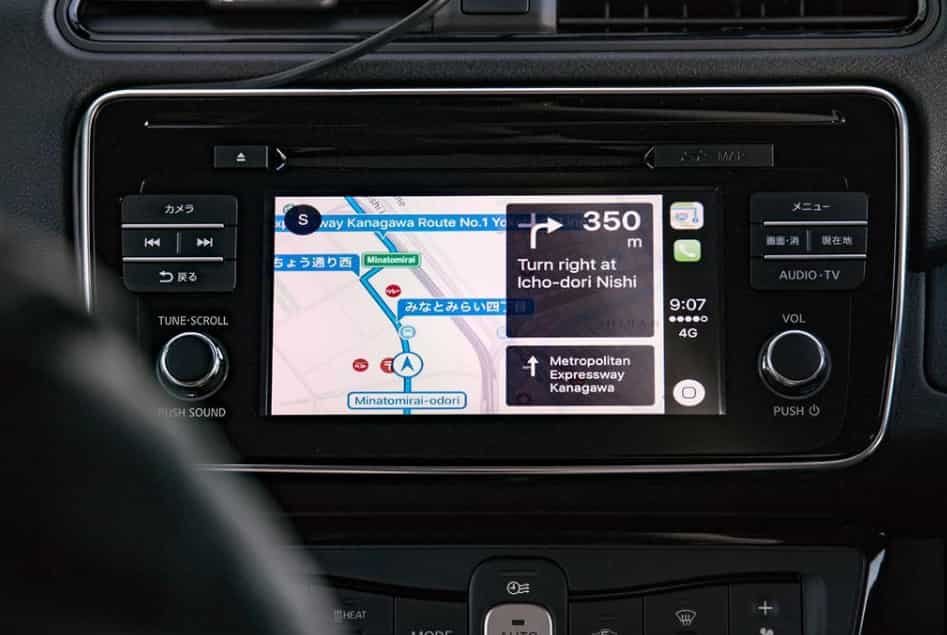
Nissan built in navigation and smartphone navigation systems serve different purposes, so one option is not always better for every driver. The Nissan Navigation System provides integrated vehicle guidance, while Google Maps and Apple CarPlay provide faster access to real time location data and online services. The better choice depends on how drivers use navigation during daily travel.
The main advantage of Nissan navigation is its integration with the vehicle. The system works directly with the infotainment display and does not always require a smartphone connection. Drivers can use built in GPS functions, vehicle controls, and stored map data without depending on mobile network availability.
Google Maps and Apple CarPlay provide advantages through constantly updated online information. These platforms can deliver live traffic conditions, current business information, user generated updates, and frequent map changes. This makes them useful for drivers who need real time information during busy city travel.
However, built in Nissan navigation remains useful for drivers who prefer a dedicated vehicle system. It provides a consistent interface and works with the navigation hardware installed in the vehicle. It also gives drivers another option when smartphone battery life, internet access, or app availability becomes a limitation.
Many Nissan owners use both systems together. They may use Nissan navigation for integrated vehicle features and use smartphone platforms for live traffic updates. Combining both options allows drivers to choose the navigation tool that best matches their travel needs.
Conclusion
Nissan navigation map updates do not follow one fixed schedule for every vehicle. The update frequency depends on the Nissan model, navigation system type, region, and available map database updates. Most owners should check their current map version regularly to understand when their navigation system needs new data.
Updated navigation maps help maintain accurate routes, reliable destination searches, and better points of interest information. New roads, changed addresses, and updated locations can affect navigation performance, so keeping the database current improves the overall driving experience.
The best update method depends on the Nissan vehicle and installed navigation technology. Some vehicles use SD card updates, while newer systems may support connected services through NissanConnect. Checking compatibility before updating ensures that owners install the correct map data for their vehicle.
A Nissan Navigation System remains a useful tool when its database stays accurate and current. By understanding how Nissan updates navigation maps and when updates are necessary, owners can make better decisions about maintaining their vehicle’s navigation performance.