
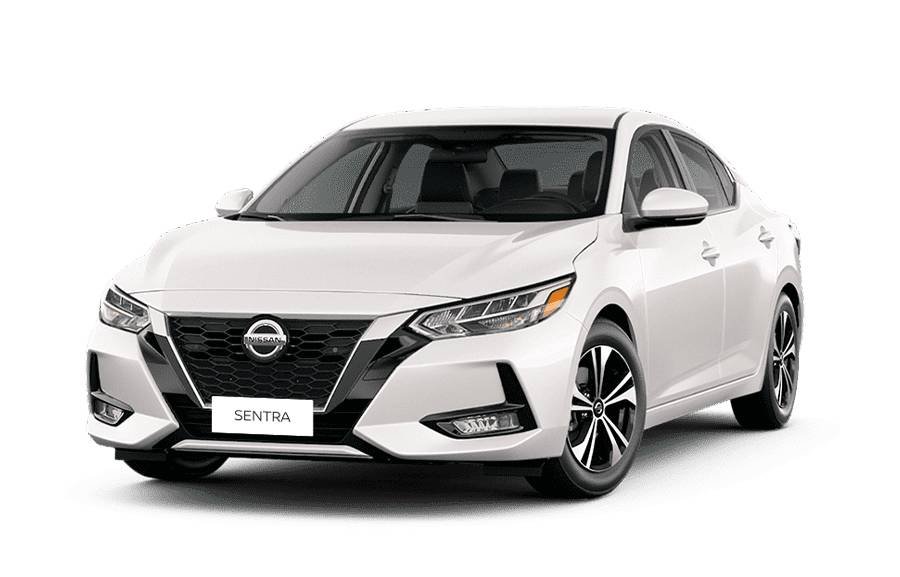
You can unlock a Nissan Sentra using the key fob, Nissan Intelligent Key system, or the mechanical key stored inside the key fob, depending on the model year and equipment. Under normal conditions, pressing the unlock button on the key fob provides the simplest access. Sentra models equipped with Intelligent Key may also allow you to unlock the door using the request switch or door-handle access while carrying the key.
A different method is necessary when electronic unlocking stops working. A weak or dead key fob battery may require you to remove the mechanical key from the fob and use the physical door lock. If the keys are locked inside the vehicle, safer options include using a spare key, an available remote-unlock service, roadside assistance, or an automotive locksmith rather than attempting to force the door open.
The exact unlocking procedure and available features vary between Nissan Sentra model years and trim levels. This guide explains the main unlocking methods, what to do when the key fob or Intelligent Key does not work, how to handle a lockout, and which problems can prevent a Nissan Sentra from unlocking.
How Do You Unlock a Nissan Sentra?
You can unlock a Nissan Sentra with the key fob, Intelligent Key system, or mechanical key, depending on the vehicle’s model year and equipment. The key fob is the standard method when the vehicle and remote have sufficient battery power. Press the unlock button to release the door lock; on some configurations, the first press unlocks the driver’s door and an additional press unlocks the remaining doors.
Sentra models equipped with Nissan Intelligent Key provide another method of entry. The system can recognize an authorized key near the vehicle and allow door access through the exterior door handle or request switch without requiring the driver to remove the key from a pocket or bag. The exact operation varies by model year and equipment, so the vehicle owner’s manual should be used when the controls differ from those described here.
The mechanical key provides backup access when electronic unlocking is unavailable. It is typically integrated into the Intelligent Key/key fob and can be removed for use with the physical lock on the vehicle. This method is particularly relevant when the key fob battery is dead or the vehicle does not respond to the remote.
How Do You Unlock a Nissan Sentra With the Key Fob?
To unlock a Nissan Sentra with the key fob, press the unlock button while you are within the remote’s operating range. The vehicle should respond by unlocking one or more doors, depending on its door-lock settings and model year. This is the primary unlocking method when both the key fob and the vehicle’s electrical system are operating normally.
Some Nissan Sentra configurations unlock only the driver’s door after the first command. A subsequent unlock command can release the remaining doors. This behavior is designed to provide controlled access rather than automatically opening access to every passenger door. Door-unlock settings and behavior can differ across Sentra generations, so an apparent one-door response does not necessarily indicate a malfunction.
A key fob that works only at short range, responds intermittently, or stops unlocking the doors may have a weak battery. Failure to unlock does not automatically identify the key fob battery as the cause because the vehicle battery, Intelligent Key communication, or door-lock system can produce similar symptoms. Test another key fob or the mechanical key, when available, to help distinguish a remote problem from a vehicle-side problem.
How Do You Unlock a Nissan Sentra With the Intelligent Key?
To unlock a Nissan Sentra with the Intelligent Key, keep the registered Intelligent Key with you and use the exterior door access control available on the vehicle. On Sentra models equipped with passive entry, the vehicle detects the authorized key when it is within the required operating range. This allows the driver to unlock the door without taking the key fob out of a pocket or bag.
The Intelligent Key differs from standard remote unlocking because the vehicle must detect and authenticate the nearby key before allowing access. The system therefore depends on communication between the Intelligent Key and the vehicle. A weak key fob battery, interference, excessive distance from the vehicle, or a vehicle-side electrical problem can prevent normal operation. When passive entry does not respond, pressing the unlock button on the key fob helps determine whether the problem is limited to passive detection.
The exact Intelligent Key controls differ between Nissan Sentra model years and equipment packages. Some versions use a request switch associated with the exterior door handle, while other configurations may use different passive-entry controls. Check the owner’s manual for the specific model year before assuming that a missing or differently positioned control indicates a fault.
How Do You Unlock a Nissan Sentra With the Mechanical Key?
To unlock a Nissan Sentra with the mechanical key, remove the emergency key from the Intelligent Key or key fob and use it with the physical lock provided for manual entry. The mechanical key serves as a backup when electronic access is unavailable, making it particularly useful when the key fob battery is depleted or the vehicle does not respond to an electronic unlock command.
Start by locating the release mechanism on the key fob and removing the mechanical key. Then locate the physical key cylinder associated with the vehicle’s manual-entry system and insert the key correctly before turning it to unlock the door. Do not force the key if it does not turn normally. Excessive force can damage the key, lock cylinder, or surrounding door components and can turn a simple lockout into a mechanical repair.
Using the mechanical key does not necessarily solve the underlying reason electronic access failed. If the doors unlock manually but neither the remote buttons nor Intelligent Key functions work, inspect the key fob battery and other electronic-access components after gaining entry. If both electronic and mechanical access fail, professional diagnosis may be necessary rather than attempting to pry or manipulate the door.
Where Is the Keyhole on a Nissan Sentra?
The location and presentation of the Nissan Sentra’s physical key cylinder depend on the model year and door-handle design. The manual lock is associated with the exterior door-entry system and provides a way to use the mechanical key when electronic unlocking is unavailable.
Inspect the driver-side exterior door handle area for the manual lock or its access point. If the key cylinder is not immediately visible, consult the owner’s manual for the exact model year before removing trim or attempting to pry a door-handle component. Nissan Sentra generations do not all use identical exterior hardware, so instructions for one model year should not automatically be applied to another.
The physical keyhole is intended as an emergency or backup access method rather than evidence that the Intelligent Key has permanently failed. Once the vehicle is open, test the electronic system and determine whether the failure came from the key fob battery, vehicle electrical system, or another component.
How Do You Unlock a Nissan Sentra When the Key Fob Battery Is Dead?
You can unlock a Nissan Sentra with a dead key fob battery by removing the mechanical key from the key fob and using the vehicle’s manual door lock. The mechanical key provides backup access when the remote buttons or Intelligent Key functions cannot communicate normally with the vehicle. This means a depleted key fob battery does not automatically prevent you from entering the car.
A weak key fob battery commonly causes electronic access to become less reliable before it stops working completely. The remote may require multiple button presses, work only when you are closer to the vehicle, or respond intermittently. However, these symptoms do not prove that the fob battery is the problem. A weak vehicle battery, damaged key fob, or fault in the vehicle’s locking system can produce similar behavior.
Use the mechanical key when the electronic unlock command does not work. Remove the emergency key using the release mechanism on the fob, locate the manual lock for the specific Sentra model year, and unlock the door without forcing the key or exterior handle components. After gaining access, replace the key fob battery with the correct battery type specified for that key fob and test the remote functions again.
A dead key fob battery and a dead Nissan Sentra battery are two different problems. The first prevents the fob from transmitting or supporting its normal electronic functions, while the second can prevent the vehicle’s powered locking system from responding. If a fresh key fob battery does not restore electronic unlocking, the problem should be diagnosed beyond the fob battery rather than repeatedly replacing it.
How Do You Unlock a Nissan Sentra if the Keys Are Locked Inside?
If your keys are locked inside a Nissan Sentra, use a spare key, an available remote-unlock service, roadside assistance, or an automotive locksmith instead of forcing the door open. The appropriate method depends on whether another registered key is available and whether the specific vehicle supports a remote access service.
A spare key is the most direct solution because it restores access without manipulating the locking system. Have someone bring the spare key when practical. Keeping a functional spare outside the vehicle also reduces dependence on emergency lockout services when the primary key is lost, damaged, or accidentally left inside.
Remote unlocking is another option when the Sentra and associated services support it. Availability depends on the vehicle’s model year, equipment, service compatibility, and account status. A vehicle should not be assumed to support remote unlocking simply because it has other connected or Intelligent Key features.
Roadside assistance or an automotive locksmith is the safer next step when no usable spare or supported remote-unlock option is available. A qualified professional can identify an appropriate access method while reducing the risk of damage to the weather stripping, window, door mechanism, wiring, or locking components.
Avoid attempting to pry open the door or insert improvised tools into the door assembly. Besides potentially damaging the vehicle, manipulating a locking system without the correct equipment can make the original lockout more difficult to resolve. If a child, vulnerable person, or pet is trapped inside and conditions present an immediate danger, contact local emergency services rather than spending time attempting routine lockout methods.
Can You Unlock a Nissan Sentra With Nissan Connect Services?
You may be able to unlock a Nissan Sentra remotely through NissanConnect Services if the specific vehicle, model year, equipment, account, and active services support remote door access. NissanConnect availability is not universal across the Sentra lineup, so remote unlocking should be treated as a vehicle-specific option rather than a replacement for the key fob or mechanical key.
Remote door access is useful when the physical key is unavailable but the owner still has access to the connected service associated with the vehicle. When supported, the service sends an unlock request to the vehicle rather than requiring the owner to manipulate the door lock directly. The vehicle must meet the applicable connectivity and service requirements for the command to work.
NissanConnect should not be assumed to work simply because a Sentra has an Intelligent Key. Intelligent Key and connected remote services perform different functions and depend on different equipment. A Sentra can therefore have keyless-entry features without having an available remote door-unlock service.
Check the connected-services information for the exact Sentra model year and configuration before relying on this method during a lockout. If remote access is unavailable or the unlock request cannot reach the vehicle, move to another authorized option such as a spare key, roadside assistance, or an automotive locksmith.
Why Won’t My Nissan Sentra Unlock?
A Nissan Sentra may fail to unlock because of 5 main problems: a weak or dead key fob battery, a discharged vehicle battery, an Intelligent Key communication problem, a door-lock malfunction, or a damaged key. Identifying whether the failure affects the remote, one door, or the entire vehicle helps narrow down the cause before parts are replaced.
A weak or dead key fob battery is a likely starting point when the remote becomes unreliable while the vehicle otherwise operates normally. Reduced operating range, intermittent response, or complete loss of remote-button operation can indicate insufficient power in the fob. Use the mechanical key for access and test the remote again after installing the correct replacement battery.
A discharged vehicle battery creates a different failure pattern because the power door locks depend on the vehicle’s electrical system. The key fob can transmit an unlock command correctly while the vehicle lacks sufficient electrical power to operate the locks. Mechanical access may therefore remain possible even when electronic door unlocking does not respond.
An Intelligent Key communication problem can prevent passive entry even when the physical door-lock mechanism itself is functional. The vehicle must recognize an authorized Intelligent Key within its operating conditions before passive access can work. Test the remote buttons and mechanical key separately to determine whether the problem is limited to Intelligent Key detection or affects multiple access methods.
A door-lock malfunction is more likely when the problem consistently affects a particular door while other doors unlock normally. The fault can involve the lock mechanism, actuator, linkage, wiring, or another component within the door-lock system. Repeatedly operating the remote will not repair a mechanical or electrical fault inside the affected door.
A damaged key or key fob can also prevent normal entry. Physical damage can interfere with a mechanical key, while internal damage to a key fob can prevent reliable electronic operation even with a good battery. Use a working spare key, when available, as a comparison. If the spare operates normally while the primary key does not, the primary key or fob becomes the stronger diagnostic target.
The pattern of failure is more useful than repeatedly pressing the unlock button. If only remote access fails, inspect the key fob first. If electronic locks throughout the vehicle fail, consider the vehicle’s electrical system. If one door alone remains locked, investigate that door’s locking mechanism. This sequence separates key-related, electrical, and mechanical problems before professional diagnosis is required.
Read more: Nissan Sentra vs Altima: Top 10 Differences You Should Know
What Should You Do if Your Nissan Sentra Still Won’t Unlock?
Contact roadside assistance, an automotive locksmith, or a Nissan dealer if your Nissan Sentra still will not unlock after you have tested the available key fob, mechanical key, and other authorized access methods. Continuing to force the key, door handle, or lock can damage components without resolving an electrical, mechanical, or key-recognition problem.
Use roadside assistance when the primary problem is gaining access to a locked vehicle and you do not have a usable spare key. This option is particularly relevant when the keys are inside the car or the available electronic unlocking methods have failed. The service available to you depends on your roadside assistance provider and coverage.
Contact an automotive locksmith when the lockout requires professional vehicle access or when a physical key or lock problem is suspected. A locksmith with appropriate automotive equipment can evaluate whether the problem involves the key, lock cylinder, or another access component. Professional assistance is preferable to attempting to pry the door, manipulate the lock with improvised tools, or force a mechanical key that will not turn.
A Nissan dealer becomes more relevant when the problem involves a replacement key, key programming, Intelligent Key recognition, or another vehicle-specific electronic issue. Bring the information and proof of ownership required by the service provider when requesting key replacement or security-related work. Requirements can vary, so confirm what documents are needed before visiting.
The failure pattern can help determine which service to contact. Use lockout assistance when the vehicle appears functional but you cannot gain entry. Consider a locksmith when the physical key or lock is the suspected problem. Seek vehicle-specific diagnosis when the Intelligent Key or electronic access system continues to malfunction after basic troubleshooting.
How Can You Prevent Getting Locked Out of a Nissan Sentra Again?
You can reduce the risk of another Nissan Sentra lockout by maintaining a working spare key, replacing a weak key fob battery promptly, checking recurring lock problems, and keeping your backup access option outside the vehicle. These measures address the most preventable causes of losing normal access without requiring changes to the vehicle’s security system.
Keep at least one functional spare key in a secure location outside the Sentra. A spare provides an independent access method when the primary key is lost, damaged, or accidentally left inside. Test the spare periodically rather than assuming it still works, particularly when it uses electronic functions that depend on a battery.
Replace the key fob battery when remote performance begins to deteriorate. Reduced operating range, intermittent response, or repeated button presses can indicate that the battery needs attention, although these symptoms can also have other causes. Addressing a weak battery before it fails reduces the likelihood of discovering the problem when immediate vehicle access is required.
Investigate recurring door-lock problems instead of treating each failure as an isolated lockout. A door that intermittently refuses to unlock, an Intelligent Key that repeatedly loses normal functionality, or a remote that remains unreliable after battery replacement can indicate a problem requiring diagnosis. Repairing the underlying fault provides a more dependable solution than repeatedly relying on emergency access.
Keep the mechanical key and other backup access methods usable. Know how to remove the mechanical key from the fob and where the manual access point is located on your specific Sentra model year before an emergency occurs. The correct procedure should be confirmed in the owner’s manual because exterior lock designs and electronic-access features differ across Nissan Sentra generations.
Preventing a lockout ultimately requires more than keeping the primary key nearby. A functional spare key, maintained key fob, usable mechanical backup, and properly operating door-lock system create multiple authorized ways to regain access when one method fails.