
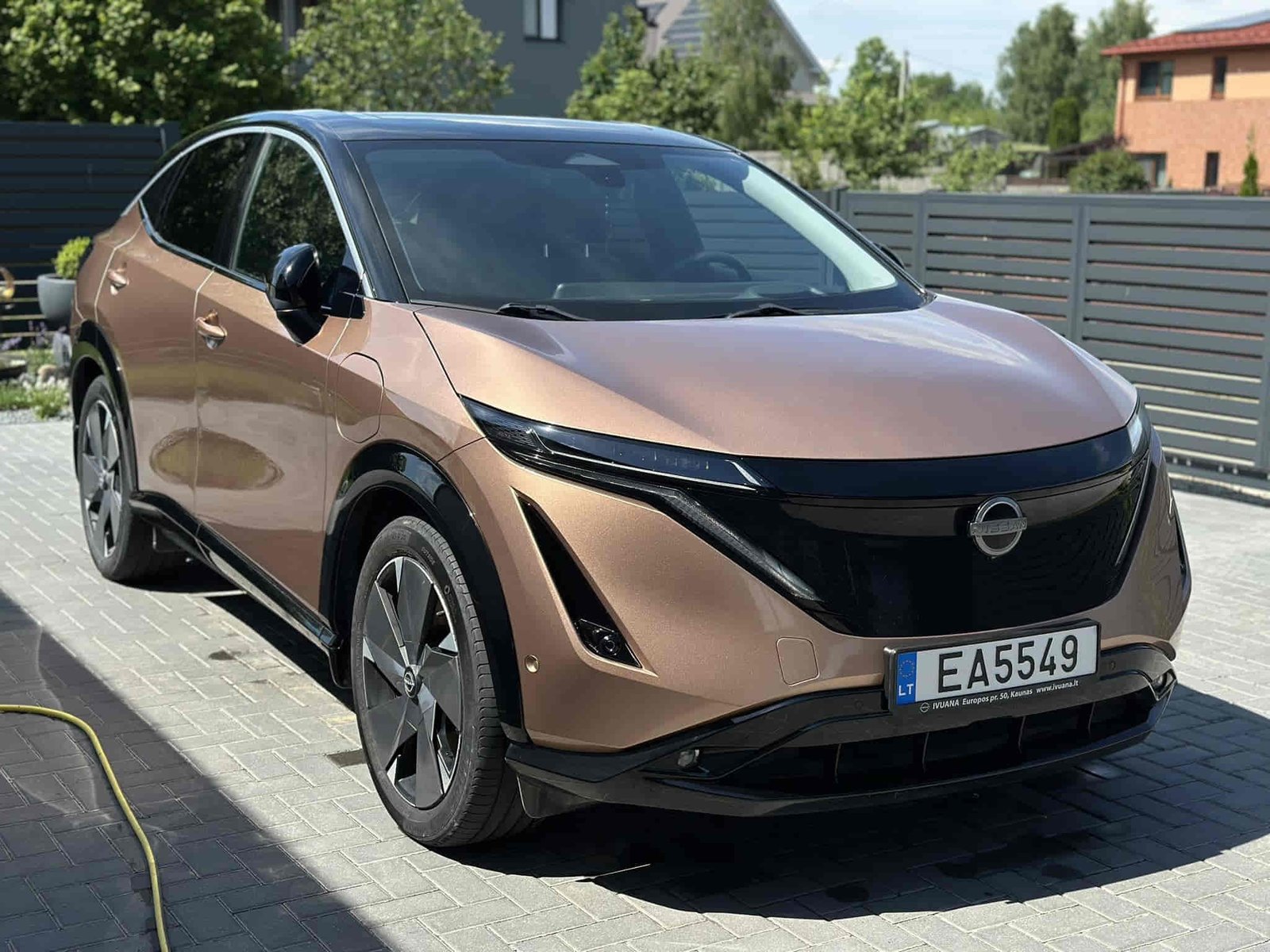
A Nissan Ariya that refuses to charge can be frustrating, especially when the battery level is low and you depend on the vehicle for daily transportation. Charging failures can occur for more than one reason. In many cases, the problem is not the high-voltage battery itself. A loose charging connector, a malfunctioning home charger, a weak 12V battery, charging timer settings, software glitches, or charging station faults can all prevent the charging process from starting successfully.
The good news is that many Nissan Ariya charging issues can be identified without advanced diagnostic equipment. Several common causes can be verified within minutes by inspecting the charging cable, reviewing charging schedules, checking dashboard warnings, or testing a different charging station. Identifying the root cause early helps avoid unnecessary repairs and reduces downtime.
This guide explains the 12 most common reasons a Nissan Ariya is not charging and provides practical troubleshooting steps for each issue. You will learn how the Ariya charging system works, which components are most likely to fail, how environmental conditions affect charging performance, and when professional diagnosis from a Nissan dealer becomes necessary. By following a structured troubleshooting process, most owners can quickly determine whether the issue is related to the charger, vehicle settings, software, electrical systems, or battery management functions.
Why Is My Nissan Ariya Not Charging?
There are approximately 12 main reasons why a Nissan Ariya may fail to charge. The most common causes include a loose charging connector, a faulty charging station, a weak 12V battery, incorrect charging schedule settings, software glitches, a damaged charging port, battery temperature limitations, Battery Management System (BMS) faults, DC fast charging issues, system warnings, and other electrical problems.
Most charging issues occur before electricity actually reaches the high-voltage battery. The charging process relies on the coordination of multiple systems, including the charging cable, EVSE, charging port, onboard charger, 12V battery, BMS, and vehicle control software. If any of these components fail to communicate properly, the charging process may not start or could stop unexpectedly.
The first step in diagnosing the issue is determining whether the problem originates from the vehicle or the charging equipment. For example, if the Ariya fails to charge at one station but works normally at another, the issue is likely with the charger. On the other hand, if the vehicle cannot charge anywhere, the cause is more likely related to the vehicle’s internal systems.
The following sections will explain the most common reasons why a Nissan Ariya is not charging and provide practical steps to help you quickly identify the root cause.
Is The Charging Cable Connected Correctly?
One of the most common reasons a Nissan Ariya fails to charge is a loose or improperly connected charging cable. The charging system requires a stable electrical and communication connection before energy transfer can begin.
How Can A Loose Charging Connector Stop Charging?
The charging connector must be fully inserted into the charging port and securely locked into the vehicle’s locking mechanism. If the connector is only partially inserted, the system may detect an incomplete connection and refuse to initiate charging.
Modern EV charging systems perform a data exchange before electricity begins to flow. The charger verifies the vehicle’s status, charging capability, and safety conditions. Even a minor interruption in this communication process can prevent charging from starting.
This issue often occurs when the connector is plugged in too quickly, when the connector is worn, or when dirt or debris prevents it from seating properly. In such cases, you may notice that the charging indicator lights do not turn on or that charging stops immediately after it begins.
How Can You Check Whether The Connector Is Locked?
You should inspect the charging connector and ensure it is firmly inserted until the locking mechanism engages. Most Nissan Ariya models provide visual or audible confirmation when the connector is properly locked.
Carefully check whether the connector is fully seated, whether there is dirt or debris inside the charging port, whether the contact pins are damaged or bent, and whether the cable is under tension that could pull the connector out of position. Then, unplug the cable completely and reconnect it from the beginning. If the vehicle starts charging normally after reconnecting, the issue was likely due to improper connection rather than a fault with the vehicle.
Additionally, trying a different charging cable or using another charging station can help you determine whether the problem lies with the original connector.
Is The Home Charger Or EVSE Faulty?
A faulty EVSE or home charging unit is one of the most common external causes of Nissan Ariya charging failures. Even when the vehicle itself is functioning properly, an issue with the charging equipment can prevent the charging session from starting. Before electricity flows into the battery, the EVSE and the vehicle must establish a secure communication link. If the charger cannot verify safety conditions, it will automatically terminate the charging process.
Several EVSE-related problems can interfere with charging. Power supply interruptions are a frequent cause, as a tripped breaker, insufficient voltage, damaged outlet, or faulty wiring can prevent the charger from delivering power even if it appears to be working. Internal hardware faults within the EVSE can also disrupt charging, as can ground fault detection errors that trigger safety shutdowns. In addition, damaged charging cables may interrupt the electrical connection, while communication failures between the charger and the vehicle can prevent the system from initiating the charging session.
Power fluctuations are another common issue that can affect charging performance. Even minor inconsistencies in voltage can cause the EVSE to stop or refuse charging. Some smart chargers may also experience firmware-related problems that interfere with charging authorization, and in these cases, restarting the charger can often restore normal operation.
The most effective way to determine whether the charger is the source of the problem is to test the vehicle using a different charging source. Charging the Nissan Ariya at another Level 2 charger or at a public charging station can help isolate the issue. It is also important to inspect the charger for warning lights or error codes, reset the EVSE according to the manufacturer’s instructions, and check the electrical breaker supplying the unit. If the vehicle charges successfully using another charger, the original EVSE is likely responsible. However, if charging fails at multiple locations, the issue is more likely related to the vehicle itself.
Can A Weak 12V Battery Prevent A Nissan Ariya From Charging?
Yes, a weak 12V battery can completely prevent a Nissan Ariya from charging even when the high-voltage battery is in good condition. Many electric vehicle owners assume that the traction battery controls all vehicle functions, but in reality, the 12V battery powers critical electronic systems that must be active before charging can begin.
The 12V battery supplies power to essential components involved in the charging process, including vehicle control modules, charging communication systems, the Battery Management System (BMS), safety monitoring circuits, and the charging port locking mechanism. When the voltage of the 12V battery drops below acceptable levels, these systems may fail to initialize properly. As a result, the vehicle may reject charging attempts even though the main battery is not damaged.
This issue is particularly common when the vehicle has been parked for an extended period, exposed to extreme temperatures, or equipped with an aging auxiliary battery. In such situations, the reduced performance of the 12V battery can disrupt multiple electronic functions, including those required for charging.
There are several signs that may indicate a failing 12V battery is affecting charging performance. Charging sessions may fail unexpectedly, dashboard warning messages may appear, and the vehicle may start inconsistently. Electronic systems might reboot randomly, door locks may respond slowly, and interior displays can behave abnormally. In some cases, the charging port locking mechanism may fail to engage properly. When multiple electrical symptoms occur alongside charging issues, the 12V battery should be considered a primary suspect.
A battery voltage test can quickly confirm the condition of the auxiliary battery. In many cases, replacing a weak or failing 12V battery resolves charging problems that initially appear to be much more serious.
Is A Charging Timer Preventing The Vehicle From Charging?
A charging timer is often one of the most overlooked reasons behind Nissan Ariya charging issues. In many situations, the vehicle itself is operating normally, but charging does not begin because a scheduled charging window has been activated. This can easily lead owners to believe there is a malfunction when, in reality, the system is simply following predefined settings.
How Does Scheduled Charging Work In Nissan Ariya?
The Nissan Ariya allows drivers to schedule charging sessions within specific time frames. This feature is commonly used to take advantage of lower electricity rates during off-peak hours or to ensure the battery reaches a desired charge level before a planned departure. When a charging schedule is active, the vehicle may remain plugged in without immediately drawing power, which can appear confusing if the owner is unaware of the configured settings.
For instance, if the charging timer is set to start at 11:00 PM and the vehicle is connected to the charger at 6:00 PM, charging will not begin until the scheduled time. Without knowledge of this setting, the delay can easily be mistaken for a charging failure rather than normal system behavior.
How Do You Disable Charging Schedules?
To determine whether a charging timer is causing the issue, the most effective approach is to temporarily disable all scheduled charging settings. This can be done through the vehicle’s infotainment system, where users can review and adjust any existing schedules. In some cases, these settings may also be controlled through connected vehicle applications, depending on the software version and regional features.
Once all schedules are disabled, reconnect the charging cable and observe whether charging begins immediately. If the vehicle starts charging without delay, the issue was likely related to the scheduling configuration rather than a hardware problem. It is also important to review departure timers and climate preconditioning settings, as these features can interact with charging schedules and create unexpected charging behavior.
Can Software Glitches Stop Nissan Ariya Charging?
Software-related issues can indeed prevent a Nissan Ariya from charging, even when all physical components are functioning properly. Modern electric vehicles rely heavily on software systems to manage charging operations, battery protection, safety protocols, thermal regulation, and communication with charging equipment. Any disruption within these systems can interfere with the charging process at various stages.
Which Vehicle Systems Control Charging Functions?
Several interconnected software-controlled systems are involved in every charging session, including the Battery Management System, the charging control module, the thermal management system, the vehicle communication gateway, the charging port lock controller, and various power distribution modules. These systems continuously exchange data before and during charging to ensure safe and efficient operation. If any one of these components provides incorrect information or fails to communicate properly, the charging process may be delayed, interrupted, or completely prevented.
Software-related charging issues often arise after system updates, unexpected power interruptions, or temporary communication errors between vehicle modules. These problems may not always be immediately obvious but can significantly impact charging performance.
How Can A Software Reset Resolve Charging Issues?
In many cases, performing a software reset can restore proper communication between the vehicle’s charging-related systems. Although the exact reset procedure may vary depending on the model year and software version, the primary objective is to clear temporary faults and allow all modules to restart in a stable state.
A typical reset process involves turning the vehicle off completely, exiting and locking it, and allowing sufficient time for all electronic systems to enter sleep mode. After waiting a few minutes, the vehicle can be unlocked and restarted, followed by disconnecting and reconnecting the charging cable. If charging resumes normally after this process, the issue was likely caused by a temporary software glitch.
However, if charging problems persist, further action such as software updates or diagnostic scans may be necessary. Repeated charging failures, especially when accompanied by warning messages, should be evaluated by a qualified Nissan technician, as they may indicate deeper issues within the control modules or firmware systems.
Is The Charging Port Damaged Or Blocked?
A damaged or obstructed charging port can prevent a Nissan Ariya from charging even when the charging station and cable are functioning properly. Because the charging port serves as the primary connection point between the vehicle and the charger, any physical issue affecting this component can interrupt both electrical transfer and communication between the two systems.
Physical damage to the charging port may occur as a result of repeated use, accidental impact, improper handling of the charging connector, or exposure to harsh environmental conditions. Bent pins, cracked housing components, worn locking mechanisms, and damaged electrical contacts can all prevent the charger from establishing a secure connection with the vehicle. Even minor damage can be sufficient to trigger charging errors because modern EV charging systems continuously monitor connection quality before allowing power transfer.
Contamination inside the charging port is another common cause of charging problems. Dirt, dust, road debris, moisture, corrosion, or foreign objects can interfere with the contact surfaces required for proper communication and charging. This issue is particularly common in regions with heavy rainfall, snow, road salt, or dusty environments where contaminants can accumulate over time. In some cases, moisture detection systems may intentionally block charging as a safety precaution until the port has dried completely.
Owners experiencing charging failures should visually inspect the charging port for signs of physical damage, corrosion, debris buildup, or moisture intrusion. If contamination is present, carefully cleaning the port according to Nissan’s recommendations may restore normal operation. However, visible damage to charging pins or locking components typically requires professional inspection and repair because improper repairs can create safety risks and lead to additional charging failures.
Can Battery Temperature Prevent Charging?
Yes, battery temperature can prevent a Nissan Ariya from charging when the battery operates outside its optimal temperature range. Modern electric vehicle batteries are protected by sophisticated thermal management systems that continuously monitor battery conditions and restrict charging when temperatures become excessively high or excessively low.
Cold temperatures are among the most common environmental causes of charging limitations. Lithium-ion batteries rely on chemical reactions that slow significantly as temperatures decrease. When the battery becomes too cold, internal resistance increases and charging efficiency declines. To protect battery cells from damage, the Battery Management System may reduce charging speed, delay charging, or temporarily prevent charging altogether until the battery reaches a safer operating temperature. This behavior is particularly noticeable during winter conditions when vehicles remain parked outdoors for extended periods.
Excessive heat can create similar restrictions for different reasons. High battery temperatures accelerate battery degradation and increase stress on internal components. To preserve long-term battery health, the thermal management system may reduce charging rates or suspend charging until temperatures return to an acceptable range. This situation commonly occurs after prolonged highway driving, repeated DC fast charging sessions, or exposure to extremely hot weather conditions.
Battery temperature-related charging restrictions are often temporary rather than indications of a hardware failure. In many cases, allowing the vehicle sufficient time to warm up or cool down enables charging to resume normally. Some Nissan Ariya models actively condition the battery before charging, helping maintain optimal temperatures and improve charging performance. If charging repeatedly fails despite moderate weather conditions, however, further diagnostic evaluation may be necessary to determine whether a thermal management component or battery monitoring system is malfunctioning.
Is The Public Charging Station Causing The Problem?
A public charging station can cause a Nissan Ariya charging failure even when the vehicle has no mechanical or electrical fault. Public chargers depend on several external systems, including payment authorization, network communication, charger firmware, connector condition, power delivery hardware, and station maintenance. If any of these systems fails, the charger may not start the session or may stop charging shortly after connection.
Public charging failures often happen because the charger cannot complete the initial handshake with the vehicle. Before electricity flows, the station and the Ariya must exchange information about connector status, charging limits, battery condition, and safety requirements. If the station software is outdated, the connector is worn, the network connection is unstable, or the payment system fails to authorize the session, the charger may display an error even though the vehicle is working normally.
Connector wear is another common reason public chargers fail to work correctly. Public charging cables are used by many drivers each day, which increases the risk of damaged pins, loose handles, broken locking tabs, and poor contact surfaces. A worn connector may fit into the Ariya’s charging port but still fail to create a stable electrical and communication connection. This can result in immediate session failure, repeated charging interruptions, or slow charging that does not match the expected output.
The best way to confirm whether the station is the problem is to test another charger at the same location or use a different charging network. If the Nissan Ariya charges successfully elsewhere, the failed session was likely caused by the original station rather than the vehicle. If the same error appears across multiple public chargers and also occurs during home charging, the issue is more likely related to the Ariya’s charging port, software, BMS, or onboard charging hardware.
Can A Battery Management System Fault Stop Charging?
Yes, a Battery Management System fault can stop a Nissan Ariya from charging because the BMS controls whether the high-voltage battery can safely accept energy. The BMS monitors battery voltage, temperature, state of charge, cell balance, charging limits, and safety conditions. If the system detects abnormal data or cannot verify battery safety, it may restrict or block charging to protect the battery pack.
The BMS is designed to prevent unsafe charging conditions before they create battery damage. For example, if one battery cell group reports a voltage outside the acceptable range, the system may stop charging to avoid overcharging that section of the pack. If a temperature sensor sends an abnormal reading, the BMS may reduce charging speed or suspend charging until the data becomes reliable. This protective behavior can feel like a charging failure to the driver, but the system is actually preventing a more serious battery issue.
Communication faults can also cause BMS-related charging failures. The BMS must exchange data with the charging control module, thermal management system, power distribution system, and vehicle control software. If one of these modules does not respond correctly, the Ariya may be unable to confirm that charging is safe. As a result, the vehicle may reject charging even if the charger, cable, and charging port are in good condition.
A BMS fault usually requires professional diagnosis because the system involves high-voltage battery data and specialized diagnostic equipment. Owners may notice dashboard warning messages, reduced charging speed, charging sessions that stop repeatedly, limited driving power, or failure to charge at both home and public chargers. When these symptoms appear together, the vehicle should be inspected by a qualified Nissan technician rather than repeatedly forcing new charging attempts.
Is DC Fast Charging Not Working While AC Charging Works?
A Nissan Ariya may charge normally using AC charging but fail to charge at a DC fast charging station due to differences in how these charging systems operate. Although both methods recharge the battery, they rely on different hardware components, communication protocols, and power delivery systems. As a result, a fault affecting DC fast charging may not impact AC charging at all.
AC charging relies primarily on the vehicle’s onboard charger, which converts alternating current from the charging station into direct current that can be stored in the battery. DC fast charging works differently because the charger itself performs the conversion and delivers high-voltage direct current directly to the battery pack. This process requires additional communication between the charging station, Battery Management System, thermal management system, and charging control modules. If any part of this communication process fails, the DC charging session may be rejected.
Charging connector compatibility can also play a role. Nissan Ariya models equipped with CCS charging ports depend on proper communication between the vehicle and the charging station before high-power charging begins. A damaged CCS connector, software incompatibility, communication error, or charging station fault may prevent DC charging even when standard AC charging continues to function normally.
Battery temperature frequently affects DC charging performance as well. Fast charging generates significantly more heat than AC charging, which requires the vehicle’s thermal management system to maintain battery temperatures within a safe operating range. If the battery is excessively cold or hot, the vehicle may reduce charging speed or completely block DC fast charging until conditions improve. This protective measure helps preserve battery longevity and reduce the risk of accelerated battery degradation.
If AC charging works consistently while DC charging repeatedly fails across multiple charging networks, the issue may involve the vehicle’s fast-charging hardware, charging software, thermal management system, or communication modules. In these situations, professional diagnostic testing is often required to identify the exact cause.
Are Warning Lights Or Error Messages Appearing On The Dashboard?
Dashboard warning lights and charging-related error messages can provide valuable clues when diagnosing a Nissan Ariya charging problem. Modern electric vehicles continuously monitor hundreds of operating parameters, and the vehicle’s control systems often detect abnormalities before a complete charging failure occurs.
When a charging issue develops, the Ariya may display warning messages related to the charging system, battery condition, electrical system, power management system, or Battery Management System. These alerts are generated when the vehicle identifies conditions that could affect charging performance, battery safety, or overall vehicle operation. In some cases, the warning may appear only during charging attempts, while in others it may remain visible continuously until the underlying fault is resolved.
The meaning of a warning message depends on the system generating the alert. A charging system warning may indicate communication failures between the charger and vehicle, while battery-related warnings may suggest temperature issues, voltage irregularities, or Battery Management System concerns. Electrical system warnings can point toward 12V battery problems, charging module faults, or issues within the vehicle’s power distribution network.
It is important not to ignore repeated charging-related warnings, particularly when they appear alongside failed charging sessions. Intermittent messages may indicate developing problems that have not yet progressed into complete component failure. Addressing these issues early often prevents more expensive repairs and reduces the risk of unexpected charging interruptions.
If warning lights remain active after restarting the vehicle or continue to appear during multiple charging attempts, a diagnostic scan should be performed to retrieve fault codes stored within the vehicle’s control modules. These codes provide detailed information about the affected systems and can significantly reduce the time required to identify the root cause of the charging problem.
Could A Blown Fuse Or Electrical Fault Prevent Charging?
Yes, a blown fuse or electrical fault can prevent a Nissan Ariya from charging by interrupting the flow of power or disrupting communication between critical charging components. Although charging problems are often associated with the battery, charging port, or software systems, the vehicle’s electrical infrastructure plays an equally important role in supporting the charging process.
Modern electric vehicles contain multiple electrical circuits responsible for powering charging modules, communication systems, battery monitoring components, safety systems, and charging port mechanisms. These circuits are protected by fuses that are designed to interrupt power flow when abnormal electrical conditions occur. If a fuse blows due to a voltage spike, short circuit, component failure, or wiring issue, the affected charging-related system may stop functioning correctly.
Electrical faults can develop for several reasons. Damaged wiring, loose electrical connections, corroded terminals, defective relays, or malfunctioning control modules can all interfere with charging operations. In some cases, the problem may occur gradually as electrical connections deteriorate over time. In other situations, a sudden component failure may cause charging to stop without warning.
One challenge with electrical faults is that they often produce symptoms that resemble other charging issues. The vehicle may fail to recognize the charger, charging sessions may stop unexpectedly, warning messages may appear intermittently, or the charging port lock may behave unpredictably. Because these symptoms overlap with software, charging equipment, and battery-related faults, identifying the exact cause usually requires diagnostic testing.
While owners can visually inspect accessible fuses and check for obvious signs of damage, many charging-related electrical systems are integrated into complex high-voltage and low-voltage networks. For this reason, persistent charging failures that cannot be explained by the charger, charging port, 12V battery, or software settings should be professionally diagnosed to prevent unnecessary component replacement.
When Should You Contact A Nissan Dealer For Charging Problems?
You should contact a Nissan dealer when basic troubleshooting steps fail to restore normal charging operation or when the vehicle displays persistent warning messages related to the charging system, battery, or electrical components. While many charging issues can be resolved by checking the charging cable, testing another charger, reviewing charging schedules, or resetting vehicle software, some faults require specialized diagnostic equipment that is only available through qualified service facilities.
Dealer diagnosis becomes particularly important when charging fails at multiple locations and with different charging equipment. If both home charging and public charging stations produce the same result, the likelihood of an internal vehicle fault increases significantly. Problems involving the Battery Management System, onboard charging hardware, thermal management system, high-voltage battery components, or charging control modules generally cannot be accurately diagnosed without manufacturer-specific diagnostic tools.
Repeated charging interruptions should also be investigated by a Nissan technician. A charging session that starts normally but stops repeatedly may indicate communication errors, battery protection events, temperature management problems, or developing hardware faults. Although the vehicle may continue operating temporarily, ignoring these symptoms can allow the underlying issue to worsen over time.
Dashboard warning lights provide another strong indication that professional diagnosis may be necessary. Battery warnings, charging system alerts, electrical system notifications, or messages indicating reduced vehicle performance often point toward faults that require deeper inspection. Retrieving diagnostic trouble codes allows technicians to identify the affected systems and verify whether software updates, component repairs, or hardware replacements are required.
Seeking professional assistance early can reduce repair costs, minimize vehicle downtime, and prevent secondary failures. When visiting a dealer, owners should provide detailed information about when the charging problem occurs, which chargers were used, what warning messages appeared, and whether the issue affects both AC and DC charging. This information helps technicians narrow down potential causes and accelerate the diagnostic process.
How Do You Troubleshoot A Nissan Ariya That Will Not Charge Step By Step?
The most effective way to troubleshoot a Nissan Ariya charging problem is to start with the simplest potential causes before investigating more complex vehicle systems. Many charging issues are caused by external factors that can be identified within minutes, while others require a more detailed diagnosis.
The first step is to inspect the charging cable and charging port. A loose connector, damaged charging handle, bent pins, or debris inside the charging port can prevent the charging session from starting. Reconnecting the charger carefully and verifying that the connector locks properly can immediately eliminate one of the most common causes of charging failure.
The next step is to determine whether the problem originates from the charging equipment or the vehicle. Testing the Ariya with a different charger, another charging cable, or a public charging station helps isolate the source of the issue. If charging works normally elsewhere, the original charging equipment is likely responsible. If charging fails everywhere, attention should shift toward the vehicle itself.
After eliminating external charging equipment, owners should review charging schedules and timer settings. A charging timer can delay charging for several hours and create the appearance of a malfunction even though the vehicle is operating normally. Disabling all charging schedules temporarily is often the fastest way to verify whether this feature is involved.
The condition of the 12V battery should also be evaluated. A weak auxiliary battery can prevent critical charging systems from operating correctly, even when the high-voltage battery remains healthy. Signs such as dashboard warnings, slow electronic responses, or intermittent system behavior may indicate that the 12V battery requires testing or replacement.
If charging still does not begin, attention should shift toward software-related issues, battery temperature conditions, charging port damage, and potential Battery Management System faults. At this stage, reviewing warning messages and performing diagnostic scans can provide valuable information about the affected systems.
Following a structured troubleshooting process reduces unnecessary repairs and helps identify the root cause more efficiently than replacing components based on guesswork.
How Can You Prevent Future Nissan Ariya Charging Problems?
Preventing charging problems is often easier and less expensive than diagnosing them after they occur. While some charging issues result from hardware failures or software defects, many can be avoided through proper charging habits, routine inspections, and proactive vehicle maintenance.
Regular inspection of charging equipment is one of the most effective preventive measures. Charging cables, connectors, and charging ports are exposed to daily wear and environmental conditions that can gradually affect performance. Keeping these components clean and free from debris helps maintain reliable communication and electrical contact between the vehicle and charger.
Protecting the charging port from moisture, dirt, road salt, and physical damage can significantly reduce the risk of charging interruptions. Drivers who frequently charge outdoors should periodically inspect the port for contamination and address any buildup before it affects charging performance.
Maintaining a healthy 12V battery is equally important. Because many charging-related systems depend on auxiliary battery power, a weak 12V battery can create charging issues long before complete battery failure occurs. Periodic battery testing becomes increasingly important as the vehicle ages.
Software maintenance also plays a critical role in charging reliability. Manufacturers regularly release software updates that improve charging compatibility, communication stability, thermal management performance, and system reliability. Keeping the vehicle software current helps reduce the likelihood of charging-related glitches and communication errors.
Battery temperature management can further improve charging consistency. Whenever possible, avoiding repeated fast-charging sessions during extreme heat and allowing the battery to reach moderate operating temperatures before charging can reduce stress on the battery and thermal management systems. These practices not only improve charging performance but also contribute to long-term battery health.
Read more: Nissan Armada Not Starting
What Nissan Ariya Charging Problems Are Reported Most Frequently By Owners?
Several charging-related issues appear more frequently than others among Nissan Ariya owners. While the overall charging system is designed for reliability, certain patterns emerge across owner reports, dealership service records, and electric vehicle communities.
One of the most commonly reported issues involves charging interruptions that occur after the charging session has already started. In these situations, the vehicle initially accepts the charger but unexpectedly stops charging before reaching the desired battery level. Such interruptions are often linked to communication errors, charging station compatibility issues, software anomalies, or battery temperature management events.
Problems involving the 12V battery have also received significant attention among electric vehicle owners. Because the 12V battery supports many essential control systems, unexpected voltage drops can lead to charging failures, warning messages, and inconsistent vehicle behavior. In some cases, replacing the auxiliary battery completely resolves symptoms that initially appear to involve the high-voltage battery.
Software-related charging concerns represent another frequently discussed topic. Some owners have reported charging delays, charging schedule conflicts, communication faults with certain charging networks, or charging behavior that improved after software updates. As electric vehicles continue to rely heavily on software-controlled systems, firmware updates play an increasingly important role in maintaining charging reliability.
Charging station compatibility remains a common external factor as well. Differences in charging network hardware, firmware versions, connector condition, and communication protocols can occasionally create charging difficulties even when the vehicle itself is operating correctly. This is one reason why testing multiple chargers is often recommended during troubleshooting.
Although high-voltage battery failures receive significant attention online, they are generally less common than charging equipment problems, software issues, charging port concerns, or 12V battery faults. In most cases, the root cause of a Nissan Ariya charging problem can be identified through systematic troubleshooting rather than immediate replacement of major battery components.