
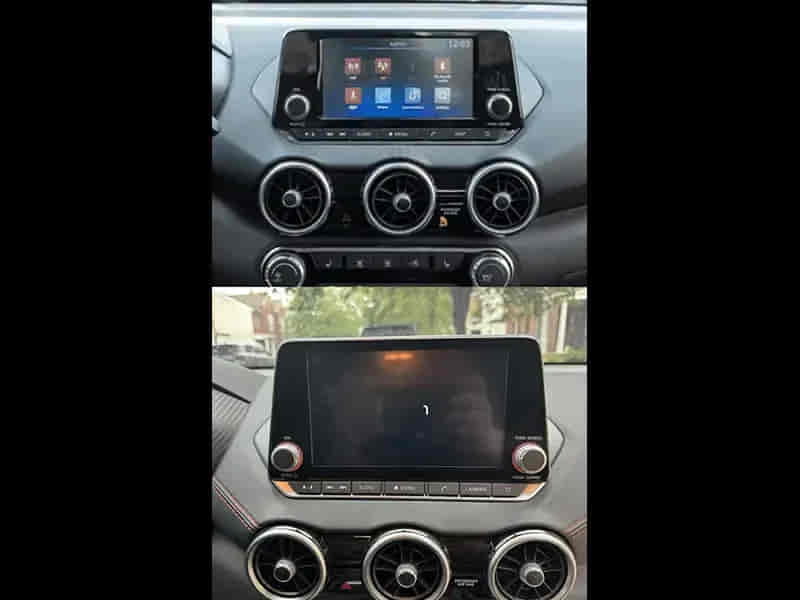
Apple CarPlay allows Nissan Sentra drivers to access navigation, music, messaging, phone calls, and voice commands directly through the vehicle’s infotainment system. When CarPlay stops working, drivers may lose access to important smartphone functions and experience interruptions while driving.
Some users cannot connect their iPhone to NissanConnect at all, while others encounter problems such as black screens, frozen interfaces, failed device detection, or repeated disconnections. In many cases, the issue appears suddenly after an iOS update, infotainment software change, cable replacement, or smartphone configuration adjustment.
The Nissan Sentra CarPlay system relies on several components working together. The iPhone, USB connection, NissanConnect software, Siri functionality, and vehicle infotainment system must all communicate correctly. If any part of this process fails, CarPlay may stop functioning entirely.
Although CarPlay problems can be frustrating, most issues are caused by software conflicts, configuration errors, outdated firmware, or connection problems rather than hardware failure. Understanding the root cause makes troubleshooting significantly easier.
This guide explains the 10 most common reasons Nissan Sentra CarPlay stops working and the solutions that restore normal operation.
What Are the Signs That Nissan Sentra CarPlay Is Not Working?
The most common signs of Nissan Sentra CarPlay problems include failed iPhone detection, CarPlay not launching automatically, black screens, frozen displays, missing audio, and repeated connection interruptions.
Some drivers connect their iPhone but never see the CarPlay interface appear on the infotainment screen. Others see the CarPlay icon but receive a blank display or an unresponsive system. In certain situations, CarPlay launches successfully but disconnects unexpectedly during use.
Audio-related issues are also common. Navigation instructions, phone calls, or music playback may stop working even though the iPhone appears connected. Some users experience delays when using Siri or find that voice commands fail completely.
Recognizing the exact symptom is important because connection failures, display issues, and audio problems often originate from different parts of the CarPlay system.
Why Is Apple CarPlay Disabled on Either the iPhone or NissanConnect?
Apple CarPlay may stop working because it has been disabled either on the iPhone or within the NissanConnect infotainment system. Since CarPlay requires authorization from both devices, disabling the feature on either side prevents communication.
On the iPhone, CarPlay settings can be modified through system preferences. Certain restrictions, Screen Time settings, or device management policies may disable CarPlay functionality without the user realizing it.
The NissanConnect system also contains settings that control smartphone integration. If CarPlay support has been disabled within the infotainment menu, the system will not recognize compatible devices even when they are connected correctly.
Software updates occasionally reset configuration settings. Drivers often assume CarPlay remains enabled because it worked previously, only to discover that permissions or infotainment settings have changed after an update.
Verifying that CarPlay is enabled on both the iPhone and NissanConnect should always be the first troubleshooting step.
Why Is the Lightning Cable Damaged or Incompatible?
A damaged or incompatible Lightning cable is one of the most common causes of Nissan Sentra CarPlay failures. CarPlay requires both power delivery and high-speed data transmission. A cable that can charge the iPhone may still be unable to support CarPlay communication.
Over time, Lightning cables experience wear from bending, twisting, and repeated connection cycles. Internal wires may become damaged even when the cable appears normal externally. This damage can interrupt data transfer and prevent CarPlay from launching.
Low-quality third-party cables frequently create compatibility issues. Some cables are designed primarily for charging and do not fully support the data communication required by Apple CarPlay.
Intermittent cable failures often produce symptoms such as random disconnections, delayed CarPlay activation, or repeated prompts to reconnect the device. Drivers may mistakenly assume the infotainment system is malfunctioning when the actual problem lies within the cable.
Using a certified high-quality Lightning cable is one of the simplest ways to eliminate a common CarPlay failure point.
Why Is the USB Port Not Transferring Data?
The USB port may prevent CarPlay from working when it cannot transmit data correctly. While many drivers focus on the cable itself, the USB port is equally important because it serves as the physical communication bridge between the iPhone and NissanConnect.
Dust, debris, corrosion, and physical damage can interfere with the connection between the cable and the USB port. Even minor contamination may disrupt data transfer while still allowing the device to charge normally.
Not all USB ports support Apple CarPlay. Some Nissan Sentra models include multiple USB ports, but only specific ports provide the data communication required for smartphone integration. Connecting the iPhone to the wrong port may prevent CarPlay from launching.
Loose internal connections can create intermittent problems. The iPhone may connect briefly before disconnecting repeatedly as the vehicle moves over bumps or vibrations affect the connection.
Because CarPlay depends on stable data communication, USB port integrity should always be verified during troubleshooting.
Why Is Siri Disabled on the iPhone?
Siri plays a critical role in Apple CarPlay functionality. If Siri is disabled, CarPlay may fail to launch or operate correctly because many CarPlay services depend on Apple’s voice assistant infrastructure.
Apple designed CarPlay around hands-free interaction. Navigation, messaging, calling, and voice commands all rely on Siri to process requests safely while driving. Without Siri, portions of the CarPlay system may become unavailable.
Siri can be disabled intentionally through iPhone settings or restricted through parental controls, Screen Time policies, or corporate device management profiles. After software updates, some users also discover that Siri permissions have changed unexpectedly.
When Siri-related issues are responsible, drivers may notice that CarPlay connects but fails to respond to voice commands. In some situations, CarPlay may refuse to initialize entirely.
Ensuring Siri is enabled and fully authorized is an essential part of diagnosing CarPlay connectivity issues.
Why Is the NissanConnect Software Outdated?
Outdated NissanConnect software can prevent Apple CarPlay from working correctly because iPhone operating systems evolve continuously while infotainment software may remain unchanged for extended periods.
Apple regularly updates iOS, introducing new communication protocols, security standards, and CarPlay features. If NissanConnect software does not support these changes, compatibility issues can emerge.
Older software versions may contain bugs that affect device detection, connection stability, display rendering, and audio transmission. Manufacturers frequently release updates specifically to address these problems and improve smartphone integration.
The issue often becomes noticeable after a major iOS update. Drivers may find that CarPlay worked perfectly before updating their iPhone but stops functioning afterward because the infotainment system is using outdated software.
Keeping NissanConnect updated improves compatibility, reduces software conflicts, and helps ensure reliable CarPlay performance.
Why Did an iOS Update Break Apple CarPlay?
An iOS update can disrupt Apple CarPlay functionality because software upgrades often modify communication protocols, security permissions, and device authentication requirements. Although these updates improve performance and security, they can create temporary compatibility issues between the iPhone and NissanConnect.
CarPlay relies on a trusted relationship between the vehicle and the iPhone. When Apple introduces changes to iOS, previously stored connection data may no longer match the new software environment. As a result, Nissan Sentra may fail to recognize the device, launch CarPlay incorrectly, or experience repeated connection interruptions.
Permission changes are another common factor. New versions of iOS occasionally modify access requirements for Siri, USB accessories, notifications, and background communication. If these permissions become restricted during the update process, CarPlay may stop functioning even though the iPhone still connects to the vehicle.
Software updates can also corrupt existing connection records. In these situations, NissanConnect continues attempting to communicate using outdated authentication information while the updated iPhone expects a different configuration.
Deleting the existing CarPlay connection and reconnecting the iPhone often resolves update-related issues because the devices create a fresh communication profile that aligns with the latest iOS requirements.
Why Is CarPlay Connected but the Screen Is Black?
A black screen is one of the most frustrating Apple CarPlay problems because the iPhone appears connected while the CarPlay interface fails to display correctly. In most cases, the connection itself is active, but the infotainment system cannot render the CarPlay display.
Software conflicts are a leading cause. The NissanConnect system and the iPhone must continuously exchange graphical information. If either device experiences a software error during initialization, the display may remain blank even though communication continues in the background.
Display rendering problems can occur after software updates. An iOS update may alter graphical requirements while NissanConnect continues operating with older display parameters. This mismatch can prevent the CarPlay interface from loading properly.
USB communication issues can produce similar symptoms. CarPlay requires stable high-speed data transfer. If the cable or USB port intermittently interrupts communication, the infotainment system may receive incomplete display information and show a black screen.
System resource overload is another possibility. When NissanConnect experiences temporary software instability, display services may fail while other functions continue operating. Restarting both the iPhone and infotainment system often restores normal display behavior.
Because black screen issues frequently originate from communication conflicts rather than hardware failure, software troubleshooting should be prioritized before considering component replacement.
Why Does Nissan Sentra CarPlay Keep Disconnecting?
Repeated CarPlay disconnections usually indicate unstable communication between the iPhone and NissanConnect. A properly functioning CarPlay connection should remain active throughout the drive without interruption.
Damaged Lightning cables remain one of the most common causes of intermittent disconnections. Even minor internal cable damage can interrupt data transmission momentarily, causing CarPlay to disconnect and reconnect repeatedly.
USB port issues can create similar symptoms. Loose connections, contamination, and worn internal contacts may disrupt communication whenever vehicle movement places stress on the connection.
Software compatibility conflicts also contribute significantly to connection instability. Outdated NissanConnect software, iOS bugs, and corrupted CarPlay profiles can interrupt communication sessions and force repeated reconnection attempts.
Background iPhone processes occasionally affect stability as well. Aggressive battery management settings, wireless communication conflicts, and application crashes can interfere with CarPlay operation.
Persistent disconnections generally indicate a communication quality problem rather than a complete CarPlay failure. Identifying and eliminating the source of instability typically restores reliable operation.
Why Does NissanConnect Need a System Reset?
A NissanConnect reset is often necessary because temporary software conflicts can accumulate over time and interfere with Apple CarPlay functionality. Like any infotainment platform, NissanConnect continuously processes device connections, application data, and communication requests.
As temporary files accumulate, system performance may degrade. CarPlay initialization, device recognition, display rendering, and audio communication can all be affected by outdated or corrupted system information.
Software glitches commonly cause symptoms such as failed CarPlay launches, black screens, frozen interfaces, delayed response times, and connection instability. These issues frequently originate from temporary software conditions rather than permanent hardware failures.
A system reset clears temporary memory and reloads core infotainment processes. This allows NissanConnect to rebuild communication channels and remove unstable background services that may be affecting CarPlay performance.
Factory resets provide an even deeper recovery option by removing stored devices, user preferences, and communication profiles. This approach is particularly effective when corrupted CarPlay data persists after standard troubleshooting attempts.
Resetting NissanConnect often resolves problems that appear serious but are actually caused by temporary software instability.
Why Could the Infotainment System Be Failing?
A failing infotainment system is a less common but more significant cause of Apple CarPlay problems. Unlike software-related issues, hardware failures typically cannot be resolved through settings adjustments, cable replacement, or system resets.
The infotainment system serves as the central communication hub for CarPlay. It manages device authentication, display rendering, audio routing, touch-screen interaction, and smartphone integration. When internal components begin to fail, CarPlay functionality often becomes unreliable.
Common symptoms include repeated connection failures, persistent black screens, frozen menus, delayed touchscreen responses, and inability to detect compatible devices. In advanced cases, CarPlay may disappear entirely from the infotainment menu.
Electronic components naturally experience wear over time. Heat exposure, vibration, electrical fluctuations, and aging hardware can gradually affect system performance. Although infotainment systems are designed for long-term durability, failures become more likely as vehicles age.
Because hardware replacement is significantly more expensive than software repairs, infotainment failure should only be considered after software compatibility, cables, USB ports, iPhone settings, and system resets have been thoroughly evaluated.
What Should You Do If Nissan Sentra CarPlay Still Does Not Work?
If Nissan Sentra CarPlay continues to malfunction after standard troubleshooting, a systematic diagnostic approach becomes necessary. The goal is identifying whether the problem originates from the iPhone, USB connection, NissanConnect software, or infotainment hardware.
The first step is confirming that both the iPhone and NissanConnect system are running the latest available software. Compatibility issues frequently occur when one device has been updated while the other remains outdated.
Testing a different Lightning cable is often beneficial because cable-related failures are among the most common causes of CarPlay problems. Using a certified cable eliminates one of the most likely failure points.
Testing another iPhone can also simplify diagnosis. If a second device connects successfully, the issue likely originates from the original phone. If multiple devices fail, attention should shift toward NissanConnect or the vehicle’s infotainment hardware.
Removing all existing CarPlay connections and rebuilding the relationship from scratch often resolves persistent software conflicts. This process replaces outdated communication records with new authentication credentials.
If all troubleshooting procedures fail, professional diagnostics may be required to evaluate infotainment system performance and identify hardware-related faults.
Which Nissan Sentra Model Years Report CarPlay Problems Most Often?
Apple CarPlay issues can affect any Nissan Sentra model equipped with smartphone integration technology, but reports are generally more common among vehicles using earlier NissanConnect software generations.
Older Nissan Sentra models often experience compatibility challenges after major iOS updates because Apple evolves its software ecosystem faster than vehicle manufacturers update infotainment platforms. As a result, communication conflicts become more likely over time.
Early CarPlay-equipped models may experience device recognition failures, display issues, and intermittent connectivity problems when operating with outdated software. These concerns are usually software-related rather than the result of physical defects.
Newer Nissan Sentra models benefit from improved infotainment hardware, faster processors, enhanced USB communication systems, and stronger software support. However, they remain susceptible to issues involving cables, smartphone settings, and operating system updates.
The software version installed on NissanConnect often influences CarPlay reliability more than the model year itself. Vehicles with current software typically experience fewer compatibility problems regardless of age.
How Can You Prevent Future Nissan Sentra CarPlay Problems?
Preventing Apple CarPlay problems requires maintaining compatibility between the iPhone and NissanConnect system. Because CarPlay depends on continuous communication between multiple technologies, preventative maintenance significantly improves reliability.
Keeping iOS and NissanConnect software updated is one of the most effective preventative measures. Software updates frequently contain compatibility improvements, bug fixes, and performance enhancements that reduce communication issues.
Using high-quality certified Lightning cables is equally important. Many CarPlay problems originate from cable degradation, poor-quality accessories, or damaged connectors. Replacing aging cables before failure occurs helps maintain reliable communication.
Maintaining clean USB ports also improves performance. Dust, debris, and corrosion can interfere with data transmission and create intermittent connection issues.
Rebuilding the CarPlay connection after major software updates helps synchronize authentication credentials and communication settings. This simple procedure often prevents compatibility conflicts before they develop into noticeable problems.
Regular maintenance of both the smartphone and infotainment system helps ensure consistent navigation, communication, media playback, and voice-command functionality.
Read more: Nissan Note Clicking Noise While Driving
Conclusion
Nissan Sentra CarPlay problems are typically caused by software conflicts, damaged Lightning cables, USB communication failures, outdated NissanConnect software, iOS updates, or corrupted connection profiles. Although these issues can interrupt navigation, media playback, and hands-free communication, most can be resolved without replacing hardware.
Successful troubleshooting begins by identifying the specific symptom. Connection failures, black screens, missing audio, and repeated disconnections often point toward different root causes. Understanding where communication breaks down allows repairs to be completed more efficiently.
Most CarPlay issues can be corrected through software updates, cable replacement, USB port inspection, system resets, and rebuilding the connection between the iPhone and NissanConnect. Hardware-related failures remain relatively uncommon compared with software and communication issues.
By maintaining software compatibility, using quality accessories, and addressing communication problems early, Nissan Sentra owners can enjoy reliable Apple CarPlay performance and avoid recurring connectivity issues.