
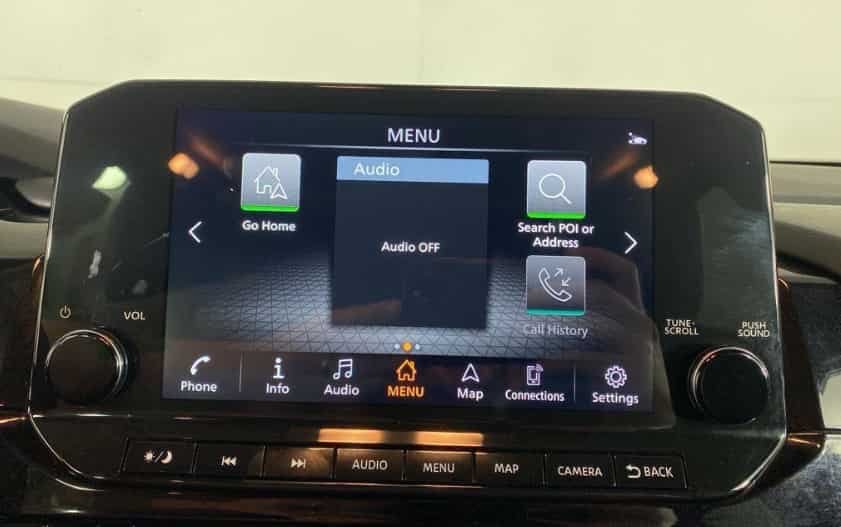
Many Nissan Armada owners become concerned when the center display suddenly turns black without warning. In some cases, the radio continues playing while the touchscreen remains completely blank. In other situations, the backup camera disappears, the navigation system fails to load, or the Nissan logo stays frozen during startup. These symptoms can be frustrating because the infotainment screen controls many of the vehicle’s most important convenience features.
The good news is that a Nissan Armada screen black issue does not always indicate a major hardware failure. A temporary software glitch, low battery voltage, an incorrect display setting, or a blown fuse can all produce similar symptoms. Because several different components work together to operate the infotainment system, identifying the exact cause before replacing expensive parts can save both time and money.
This guide explains the most common reasons why a Nissan Armada screen becomes black and provides a logical troubleshooting process that starts with the simplest checks. You will learn how to identify the symptoms, perform safe diagnostic steps, determine whether the problem is related to software or hardware, and understand when professional service is necessary. By following these recommendations, you can narrow down the source of the problem and avoid unnecessary repairs while restoring your vehicle’s display as efficiently as possible.
Why Is the Nissan Armada Screen Black?
A black infotainment screen can be alarming because it often appears without warning. The display is only one part of a much larger system. Several components must work together for everything to function correctly. These include the display, the audio visual control unit, the battery, the wiring, and the vehicle software. If one component stops communicating, the screen may turn black even though other features continue working.
The symptoms provide valuable clues. A black display does not always mean the screen has failed. A software glitch, unstable battery voltage, or a loose electrical connection can produce the same result. Understanding the symptoms first helps you avoid replacing expensive parts that still work properly.
What Does a Black Screen Actually Mean?
The phrase Nissan Armada screen black describes several different situations. Each one points to a different area of the infotainment system.
If the radio continues playing while the display stays black, the screen itself may be the problem. The display control unit or the infotainment software may also be responsible. Since the audio still works, the head unit is likely receiving power.
If both the display and the audio stop working, start by checking the vehicle’s power supply. A blown fuse, weak battery, or electrical fault can prevent the infotainment system from starting. An internal hardware failure is also possible, although it is less common.
Some owners see the Nissan logo during startup before the screen goes black again. This usually suggests that the infotainment software cannot finish loading. Low battery voltage during startup, corrupted software, or a communication error between control modules can all interrupt the boot process.
The backup camera can also help narrow the diagnosis. If the camera image disappears but the rest of the system works, the fault may involve the camera or its wiring. If the entire display remains black in every driving condition, the problem is more likely affecting the complete infotainment display.
Carefully observing these symptoms makes troubleshooting much easier. It also helps you focus on the most likely cause before spending money on unnecessary repairs.
Does the Model Year Matter?
Yes. The model year can significantly affect the diagnosis. Nissan has updated the Armada infotainment system several times over the years. Different models use different hardware, software versions, control modules, and fuse layouts.
Newer vehicles are more likely to experience software related issues. In many cases, a software update or module reprogramming resolves the problem. Older vehicles often develop electrical issues as components age. Loose connectors, worn wiring, and declining battery performance become more common over time.
Before you begin troubleshooting, collect a few basic details. Confirm the model year and trim level. Determine whether the infotainment system is factory installed or aftermarket. Next, check whether the radio, navigation, climate controls, and backup camera still work. These simple observations will narrow the possible causes and make the repair process much more efficient.
The next section explains several quick diagnostic checks that require little time and no special tools. Many owners identify the problem during these first inspections.
Quick Diagnosis Before You Start
Before assuming the infotainment system has failed, take a few minutes to perform a few basic checks. A Nissan Armada screen black issue does not always indicate a damaged display or an expensive repair. In many cases, the problem results from a temporary software glitch, low battery voltage, an incorrect display setting, or a minor electrical issue. Starting with simple inspections helps eliminate these possibilities before moving on to more advanced diagnostics.
First, check whether the display has been turned off or the brightness has been reduced. Some Nissan Armada models allow drivers to adjust screen brightness or disable the display through the infotainment settings. If the brightness is set too low, the screen may appear completely black even though the system is still operating. Restoring the display settings takes only a moment and may solve the problem immediately.
Next, test the other infotainment functions. Turn on the radio, open the navigation system if equipped, and shift into reverse to check the backup camera. If the radio continues playing while the screen remains black, the issue is more likely related to the display, software, or display control unit. If every infotainment feature stops working, inspect the battery, power supply, and related electrical components.
Finally, think about any recent changes to the vehicle. A battery replacement, jump start, software update, or aftermarket accessory installation can all affect the infotainment system. Even loose battery terminals or low voltage may interrupt the startup process. These observations provide valuable clues and make it much easier to identify the real cause before replacing any parts.
Common Causes of a Nissan Armada Screen Black Issue
A black screen can develop for several reasons, ranging from simple software glitches to hardware failures. While the symptoms often look similar, the underlying cause can vary significantly. Identifying the correct source of the problem is essential because each issue requires a different solution. The following are the most common reasons why a Nissan Armada screen suddenly stops displaying information.
Temporary Software Glitch
A temporary software glitch is one of the most common causes of a black infotainment screen. Like a smartphone or computer, the Nissan Armada infotainment system relies on software to control the display, navigation, audio, and vehicle settings. If the system encounters an unexpected error during startup, it may freeze before the display finishes loading. As a result, the screen remains black even though other functions continue to operate.
This type of problem often appears after a low battery event, an interrupted startup sequence, or a failed software update. Some drivers notice that the Nissan logo appears briefly before the screen turns black, while others find that the display starts working again after restarting the vehicle. These signs usually indicate that the hardware is still functioning and the software simply failed to complete the boot process.
Before assuming the display has failed, restart the vehicle and remove any connected USB devices or smartphones. If the screen returns to normal after a restart but the problem happens again later, the infotainment software may require an update or further diagnosis. Resolving a software issue early can prevent repeated system freezes and help restore normal operation without replacing expensive components.
Weak Battery or Low Voltage
A weak battery or unstable voltage can prevent the infotainment system from starting correctly. Although the engine may still crank and run normally, the electrical system may not provide enough stable power for the display and control modules. Modern Nissan Armada models rely on several electronic components that communicate during startup. If the voltage drops below the required level, the display may stay black while other vehicle functions continue to operate.
This problem often appears after the battery has been replaced, completely discharged, or jump started. Loose or corroded battery terminals can create similar symptoms because they interrupt the flow of electricity. In some cases, the screen works normally after driving for a while, only to become unresponsive during the next cold start. These intermittent issues usually point to an unstable power supply rather than a failed display.
Start by inspecting the battery terminals for corrosion, looseness, or visible damage. Make sure both connections are clean and securely tightened. If the battery is more than a few years old or shows signs of weak performance, test its voltage and charging condition before replacing any infotainment components. Restoring a stable power supply may resolve the black screen issue and prevent additional electrical problems from developing in the future.
Blown Fuse or Power Supply Problem
A blown fuse is another common reason for a black infotainment screen. The Nissan Armada uses multiple fuses to protect different electrical circuits, including those that supply power to the infotainment system. If one of these fuses fails, the display may stop working even though the rest of the vehicle appears to operate normally.
A fuse usually blows because it protects the circuit from excessive current. However, replacing the fuse without identifying the underlying cause may only provide a temporary solution. If the new fuse fails shortly after installation, the vehicle may have a wiring fault, a short circuit, or a defective electrical component that requires further inspection.
Locate the fuse box listed in your owner’s manual and identify the fuse associated with the infotainment system or display. Turn the vehicle off before inspecting or replacing any fuse. If the fuse looks damaged, replace it with one that has the same amperage rating. Never install a higher rated fuse because it can increase the risk of electrical damage.
If the replacement fuse restores the display and continues working normally, the problem may have been an isolated electrical event. However, if the screen remains black or the fuse blows again, stop troubleshooting and inspect the electrical system more thoroughly. Continuing to replace fuses without finding the real cause can lead to more expensive repairs later.
Loose Wiring or Faulty Electrical Connections
Loose wiring or poor electrical connections can interrupt communication between the display and the infotainment system. Unlike a blown fuse, this type of problem often appears without warning and may occur only under certain conditions. The screen may work normally one day, then suddenly turn black after driving over rough roads or during extreme temperatures.
Electrical connectors can become loose over time because of vibration, previous repair work, or normal wear. Corrosion and moisture can also affect the quality of the connection. When the display loses power or data even for a brief moment, it may fail to load correctly during startup. As a result, the screen stays black while other vehicle functions continue to operate.
Intermittent symptoms are a strong sign of a connection problem. For example, the display may return after restarting the engine or begin working again without any repair. These temporary recoveries often indicate that the hardware is still functional but cannot maintain a stable electrical connection.
A visual inspection may reveal loose connectors or damaged wiring if dashboard components have recently been removed. However, accessing the wiring behind the display usually requires interior trim removal and the proper tools. If you cannot identify an obvious problem, a professional inspection is the safest option. Repairing a loose connection early can restore normal operation and prevent additional damage to the infotainment system.
Display Control Unit or Screen Hardware Failure
If the previous checks do not reveal the cause, the problem may involve the display itself or the display control unit. These components work together to show navigation, media, camera images, and vehicle information. When either one fails, the screen may remain black even though the rest of the infotainment system continues to receive power.
A faulty display panel usually produces a consistent symptom. The screen stays dark every time the vehicle starts, and adjusting the brightness or restarting the system does not change the result. In some cases, you may still hear audio, receive phone calls through Bluetooth, or use steering wheel controls. These signs suggest that the infotainment system is operating but cannot display information.
A failed display control unit can create similar symptoms because it manages communication between the screen and other electronic modules. When this unit stops working properly, the display may freeze, restart repeatedly, or remain completely black. Since these symptoms closely resemble software or electrical issues, replacing the screen without proper testing may not solve the problem.
Diagnosing a hardware failure usually requires specialized equipment that can communicate with the vehicle’s control modules. A technician can verify whether the display, the control unit, or another component has stopped responding. Confirming the failed part before ordering replacements helps reduce repair costs and prevents unnecessary parts from being installed.
Outdated Software or Failed System Update
Software plays an important role in the Nissan Armada infotainment system. It controls how the display communicates with navigation, audio, Bluetooth, and other electronic modules. If the software becomes outdated or an update does not install correctly, the system may fail to complete its startup process. As a result, the screen can remain black even though the hardware is still working.
Software related issues often develop after a battery disconnect, an interrupted update, or an unexpected loss of power while the system is starting. Some drivers notice that the display works normally for a short time before freezing, while others see the Nissan logo appear repeatedly without loading the home screen. These symptoms usually point to a communication or software error rather than a damaged display.
Restarting the vehicle may temporarily restore normal operation, but the problem often returns if the underlying software issue remains unresolved. In this situation, checking for available software updates is a logical next step. Nissan periodically releases updates that improve system stability and correct known infotainment issues for specific model years.
If no update is available or the screen remains black after the software has been refreshed, the problem may involve another component. A professional diagnostic scan can determine whether the infotainment system is experiencing a software conflict or a hardware failure. Completing this step before replacing any parts helps ensure an accurate repair and avoids unnecessary expenses.
Water Damage or Moisture Inside the Dashboard
Moisture is one of the most overlooked causes of infotainment problems. Water does not need to reach the display directly to create a black screen. Even a small amount of moisture inside the dashboard can affect electrical connectors, wiring, or control modules. Over time, corrosion may develop and interrupt the communication between important components.
Water can enter the vehicle through a leaking windshield, damaged door seals, a clogged sunroof drain, or flood exposure. Although the leak may seem unrelated to the infotainment system, moisture can travel behind interior panels and reach sensitive electrical connections. In some cases, the display works normally in dry weather but begins to fail after heavy rain or a vehicle wash.
Look for signs that suggest moisture may be the cause. A musty smell inside the cabin, fogging behind the display, damp carpet, or water stains near the dashboard can all indicate a hidden leak. Electrical problems that appear only during wet weather also deserve closer attention.
If you suspect water damage, avoid replacing the display immediately. The source of the leak should be repaired before any electrical components are replaced. Otherwise, the same problem may return and damage the new parts. A thorough inspection of the wiring and connectors can confirm whether moisture has affected the infotainment system and help prevent more serious electrical failures in the future.
Recall or Manufacturer Related Issues
In some cases, a black infotainment screen may be linked to a known manufacturer issue rather than normal wear and tear. Nissan has released service campaigns and recalls for certain Armada model years to address problems involving the display control unit and infotainment system. While these campaigns do not affect every vehicle, they are worth checking before paying for major repairs.
The easiest way to confirm whether your vehicle qualifies is by using the Vehicle Identification Number, also known as the VIN. Recall eligibility depends on the VIN rather than the model year alone. Two vehicles built in the same year may have different repair histories or production updates, so it is important to verify the information using your specific vehicle.
If your Nissan Armada is covered by a recall or service campaign, an authorized Nissan dealer may perform the required repair or software update at no cost. This can include reprogramming the infotainment system or replacing affected components, depending on the manufacturer’s instructions. Keeping records of previous repairs can also help the dealer determine whether the recommended service has already been completed.
Before replacing the display, head unit, or control module, check for any open recalls or service campaigns. A few minutes of research could save a significant repair bill and ensure that the problem is resolved using the latest factory approved procedure.
How to Fix a Nissan Armada Screen Black Issue
Once you understand the possible causes, the next step is to identify the correct solution. Start with the simplest checks before considering expensive repairs. Many black screen problems result from minor software or electrical issues that can be resolved without replacing the infotainment system. Following a logical troubleshooting process also reduces the risk of misdiagnosis and unnecessary repair costs.
Restart the Infotainment System
A temporary software error can prevent the display from loading correctly. In many cases, restarting the infotainment system allows it to complete the startup process and restores normal operation. Turn the vehicle off completely, wait a few minutes, and then restart the engine. If the display returns to normal, monitor the system over the next several days to see whether the problem occurs again.
If the screen remains black, disconnect any USB drives, charging cables, or mobile devices connected to the infotainment system. External devices can occasionally interrupt the startup process or create software conflicts. Restart the system again after removing these accessories and check whether the display responds normally.
If the screen continues to stay black after several restart attempts, move on to the next diagnostic step. At this point, the problem is more likely related to the power supply, software, or hardware than a temporary system freeze. A systematic approach will help you identify the real cause while avoiding unnecessary replacement of expensive components.
Inspect the Battery and Electrical Supply
A stable power supply is essential for the infotainment system to operate correctly. Even if the engine starts without difficulty, low battery voltage can prevent the display from completing its startup sequence. Modern vehicles rely on multiple electronic control modules that communicate during startup, and a brief voltage drop may interrupt that process.
Begin by inspecting the battery terminals. They should be clean, secure, and free of corrosion. Loose connections can reduce voltage to the infotainment system and create intermittent problems that are difficult to diagnose. If corrosion is present, clean the terminals according to the manufacturer’s recommendations before testing the system again.
Next, consider the age and condition of the battery. Most automotive batteries gradually lose performance over time, especially in regions with extreme temperatures. If the battery has been discharged several times or recently required a jump start, it may no longer provide stable voltage during engine startup. Testing the battery with the proper equipment is often faster and less expensive than replacing infotainment components that are still functioning normally.
After confirming that the battery and electrical connections are in good condition, restart the vehicle and check the display again. If the screen remains black despite a healthy power supply, continue with the next troubleshooting step to inspect the fuse and related electrical circuits.
Check the Infotainment Fuse
If the battery is in good condition but the screen remains black, inspect the infotainment fuse. A blown fuse can interrupt power to the display and prevent the system from starting. Although replacing a fuse is simple, it should never be the first repair unless you have already ruled out basic software and battery related issues.
Begin by locating the correct fuse box using your owner’s manual. The exact location and fuse number vary by model year, so always use the diagram that matches your Nissan Armada. Once you identify the infotainment or display fuse, remove it carefully and inspect the metal strip inside. A broken or burned strip usually indicates that the fuse has failed.
If the fuse is damaged, replace it with a new one that has the same amperage rating. Using a fuse with a higher rating may protect the circuit less effectively and increase the risk of electrical damage. After installing the replacement, restart the vehicle and check whether the display operates normally.
If the new fuse blows again or the screen remains black, stop replacing fuses and investigate the underlying cause. A repeated fuse failure often points to a wiring problem, a short circuit, or a faulty electronic component. Identifying the source of the fault before installing additional parts will help prevent further damage and reduce long term repair costs.
Check for Software Updates
If the battery, electrical connections, and fuse are all in good condition, the next step is to verify that the infotainment software is up to date. Like other electronic systems, the Nissan Armada infotainment unit relies on software to manage communication between the display, navigation, Bluetooth, and other vehicle features. An outdated or corrupted version may prevent the screen from loading correctly.
Software related problems often develop gradually. The display may freeze during startup, restart unexpectedly, or remain black without showing an error message. In many cases, the hardware is still working as intended, but the operating software cannot complete the startup process. Installing the latest software version may restore normal operation and improve overall system stability.
Contact an authorized Nissan dealer or check whether your vehicle qualifies for an available software update. You should also ask if there are any service campaigns related to the infotainment system for your specific Vehicle Identification Number. Some updates address known issues that affect only certain production periods, making the VIN the most reliable way to confirm eligibility.
If the display continues to stay black after the software has been updated, the problem is more likely related to the display hardware, the control unit, or another electrical component. At that stage, a professional diagnostic inspection becomes the most effective way to identify the failed part and avoid unnecessary replacement costs.
Seek Professional Diagnosis When Basic Fixes Do Not Work
If the screen remains black after completing the previous checks, the problem likely involves a component that requires specialized diagnostic equipment. Modern Nissan Armada models use multiple electronic control modules that communicate through the vehicle’s network. A failure in one module can affect the entire infotainment system, making the issue difficult to identify without the proper tools.
A qualified technician can scan the vehicle for diagnostic trouble codes and verify whether the display, display control unit, or another module has stopped responding. They can also test the power supply, inspect communication circuits, and confirm whether the screen is receiving the correct voltage and data signals. This process helps identify the exact cause instead of relying on trial and error.
Professional testing is especially important if the screen stays black after a software update, repeatedly blows a fuse, or fails following water exposure. These conditions often indicate a deeper electrical problem that cannot be confirmed through a visual inspection alone. Continuing to replace parts without proper testing may increase repair costs without solving the original issue.
An accurate diagnosis allows you to repair only the component that has actually failed. This approach saves time, reduces unnecessary expenses, and improves the chances of restoring the infotainment system to normal operation on the first repair attempt.
Nissan Armada Screen Black but Radio Still Works
If your Nissan Armada screen is black but the radio still works, the problem is usually limited to the display system rather than the entire infotainment unit. Because the audio continues playing, the head unit is still receiving power and processing information. This observation helps eliminate several possible causes, including a completely failed infotainment system or a major power supply problem.
In many cases, the fault involves the display panel, the display control unit, or the software that controls the screen. A temporary software error may prevent the display from loading even though the rest of the system continues operating in the background. A loose electrical connector or damaged display cable can produce similar symptoms by interrupting the video signal while leaving the audio functions unaffected.
Begin by restarting the vehicle and disconnecting any connected USB devices or smartphones. Next, verify that the display brightness has not been reduced to its lowest setting. If the screen remains black, test the backup camera by shifting into reverse in a safe location. If the camera image also fails to appear, the problem is more likely affecting the display rather than a single application.
When these basic checks do not restore the screen, a professional inspection is recommended. A technician can determine whether the display, the display control unit, or another electronic component has failed. Identifying the exact cause before replacing parts is the most effective way to reduce repair costs and restore the infotainment system quickly.
Nissan Armada Screen Black After Battery Replacement
A black screen that appears after replacing the battery is usually related to a power interruption rather than a failed display. During a battery replacement, the infotainment system loses power completely. When the new battery is connected, every electronic module must restart and communicate with each other. If this process is interrupted or the battery voltage is unstable, the display may fail to load correctly.
Start by checking that both battery terminals are fully tightened and free of corrosion. Even a slightly loose connection can reduce voltage and prevent the infotainment system from starting normally. Next, confirm that the replacement battery meets the specifications recommended for your Nissan Armada. A battery with insufficient capacity or poor condition can create intermittent electrical problems, especially during engine startup.
After confirming the battery installation, restart the vehicle and allow the infotainment system several moments to complete its startup sequence. If the screen remains black, inspect the infotainment fuse and check whether the vehicle requires a software update or system reset. These simple steps often resolve issues that appear immediately after the battery has been replaced.
If the display still does not respond, the battery replacement may have revealed an existing problem rather than caused a new one. A professional diagnostic inspection can verify whether the issue involves the display, the control unit, or another electronic component. Confirming the source of the fault before replacing any parts will help avoid unnecessary repairs and ensure the infotainment system operates correctly again.
When Should You Replace the Screen?
A black display does not always mean the screen has failed. Many Nissan Armada owners replace the display too early, only to discover that the real problem involves the battery, software, fuse, or display control unit. Confirming the cause before ordering replacement parts can save both time and money.
The screen becomes the most likely cause when it remains black after every basic troubleshooting step has been completed. If the battery is healthy, the fuse is intact, the software is current, and the electrical connections are secure, the display itself may no longer function properly. Consistent symptoms usually point to a hardware failure rather than a temporary system error.
Visible damage also increases the likelihood of a failed display. Cracks, liquid intrusion, dead pixels, or physical impact can permanently affect the screen. In some cases, the touchscreen may continue responding even though no image appears. In other situations, both the display and touch functions stop working completely. These symptoms often indicate that the display assembly requires replacement.
Before purchasing a new screen, have the infotainment system inspected with professional diagnostic equipment. A technician can verify whether the display panel, display control unit, or another electronic module has failed. Replacing only the defective component is often more cost effective than replacing the entire infotainment system and helps ensure the repair solves the problem the first time.
How Much Does It Cost to Fix a Nissan Armada Screen Black Issue?
The cost of repairing a Nissan Armada screen black issue depends on the underlying cause. Some problems require only a simple software update or fuse replacement, while others involve replacing the display or an electronic control module. For this reason, identifying the source of the problem before ordering parts is the most cost effective approach.
Minor repairs are usually the least expensive. Cleaning battery terminals, replacing a blown fuse, or installing a software update often costs far less than replacing hardware. These solutions can restore the display without major disassembly and are frequently completed during a routine service visit.
Repair costs increase when the problem involves damaged wiring, a failed display panel, or a faulty display control unit. Labor charges also vary depending on how much of the dashboard must be removed to access the affected components. In some situations, replacing only the display is enough. In others, the entire infotainment unit or control module may require replacement and programming.
Before approving any repair, request a complete diagnostic report and a written estimate. This information helps you understand which component has failed and why it needs replacement. It also makes it easier to compare repair options between dealerships and independent repair shops. Investing in an accurate diagnosis first can prevent unnecessary expenses and ensure the correct component is repaired the first time.
Frequently Asked Questions
Why Is My Nissan Armada Screen Black but the Radio Still Works?
If the radio continues playing while the screen stays black, the infotainment system is still receiving power. In most cases, the problem involves the display, the display control unit, or the infotainment software rather than the entire head unit. A temporary software error, a loose electrical connection, or a failed display panel can all produce this symptom. Start by restarting the system, checking the display settings, and inspecting the battery before considering hardware replacement.
Can a Weak Battery Cause the Nissan Armada Screen to Go Black?
Yes. Low battery voltage can interrupt the infotainment system during startup and prevent the display from loading correctly. Even if the engine starts normally, unstable voltage may affect sensitive electronic modules. Testing the battery and confirming that all electrical connections are secure should be one of the first troubleshooting steps.
How Do I Reset the Nissan Armada Infotainment System?
The reset procedure depends on the model year and the infotainment system installed in your vehicle. In many cases, turning the vehicle off, waiting a few minutes, and restarting the engine will clear a temporary software error. If the issue continues, consult the owner’s manual or contact an authorized Nissan dealer for the correct reset procedure for your specific model.
Should I Replace the Screen Immediately?
No. A black display does not automatically mean the screen has failed. Problems with the battery, fuse, software, wiring, or display control unit can create the same symptom. Completing a proper diagnosis before replacing any parts is the best way to avoid unnecessary repair costs.
Conclusion
A Nissan Armada screen black issue can be frustrating, but it does not always mean the infotainment system has failed. In many cases, the problem is caused by a temporary software glitch, low battery voltage, a blown fuse, or a loose electrical connection. These issues are often easier and less expensive to fix than many owners expect.
The best approach is to start with the simplest inspections before replacing any components. Check the display settings, verify the battery condition, inspect the infotainment fuse, and look for available software updates. These basic steps can eliminate many common causes and help you avoid unnecessary repair costs. If the screen remains black after completing these checks, a professional diagnostic inspection is the safest way to identify the exact source of the problem.
Taking the time to diagnose the issue correctly can save both money and frustration. It also reduces the risk of replacing parts that are still working properly. Whether the solution involves a software update, an electrical repair, or a new display, an accurate diagnosis will always lead to a more reliable repair.
If your Nissan Armada still has a black screen after following the troubleshooting steps in this guide, record the symptoms, note when the problem first appeared, and have the vehicle inspected by a qualified technician. Providing detailed information will help speed up the diagnosis and get your infotainment system back to normal as quickly as possible.