
Ever found yourself sitting in your Nissan Altima, pressing the start button, and nothing happens? It can be frustrating, especially when the key fob battery is dead or the system shows “No Key Detected.” Knowing how to start your Altima with the physical key can save time, stress, and even a towing bill.
This step-by-step guide covers every Nissan Altima model year, from the early 2007 versions with traditional ignition keys to the newest push-button models that use smart key fobs. You will learn how to start your car using the key blade, what to do when your fob fails, and how to handle emergency situations safely.
Whether you are a new owner or have been driving your Altima for years, this guide will walk you through each method clearly and confidently. By the end, you will understand exactly how to start your Nissan Altima with key, even if the fob battery dies or the system does not respond.
Understanding Nissan Altima Key Types
Before learning how to start your Nissan Altima with key, it helps to understand the type of key system your car uses. Over the years, Nissan has introduced several ignition styles, and knowing which one your vehicle has will make the process easier and faster.
Older Altima models from 2007 to 2012 usually come with a traditional metal key. You insert this key directly into the ignition switch to start the engine. It is simple and reliable, but the lock cylinder can wear out over time if the key is bent or damaged.
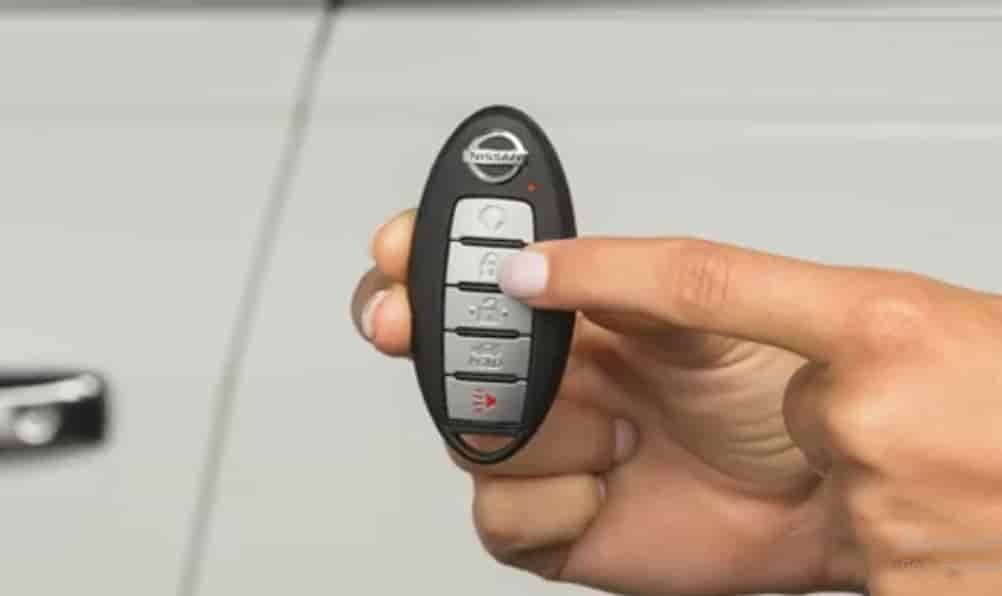
From 2013 onward, most Altima models use a smart key fob. This modern key system allows you to start the car by pressing the push start button while keeping the fob inside the vehicle. The fob communicates with sensors that detect its signal automatically.
There is also an emergency or valet key blade hidden inside the fob. This small metal key is useful if the fob battery dies or the electronic system fails. You can use it to unlock the driver’s door and start the car manually if needed.
Knowing which key your Altima uses is the first step before following any starting procedure.
How To Start Nissan Altima with Physical Key (2007–2012 Models)
If you drive an older Nissan Altima that uses a traditional key ignition, starting the car is straightforward once you know the right steps. These models rely on a physical connection between the key and the ignition cylinder, so your goal is to turn the key smoothly without forcing it.
Begin by sitting in the driver’s seat and making sure the gear is set to Park. Insert the key fully into the ignition slot. Turn it to the “ON” position and wait a few seconds until the dashboard lights up. This allows the car’s electrical system to activate, including the fuel pump and sensors. Then turn the key one step further to engage the starter and the engine should come to life.
If the key does not turn, gently wiggle the steering wheel while applying light pressure on the key. Sometimes the steering lock can cause resistance. Avoid forcing the key because it can damage the ignition cylinder. If the issue continues, try using a spare key or have a locksmith inspect it for wear.
Once the engine starts, release the key and let it return to the “ON” position. You are now ready to drive your Nissan Altima with full confidence.
How To Start Push-Button Nissan Altima with Key (2013–2025 Models)
Newer Nissan Altima models are equipped with a push-button start system that uses a smart key fob instead of a traditional ignition key. This system makes starting your car easier, but it can also be confusing if the fob battery is weak or the car fails to detect it. Understanding how it works helps you start the engine smoothly in any situation.
First, make sure the smart key fob is inside the vehicle. Sit in the driver’s seat, press the brake pedal, and then push the start button once. If everything is working correctly, the engine should start immediately. The car’s sensors detect the fob signal automatically as long as it is inside or near the cabin.
If the system shows a message such as “No Key Detected,” do not panic. It usually means the fob battery is low. Take the key fob and hold it close to the start button while pressing the brake pedal. The system will still recognize the signal through near-field communication and allow you to start the engine.
For added safety, avoid pressing the start button repeatedly or forcing the procedure. If the car still does not start, move the fob closer to the steering column and try again. Once the engine is running, consider replacing the fob battery soon to prevent future problems.
How To Start Nissan Altima When the Key Fob Battery Is Dead
A dead key fob battery is one of the most common reasons why a Nissan Altima will not start. Fortunately, you can still start your car even when the fob is not sending a signal. Nissan designs its keyless systems with a backup method that allows you to use the fob or the hidden key blade in an emergency.
If the doors are locked, look for the small release button on the back of the fob and pull out the metal key blade. Insert it into the keyhole on the driver’s door and turn it to unlock the car manually. Once you are inside, keep the fob close to the start button. Press the brake pedal and push the start button while holding the fob against it. The vehicle will detect the fob through short-range communication even if the battery inside is dead.
If your Altima uses an older ignition slot instead of a push start system, insert the metal key directly into the ignition and start the car as usual. After starting the engine, the electrical system will power up, but remember to replace the fob battery as soon as possible. Use a CR2032 coin cell battery and make sure the new battery is installed in the correct direction to avoid connection issues.
Keeping a spare fob battery in your glove compartment is a simple precaution that can save time when you least expect it.
Troubleshooting: When Your Altima Still Won’t Start
Even after following the correct steps, your Nissan Altima might still refuse to start. This can happen for several reasons, and understanding the most common causes will help you diagnose the issue quickly.
Start by checking the car battery. A weak or dead 12-volt battery is often the main reason a vehicle does not respond. If the dashboard lights dim or flicker when you press the start button, the battery likely needs charging or replacement. Use jumper cables or a portable jump starter to test whether the engine turns over.
If the battery is fine but the car still does not start, the issue may come from the starter motor or ignition switch. Listen for a clicking sound when pressing the start button. A repeated click usually means the starter is faulty or has a weak connection. Cleaning or tightening the battery terminals can sometimes fix this problem.
Another possible reason is the immobilizer system. This security feature prevents the car from starting if the key signal is not recognized. Try using a spare key fob if you have one. If the security light on the dashboard keeps flashing, the system might need to be reset by a Nissan technician.
When all else fails, contact your nearest Nissan dealer or a certified locksmith. They can scan the vehicle for diagnostic codes and pinpoint the exact issue. Acting early can prevent more serious electrical or security problems in the future.
Preventive Tips to Avoid Starting Problems
Preventing starting problems in your Nissan Altima is easier than fixing them after they happen. With a few simple habits, you can keep your car’s key system reliable and ready whenever you need it.
Begin by checking the key fob battery every six months. A weak battery can cause signal loss, which triggers the “No Key Detected” warning. Replacing the coin cell battery regularly ensures your fob communicates properly with the car’s sensors. Keep a spare CR2032 battery in the glove box so you are never caught unprepared.
Clean your key fob and physical key occasionally. Dirt, moisture, and grease can affect the fob’s buttons or corrode the metal contacts inside. Avoid leaving the key near magnets or electronic devices that might interfere with its signal.
If your car uses a traditional ignition key, make sure the metal edges remain straight and smooth. A bent key can damage the ignition cylinder and lead to costly repairs. Lubricating the key slot once a year with a silicone-based product helps prevent friction and wear.
Lastly, pay attention to your car’s 12-volt battery. When it becomes weak, electronic systems like the immobilizer and push start button may not work correctly. Testing the battery voltage regularly is a simple step that can save you time and stress.
By taking care of both your key and your car’s electrical system, you greatly reduce the chance of starting issues and keep your Nissan Altima dependable for years.
Common Questions About Starting Nissan Altima with Key
Can I start my Nissan Altima without the key fob?
Yes, you can. If the key fob battery is dead, use the emergency key blade inside the fob to unlock the door. Then hold the fob close to the start button while pressing the brake pedal. The system will detect the fob and allow the car to start.
Why does my Altima show “No Key Detected” even when the fob is inside the car?
This usually means the fob battery is weak or the signal is blocked. Try holding the fob closer to the start button or replacing the battery. Avoid placing the fob near metal objects or electronic devices that might interfere with its signal.
What should I do if my Altima key will not turn in the ignition?
If your Altima uses a traditional ignition key, make sure the steering wheel is not locked. Try gently moving the steering wheel left and right while turning the key. If it still does not move, the key or ignition cylinder might be worn and should be checked by a locksmith.
How can I tell if my car battery or key fob is the problem?
If you press the start button and see lights flicker or hear clicking sounds, the car battery is likely weak. If the dashboard lights appear normal but the system says “No Key Detected,” the issue is with the key fob. Testing both components can help you confirm which one is failing.
Can I replace the Nissan Altima key fob battery myself?
Yes, it is simple. Use a small flat tool to open the fob, remove the old battery, and replace it with a new CR2032 coin cell. Make sure the positive side faces upward and avoid touching the battery surface with your fingers to keep it clean.
Conclusion
Knowing how to start your Nissan Altima with key is more than just a technical skill. It gives you confidence and control in unexpected situations. Whether your car uses a traditional ignition key or a modern push-button start system, understanding how both work ensures you are never stranded because of a weak battery or a failed key fob.
This guide covered every Nissan Altima model year, from early versions to the newest keyless designs. You learned how to use the physical key blade, how to start the car when the fob battery dies, and how to troubleshoot problems that might stop the engine from turning on. You also discovered preventive tips to keep your car’s key and electrical systems in perfect shape.
If you have experienced any of these issues before, you now know exactly what to do. Check your key fob battery, test your car’s 12-volt system, and keep a spare key handy. A few minutes of preparation can save hours of frustration.
Share your experience with other Altima owners and help them learn how to start their Nissan Altima with key safely and confidently.