
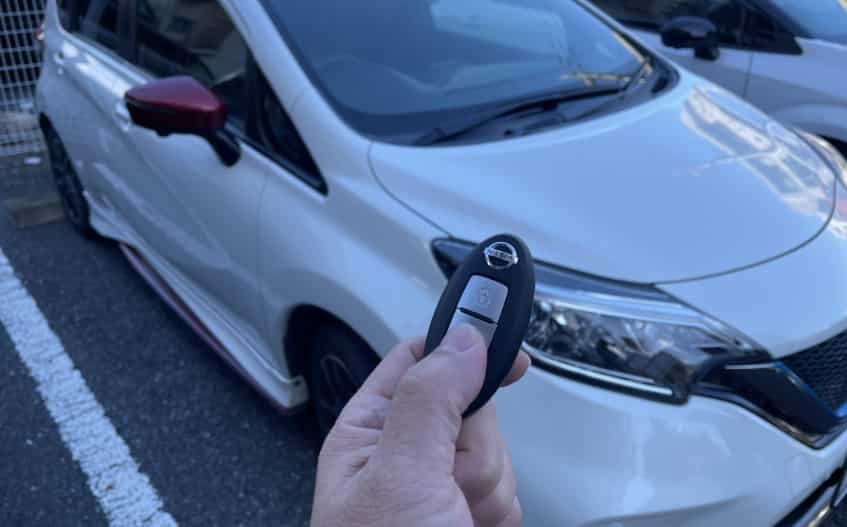
A Nissan Note key fob should unlock the doors and start the engine with a single press. When it suddenly stops working, even a simple trip can become frustrating. You may find that the doors stay locked, the engine will not start, or the dashboard displays a Key Not Detected warning.
Many drivers assume the key fob has failed completely. However, that is not always the case. A weak battery, signal interference, damaged buttons, or a programming issue can all prevent the key from communicating with the vehicle. Most of these problems have simple solutions that you can try at home.
First, it helps to understand how the system works. The Nissan Intelligent Key sends a secure radio signal to the vehicle. The car verifies that signal before it unlocks the doors or allows the engine to start. If this communication stops, the vehicle cannot recognize the key. As a result, several keyless functions may stop working.
Fortunately, many Nissan Note key fob issues do not require an expensive replacement. A few basic checks often reveal the real cause. Replacing the battery, checking the battery orientation, or removing nearby sources of signal interference may solve the problem within minutes.
This guide explains the most common reasons why a Nissan Note key fob stops working. It also provides practical solutions for every situation. You will learn how to diagnose the problem, replace the battery correctly, use the emergency start method, decide whether the key needs reprogramming, and identify faults that require professional repair. By the end of this guide, you will know exactly what to do before spending money on a new key fob.
Why Is Your Nissan Note Key Fob Not Working?
A Nissan Note key fob can stop working for several reasons. Fortunately, many of these problems have simple solutions. However, identifying the correct cause is the first step toward restoring normal operation.
In most cases, a weak or dead key fob battery causes the problem. As the battery loses power, the remote sends a weaker signal to the vehicle. Consequently, you may need to stand much closer before the doors unlock. Eventually, the key fob may stop working completely.
Sometimes the battery is not the problem at all. Instead, it may have been installed incorrectly. If the battery faces the wrong direction or fails to touch the metal contacts, the key cannot transmit a reliable signal. Therefore, even a brand new battery may not solve the issue.
In addition, signal interference can interrupt communication between the key fob and the vehicle. Mobile phones, wireless routers, security systems, and crowded parking areas may all reduce the signal range. As a result, the Nissan Note may fail to detect the key even when it is nearby.
Physical damage is another common cause. For example, dropping the key fob or exposing it to water can damage the internal circuit board. Likewise, worn buttons may stop responding after years of daily use. In these situations, replacing the battery alone will not restore normal operation.
The problem may also come from the vehicle itself. For instance, a weak 12 volt battery can affect the keyless entry system. Likewise, a faulty Intelligent Key receiver or an immobilizer fault may prevent the Nissan Note from recognizing the key. In many cases, the dashboard will display a Key Not Detected warning.
Occasionally, the key fob loses synchronization with the vehicle. This situation may occur after electrical repairs or battery replacement. Fortunately, reprogramming the key often restores communication if the hardware still functions correctly.
To help you identify the problem faster, the table below summarizes the most common causes and the best first action.
| Problem | Likely Cause | First Solution |
|---|---|---|
| Remote does not unlock the doors | Dead key fob battery | Replace the battery |
| Key Not Detected message | Weak signal or communication failure | Hold the key close to the Start button |
| Remote works only at close range | Weak battery or signal interference | Install a new battery and move away from interference |
| Buttons do not respond | Worn buttons or internal damage | Inspect the key fob for physical damage |
| Push button start does not work | Vehicle battery or immobilizer issue | Check the vehicle battery and scan for fault codes |
| Key stopped working after battery replacement | Battery installed incorrectly or key lost synchronization | Check the battery orientation and reprogram the key if necessary |
Overall, understanding these symptoms helps you avoid unnecessary repairs. More importantly, it allows you to follow a logical troubleshooting process instead of replacing parts at random. In the following sections, you will learn how to diagnose each cause and apply the most effective solution.
Common Symptoms of a Nissan Note Key Fob Problem
A Nissan Note key fob rarely stops working without showing warning signs first. Instead, the symptoms usually become more noticeable over time. Therefore, recognizing these changes can help you identify the problem before it becomes more serious. In many cases, the first symptom appears when the remote no longer locks or unlocks the doors from its normal operating distance. At first, you may need to stand closer to the vehicle before the buttons respond. Eventually, the remote may stop working completely, even after pressing the buttons several times.
Another common symptom is the Key Not Detected message on the dashboard. Although the key fob is inside the vehicle, the system cannot establish reliable communication with the Intelligent Key. As a result, the engine may not start, or the push button start system may remain inactive. Sometimes the doors unlock successfully, but the vehicle still refuses to start. In other situations, the key works normally one day and becomes unreliable the next. This inconsistent behavior often indicates a weak battery, signal interference, loose battery contacts, or internal damage to the circuit board.
You may also notice that only one key fob has stopped working while the spare key continues to function normally. If that happens, the problem is usually inside the original remote rather than the vehicle itself. Likewise, some drivers experience problems immediately after replacing the battery because they installed it incorrectly or disturbed the battery contacts during installation. By understanding these common symptoms, you can narrow down the possible causes much faster. Consequently, you can choose the correct solution instead of replacing parts that still work properly.
Dead or Weak Key Fob Battery
A dead or weak battery is the most common reason a Nissan Note key fob stops working. Fortunately, this is also the easiest problem to fix. Every time you press a button, the key fob sends a radio frequency signal to the vehicle. However, the battery must provide enough power for that signal to reach the Intelligent Key system. As the battery loses power, the signal becomes weaker and less reliable. Consequently, you may notice that the remote works only when you stand close to the vehicle. Eventually, the doors may no longer unlock, the luggage compartment may not open, and the push button start system may display a Key Not Detected warning even though the key is inside the car.
Several signs can help you determine whether the battery is reaching the end of its service life. For example, the operating range becomes much shorter than usual, the remote responds inconsistently, or some buttons work better than others. In many cases, drivers assume the key fob has failed completely when the battery simply needs replacement. Therefore, replacing the battery should always be the first troubleshooting step before considering more expensive repairs. Most Nissan Note key fobs use a small coin cell battery, although the exact battery type may vary depending on the model year and key design. For that reason, you should always confirm the correct battery specification in your owner’s manual before purchasing a replacement.
After installing a new battery, test every function of the key fob from a normal distance. If the remote locks and unlocks the doors consistently, the problem is solved. However, if the same symptoms continue after replacing the battery correctly, the fault may involve the battery contacts, internal circuit board, signal interference, or the vehicle’s Intelligent Key system. In that case, continue with the next troubleshooting steps to identify the exact cause.
Battery Installed Incorrectly or Poor Battery Contact
Replacing the battery does not always solve the problem. In fact, many Nissan Note owners continue to experience key fob issues because the new battery was installed incorrectly or the internal contacts no longer provide a stable connection. Although this mistake is easy to make, it can prevent the key fob from transmitting a strong and consistent signal. As a result, the remote may work only occasionally or fail to communicate with the vehicle altogether.
The first thing to check is the battery orientation. Every coin cell battery has a positive side and a negative side, and the battery must match the markings inside the key fob. If the battery faces the wrong direction, the remote will not receive power even if the battery is brand new. Next, inspect the metal contacts that hold the battery in place. These small clips can bend over time or become loose during battery replacement. Consequently, the battery may shift slightly inside the key fob, interrupting the electrical connection whenever you press a button or carry the key in your pocket.
It is also worth examining the battery compartment for dirt, dust, or corrosion. Even a thin layer of residue can reduce conductivity and weaken the electrical circuit. Therefore, clean the contacts carefully with a soft, dry cloth before installing the new battery. At the same time, avoid touching the battery surfaces with wet or oily fingers because contaminants may reduce contact quality. Once everything is secure, close the key fob firmly and test every button from a normal operating distance. If the remote still fails to respond after confirming the battery orientation and contact points, the problem likely involves another component. In that situation, the next step is to determine whether signal interference or internal key fob damage is preventing reliable communication with the Nissan Note.
Signal Interference and Environmental Factors
Even when the battery is in good condition, a Nissan Note key fob may still fail because of signal interference. The remote communicates with the vehicle by sending a radio frequency signal. However, nearby electronic devices or environmental conditions can weaken or block that signal. As a result, the vehicle may not receive the command to lock, unlock, or start, even though the key fob is working properly. This situation often confuses drivers because the problem appears only in certain locations and disappears after moving the vehicle.
Several external factors can interfere with the signal. For example, wireless routers, mobile phone towers, security systems, radio transmitters, and parking garage equipment all generate electromagnetic signals. Likewise, large metal structures, underground parking areas, and crowded urban environments can reduce signal strength. Consequently, the key fob may work normally at home but become unreliable in a shopping center or office parking lot. If the problem occurs only in one location, signal interference is far more likely than a faulty key fob.
Fortunately, you can perform a few simple checks before assuming the remote needs repair. First, move several meters away from nearby electronic equipment and test the key fob again. Next, remove the key from a bag or pocket that contains a mobile phone, power bank, or other wireless devices. These items can sometimes affect signal transmission when they remain close to the key fob. If your Nissan Note uses a push button start system, hold the key close to the Start button and try starting the engine again. Should the vehicle respond normally, the issue may involve a weak signal rather than a hardware failure.
If changing the environment does not improve performance, you should continue with the troubleshooting process. At that point, the key fob itself or the vehicle’s electronic system becomes a more likely source of the problem. Identifying this difference helps you avoid replacing a key fob that still functions correctly and allows you to focus on the real cause.
Damaged Buttons or Internal Circuit Board
A key fob can also stop working because of physical damage. Although the outer case may look normal, the internal components can wear out after years of daily use. Every button press creates small amounts of mechanical stress, and repeated impacts from accidental drops can weaken the electronic circuit over time. Consequently, the key fob may begin to respond inconsistently or stop working without any warning.
The buttons are often the first components to show signs of wear. As the rubber pads become thinner, they may no longer press the switches on the circuit board with enough force. In some cases, one button continues to work while the others stop responding. For example, the unlock button may function normally, but the lock or luggage compartment release button does nothing. This uneven performance usually indicates mechanical wear rather than a battery problem.
Moisture is another common cause of internal damage. Rain, spilled drinks, or high humidity can allow water to enter the key fob through small openings around the buttons or battery cover. Over time, moisture may cause corrosion on the circuit board or battery contacts. Even a small amount of corrosion can interrupt the electrical circuit and reduce signal transmission. Likewise, dirt and dust may collect inside the housing and affect the movement of the buttons or the connection between electronic components.
Begin by inspecting the key fob carefully for cracks, loose buttons, or signs of water damage. Next, open the housing and examine the circuit board for corrosion, broken solder joints, or damaged battery contacts. If you find only light dirt or residue, clean the affected areas gently with a suitable electronics cleaner and allow every component to dry completely before reassembling the key fob. However, if the circuit board is cracked or heavily corroded, repairing the remote may not be practical. In that situation, replacing the key fob or having it professionally repaired is usually the most reliable solution.
Vehicle Battery, Intelligent Key System, and Immobilizer Faults
If the key fob is in good condition but still does not work, the problem may originate from the vehicle rather than the remote itself. Although many drivers replace the key fob battery first, they often overlook the electrical systems that allow the Nissan Note to recognize the Intelligent Key. As a result, they spend time and money on a replacement key without fixing the actual fault.
A weak 12 volt vehicle battery is one of the most common causes of unexpected keyless entry problems. Every electronic control module depends on a stable power supply to communicate with the key fob. When the battery voltage drops below the normal operating range, the Intelligent Key system may struggle to detect the remote or process its signal correctly. Consequently, the doors may fail to unlock, the push button start system may not respond, or the dashboard may display a Key Not Detected warning. If you also notice slow engine cranking, dim headlights, or electrical accessories behaving unusually, the vehicle battery should be tested before investigating other components.
The Intelligent Key receiver and the immobilizer system can also prevent the vehicle from recognizing a valid key. The receiver captures the radio signal from the key fob and sends the information to the vehicle’s control modules for verification. If the receiver develops a fault, communication may stop even though the remote continues to transmit normally. Likewise, the immobilizer system will block engine starting whenever it cannot authenticate the key. In some cases, software errors, damaged wiring, or a faulty Body Control Module can produce similar symptoms.
Before replacing the key fob, check the condition of the vehicle battery and test the spare key if one is available. If both key fobs produce the same symptoms, the fault is more likely within the vehicle. At that stage, a professional diagnostic scan can identify stored fault codes and confirm whether the Intelligent Key system, immobilizer, or another electronic component requires repair. This approach saves time, reduces unnecessary expenses, and ensures that the correct problem is repaired first.
How to Fix a Nissan Note Key Fob That Is Not Working
Once you understand the possible causes, the next step is to troubleshoot the problem in a logical order. Starting with the simplest checks can save both time and money. In addition, this approach helps you avoid replacing parts that still work properly. Most Nissan Note key fob problems can be identified within a few minutes if you follow each step carefully.
Begin by replacing the key fob battery with a new battery that matches the manufacturer’s specifications. After installing the battery, confirm that the positive and negative sides face the correct direction and that the battery sits firmly against the metal contacts. Next, test every button from a normal operating distance. If the remote responds consistently, the issue was most likely a weak battery or poor battery contact.
If the key fob still does not work, inspect the remote for visible damage. Look for cracked plastic, loose buttons, corrosion, or signs of moisture inside the housing. At the same time, clean the battery contacts if you notice dirt or oxidation. Then, move to a different location and test the key again. This simple step helps rule out signal interference from nearby electronic devices or large metal structures.
The next step is to verify that the vehicle can still recognize the key. If your Nissan Note has a push button start system, hold the key fob close to the Start button while pressing the brake pedal and attempting to start the engine. If the vehicle starts successfully, the key is still communicating with the Intelligent Key system, although the signal may have become too weak for normal operation. In that case, replacing the battery or repairing the key fob usually resolves the problem.
If the vehicle still cannot detect the key, try the spare key if one is available. Should the spare key work normally, the original key fob is almost certainly faulty. However, if neither key functions correctly, the issue is more likely related to the vehicle battery, the Intelligent Key receiver, the immobilizer system, or another electronic component. At that point, a professional diagnostic scan becomes the most effective way to identify the exact fault.
Following these troubleshooting steps in the correct order eliminates guesswork and reduces unnecessary repair costs. More importantly, it helps you identify whether the problem lies with the key fob or the vehicle before purchasing a replacement or scheduling professional repairs.
When Should You Replace or Reprogram the Key Fob?
Not every faulty key fob needs to be replaced. In many situations, a simple battery replacement or minor repair restores normal operation. However, there are cases where reprogramming or replacing the key fob becomes the only practical solution. Understanding the difference helps you avoid unnecessary expenses while ensuring that the Nissan Note remains secure and reliable.
Reprogramming is often the best option when the key fob no longer communicates with the vehicle even though the hardware remains in good condition. This problem may occur after electrical repairs, battery disconnection, software updates, or certain electronic faults. In these situations, the Intelligent Key system may lose synchronization with the remote. Consequently, the vehicle cannot verify the key even though the battery, buttons, and circuit board continue to function correctly. A qualified locksmith or Nissan technician can usually restore communication by programming the key to the vehicle again.
Replacement becomes necessary when the key fob has suffered significant physical damage. For example, a cracked circuit board, severe corrosion, broken electronic components, or water damage often makes repair uneconomical. Likewise, replacing the key is the safest option if the remote has been lost or stolen because the missing key should no longer have access to the vehicle. In these cases, the new key must also be programmed before it can operate the locking system and start the engine.
Before making a final decision, compare the cost of repair, reprogramming, and replacement. If a new battery and basic troubleshooting fail to solve the problem, professional testing can identify the exact fault. As a result, you can choose the most cost effective solution instead of replacing the entire key fob without confirming the real cause. This careful approach reduces unnecessary spending and ensures that the Nissan Note keyless entry system continues to operate as intended.
Conclusion
A Nissan Note key fob can stop working for many different reasons, but most problems have a practical solution. In many cases, the issue begins with a weak battery, poor battery contact, signal interference, or normal wear inside the remote. Fortunately, these faults are often easy to identify and inexpensive to fix. By following a logical troubleshooting process, you can determine whether the problem comes from the key fob itself or from the vehicle’s electrical system before spending money on unnecessary repairs.
If replacing the battery does not restore normal operation, inspect the key fob for physical damage and test it in a different environment. Next, verify that the vehicle battery supplies sufficient power and confirm whether a spare key works correctly. These simple checks can eliminate the most common causes and provide valuable information before professional diagnosis becomes necessary. Should the problem continue, a diagnostic scan can identify faults within the Intelligent Key system, the immobilizer, or other electronic components that affect keyless entry and engine starting.
Understanding why a Nissan Note key fob not working issue occurs makes troubleshooting faster and more effective. Instead of replacing the entire remote immediately, focus on identifying the actual cause and apply the appropriate solution step by step. This approach saves time, reduces repair costs, and helps maintain the reliability of your vehicle. If you have experienced a different key fob problem or discovered another effective solution, share your experience in the comments. Your advice may help other Nissan Note owners resolve the same issue more quickly.