
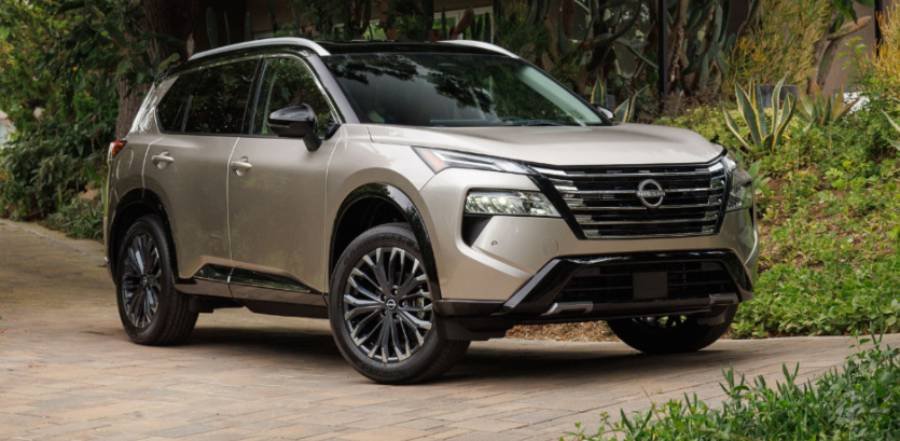
Nissan Rogue Remote Start lets you start the engine before entering the vehicle when your Rogue is equipped with a compatible remote-start system and its operating conditions are met. Depending on the model year and equipment, remote starting can be performed with the Nissan Intelligent Key or through compatible NissanConnect Services. This allows the engine and supported climate-control functions to operate while the vehicle remains secured.
Remote start is especially useful when preparing the cabin before driving. In cold weather, it can give the heating and defrosting systems time to operate; in hot weather, the climate-control system can begin reducing cabin temperature. However, remote-start availability and behavior are not identical across every Nissan Rogue model year and configuration.
Using the feature correctly requires more than pressing a remote-start button. The vehicle must satisfy specific operating conditions, and an unsuccessful request can result from the key fob, vehicle status, or connected service being used. This guide explains how Nissan Rogue Remote Start works, how to check whether your Rogue has it, how to start the vehicle with a key fob or NissanConnect Services, and how to diagnose the system when it does not work.
What Is Nissan Rogue Remote Start and How Does It Work?
Nissan Rogue Remote Start is a system that allows the driver to start the vehicle’s engine from outside the cabin without inserting a key or immediately entering the vehicle. On properly equipped Rogue models, the driver sends a remote-start command using the Nissan Intelligent Key or a compatible NissanConnect Services remote function. The vehicle receives the request, verifies that the required operating conditions are satisfied, and starts the engine if the request is accepted.
The system uses several vehicle conditions to prevent unintended engine starts. For example, the Rogue must be in an appropriate operating state before the remote-start request can be completed. The exact requirements and available functions depend on the model year and equipment, so owners should use the instructions for their specific Rogue rather than assume every generation operates identically. This verification process explains why pressing the correct buttons does not necessarily start the engine when another required condition has not been met.
Remote starting the engine also does not mean the Rogue becomes immediately ready to drive. The system is designed to let the engine operate while maintaining vehicle security until the driver enters the cabin and completes the normal procedure required to operate the vehicle. This distinction allows remote start to prepare the vehicle without functioning as an alternative to the normal authorization process for driving it.
Remote start is closely connected with cabin preparation. On supported configurations, the climate-control system can operate while the engine is running remotely, allowing the cabin to begin heating or cooling before the driver enters. The exact HVAC response can vary according to the Rogue’s model year, climate-control equipment, vehicle settings, and ambient conditions. These differences are important when determining whether remote start will automatically activate heating, air conditioning, or defrosting functions.
Does the Nissan Rogue Come With Remote Start?
Remote start is available on Nissan Rogue models equipped with the required factory remote-start hardware and features, but it should not be assumed that every Rogue has the same remote-start capability. Availability varies according to factors such as model year, trim, equipment package, key fob, and connected-services compatibility. A Rogue may therefore support remote starting through its Intelligent Key, connected services, both methods, or neither method depending on its configuration.
The distinction between key-fob remote start and connected remote start is important. Key-fob operation relies on the vehicle’s compatible Intelligent Key and its communication range. App-based operation relies on compatible connected-vehicle functionality and applicable NissanConnect Services requirements. Having one method available does not automatically establish that the other method is available on the same vehicle.
Model year is another important qualifier because Nissan has changed Rogue generations, trims, equipment, and connected features over time. For that reason, the most reliable way to determine availability is to identify the exact model year and equipment of the vehicle rather than rely only on the fact that it is a Nissan Rogue. This is particularly important for used vehicles, where the current owner may not have the original window sticker or a complete list of factory-installed equipment.
How Can You Tell if Your Nissan Rogue Has Remote Start?
Check the Intelligent Key first to determine whether your Nissan Rogue is equipped with a key-fob remote-start control. A compatible fob has a dedicated remote-start control in addition to standard functions such as locking and unlocking the doors. The presence of the appropriate control provides a quick indication that the vehicle was equipped to support that remote-start method.
Confirm the feature against information for the exact vehicle when the key fob does not provide a clear answer. The owner’s manual and model-specific equipment information can distinguish remote-start availability from other Intelligent Key functions. This verification is more reliable than using another Rogue of the same generation as a reference because vehicles that look similar can have different trims or option packages.
Connected remote-start capability should be checked separately. A Rogue that supports compatible NissanConnect Services may provide remote functions beyond those available directly through the key fob, subject to the vehicle and service requirements that apply to that configuration. Treating these as two related but distinct control methods prevents a common mistake: assuming that the absence or presence of app-based remote start determines whether key-fob remote start is installed.
How Do You Remote Start a Nissan Rogue With the Key Fob?
To remote start a compatible Nissan Rogue with the Intelligent Key, press the lock button and then press and hold the remote-start button until the vehicle starts. The sequence must be performed while the vehicle is within the key fob’s operating range and the required remote-start conditions are satisfied. When the command is accepted, the engine starts without requiring the driver to enter the vehicle first.
The order of the buttons matters because locking the vehicle is part of the remote-start sequence. Pressing only the remote-start button or performing the sequence incorrectly may prevent the engine from starting. The Intelligent Key sends the command wirelessly to the Rogue, and the vehicle checks its operating conditions before accepting the request. As a result, a correctly performed button sequence can still fail when the vehicle detects a condition that prevents remote operation.
Key-fob range also affects whether the command reaches the vehicle. Physical barriers, distance, radio interference, and the condition of the key fob battery can affect communication between the Intelligent Key and the Rogue. Moving closer to the vehicle and repeating the correct sequence is therefore a useful first check when remote start works at short distances but fails farther away.
After the engine starts, the Rogue remains secured rather than becoming immediately ready to drive. The driver must enter the vehicle with the appropriate key and follow the normal procedure required by that Rogue before driving. This security behavior allows remote start to prepare the engine and cabin without allowing someone to simply enter the remotely started vehicle and drive away.
How Do You Remote Start a Nissan Rogue With NissanConnect Services?
To remote start a compatible Nissan Rogue through NissanConnect Services, use the remote engine-start function associated with the vehicle in the supported connected-services interface and complete the required confirmation steps. Unlike the Intelligent Key method, this process sends the request through the vehicle’s connected-services system rather than directly from a nearby key fob.
App-based remote start depends on more than the presence of factory remote-start hardware. The Rogue must support the applicable connected functionality, and the account and service associated with the vehicle must meet Nissan’s requirements. This distinction explains why a driver may be able to remote start a Rogue with the Intelligent Key but not have remote engine start available through connected services.
The connected method also differs from the key fob in how the command reaches the Rogue. A key fob communicates directly with the vehicle within its usable wireless range, while NissanConnect Services relies on the connected communication path available to the supported vehicle and service. This makes connected remote start useful when direct key-fob range would otherwise be a limitation, provided the required connectivity and service conditions are available.
A failed NissanConnect remote-start request does not automatically indicate a mechanical problem with the Rogue. The failure can originate from vehicle operating conditions, connectivity, account or service status, or another requirement associated with the connected system. For this reason, troubleshooting app-based remote start should distinguish connected-service problems from key-fob and vehicle-related problems instead of treating every failed request as the same fault.
How Long Does a Nissan Rogue Run After Remote Start?
A Nissan Rogue typically runs for up to 10 minutes after a successful Remote Engine Start, with supported models allowing the remote-start period to be extended once for another 10 minutes. The exact procedure and operating limits should be confirmed for the specific model year because Nissan can change remote-start behavior between vehicle configurations and generations.
The automatic time limit prevents the engine from idling indefinitely when the driver does not enter the vehicle. During the remote-start period, the engine operates while the vehicle remains secured and supported systems can prepare the cabin. If the driver does not complete the required vehicle-start procedure before the remote-start period expires, the engine automatically shuts off.
On Rogue models that support a remote-start extension, a second valid remote-start command can extend the operating period. The extension should not be interpreted as unlimited restarting: the system places restrictions on repeated remote-start cycles. These restrictions reduce unnecessary idling and prevent remote start from functioning as a substitute for normal vehicle operation.
The runtime also matters when using remote start for cabin preparation. Starting the Rogue several minutes before entering can give the climate-control system time to change the cabin temperature, but leaving the engine running remotely for longer than necessary consumes fuel while the vehicle remains stationary. The practical goal is therefore to use enough remote-start time to prepare the cabin rather than automatically use the maximum available runtime on every trip.
Does Nissan Rogue Remote Start Turn On the Heat or Air Conditioning?
Nissan Rogue Remote Start can operate the vehicle’s climate-control system on supported configurations, allowing the cabin to begin heating or cooling before the driver enters. The exact response depends on the model year, climate-control equipment, system settings, and ambient conditions. Remote starting the engine therefore does more than warm up the powertrain; it can also prepare the passenger compartment for driving.
In cold conditions, the heating system can begin raising the cabin temperature while the engine runs remotely. Depending on the Rogue’s equipment and operating logic, functions associated with cold-weather cabin preparation can also become relevant. Defrosting and defogging are particularly useful because remote starting gives the HVAC system time to address frost or condensation before the driver begins the trip. Owners should confirm automatic defroster behavior in the manual for their specific model year rather than assume every Rogue activates the same functions.
In hot conditions, remote start can allow the air-conditioning system to begin reducing cabin temperature before entry. The effectiveness of this process depends on factors such as outside temperature, solar exposure, cabin temperature, HVAC configuration, and the length of the remote-start period. A Rogue parked in direct summer sunlight, for example, can require more cooling time than the same vehicle parked in shade.
Climate-control behavior should also be distinguished from remote-start activation itself. A Rogue can successfully start remotely even when the resulting HVAC behavior differs from what the driver expects. When the engine starts but the cabin does not heat or cool as expected, the climate settings and model-specific automatic climate-control behavior should be checked before diagnosing the issue as a remote-start failure.
Why Is My Nissan Rogue Remote Start Not Working?
Nissan Rogue Remote Start may not work when the vehicle does not meet the system’s operating conditions, the Intelligent Key cannot communicate reliably with the vehicle, or the connected remote-start service cannot complete the request. A failed remote start does not automatically mean the system is damaged. The cause should first be isolated by determining whether the problem occurs with the key fob, NissanConnect Services, or both methods.
Vehicle conditions are the first area to check because remote start operates only when the Rogue determines that starting the engine remotely is safe. A hood, door, ignition, transmission, or other monitored vehicle condition that does not satisfy the requirements can cause the system to reject the command. This behavior is intentional: remote start is designed to prevent the engine from starting when the vehicle detects a condition that conflicts with remote operation.
The Intelligent Key is another common troubleshooting point when the problem occurs only with key-fob remote start. The vehicle must receive the remote command successfully, so excessive distance, physical obstructions, radio interference, or a weak key fob battery can prevent reliable communication. A useful test is to move closer to the Rogue and repeat the correct lock-and-remote-start sequence. If remote start begins working at a shorter distance, key-fob communication should be investigated before assuming that the vehicle’s remote-start system has failed.
The vehicle’s electrical and system status can also affect remote-start availability. Remote Engine Start depends on several electronic systems communicating correctly, which means a vehicle condition or warning that affects the required operating logic can prevent a successful request. When remote start suddenly stops working together with another warning or electrical symptom, that additional symptom should be investigated rather than repeatedly sending the remote-start command.
NissanConnect Services introduces a separate group of possible failure points. A Rogue can have functioning factory remote start while a connected remote-start request fails because the vehicle, account, service, or communication path does not meet the requirements for the connected function. This is why testing the Intelligent Key separately is useful. If the key fob starts the Rogue remotely but the connected method does not, the evidence points toward the connected-service side rather than the basic remote-start hardware.
Repeated remote-start attempts can also be restricted by the system’s operating rules. Remote start is designed for temporary preconditioning rather than continuous unattended engine operation, so completing one or more remote-start cycles can affect whether another command is accepted. The specific limits should be checked against the owner’s manual for the Rogue’s model year.
How Do You Fix Nissan Rogue Remote Start That Is Not Working?
Fix Nissan Rogue Remote Start by verifying the starting procedure first, checking the vehicle’s required operating conditions, testing the Intelligent Key, and then isolating connected-service or vehicle-system problems. Following this order prevents unnecessary repairs because many failed requests result from an unmet condition or communication problem rather than a defective remote starter.
Start by repeating the correct key-fob procedure from a reasonable distance. Lock the vehicle and perform the remote-start command in the required sequence. Moving closer to the Rogue removes distance as a variable, while repeating the sequence carefully helps determine whether the original failure resulted from button timing or an incomplete command.
Check the vehicle conditions next. Verify that the Rogue is secured and that the hood, doors, ignition state, transmission state, and other applicable remote-start requirements match the instructions for the specific model year. Correct any obvious condition and attempt remote start again. This step matters because replacing a key fob battery will not solve a request that the vehicle itself is intentionally rejecting for safety reasons.
Test the Intelligent Key when the procedure and vehicle conditions appear correct. Reduced operating range or inconsistent response can indicate a key-fob communication problem. A weak key fob battery is especially relevant when other remote functions have also become unreliable. Testing another compatible Intelligent Key, when available, can further separate a key-specific problem from a vehicle-side problem.
Check NissanConnect Services separately when remote starting through the connected system fails. Confirm that the vehicle supports the applicable remote function and that the required account, service, and connectivity conditions are satisfied. If key-fob remote start works while the connected request repeatedly fails, focus troubleshooting on the connected service rather than replacing remote-start components unnecessarily.
Finally, investigate the vehicle itself when both remote-start methods fail despite the correct procedure and satisfied operating conditions, particularly when warning indicators or other electrical symptoms appear at the same time. Use the owner’s manual for the exact Nissan Rogue model year to identify applicable restrictions and warning conditions. A persistent failure with no identifiable operating-condition cause may require vehicle diagnosis rather than additional remote-start attempts.
Read more: Top 5 Nissan Rogue CVT Issues Every Owner Should Know | Model Years, Symptoms & Costs
Is Nissan Rogue Remote Start Safe to Use?
Nissan Rogue Remote Start is safe to use when the vehicle is parked in an appropriate location and the system is operated according to Nissan’s requirements. The feature maintains vehicle security while allowing the engine and supported climate-control functions to operate before the driver enters. However, remote start should never be used where engine exhaust cannot disperse safely.
Do not remote start a Nissan Rogue inside a closed garage or another enclosed space. A running gasoline engine produces exhaust gases, including carbon monoxide, and these gases can accumulate when ventilation is inadequate. Remote start increases this risk because the driver can start the engine without being physically present to notice changing conditions around the vehicle.
Vehicle security remains an important part of remote-start operation. Starting the engine remotely does not provide the same authorization required to enter and drive the Rogue. The vehicle remains secured during the remote-start period, and the driver must have the appropriate key and complete the required procedure before driving. This separation allows the cabin to be prepared without eliminating the vehicle’s normal access controls.
Remote start should also be used only for the time needed to prepare the vehicle. Extended unattended idling provides little additional benefit once the cabin reaches a comfortable condition and increases unnecessary fuel consumption. Drivers should therefore treat Remote Engine Start as a preconditioning feature rather than a way to leave the Rogue running unattended for extended periods.
Does Using Remote Start Use More Gas in a Nissan Rogue?
Using Remote Start increases fuel consumption because the Nissan Rogue burns fuel while the engine is running but the vehicle is stationary. Remote start does not create a separate source of fuel consumption; the additional fuel use comes from the extra engine-idling time before the trip begins.
The amount of additional fuel consumed depends primarily on how long the Rogue idles remotely and how frequently the feature is used. For example, a driver who remotely starts the vehicle before every trip adds more engine-running time than a driver who uses the feature only during extremely hot or cold weather. Climate-control demand can also affect engine load because heating, cooling, defrosting, and other vehicle systems may operate during the remote-start period.
Remote start can still provide a practical benefit despite this additional fuel use. In winter, preconditioning can help warm the cabin and support windshield clearing before departure. In hot weather, it can begin cooling a cabin that has been exposed to direct sunlight. The relevant trade-off is therefore cabin preparation versus additional stationary engine operation, not whether remote start itself somehow changes the Rogue’s normal fuel economy while driving.
Limiting remote start to the amount of time actually required for cabin preparation reduces unnecessary idling. There is little reason to use the maximum available remote-start period when the cabin reaches an acceptable condition sooner. Drivers concerned about fuel consumption should use Remote Engine Start selectively and begin driving once the vehicle is ready rather than allowing the engine to continue idling solely because remote-start time remains.