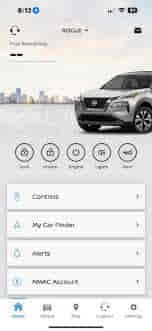
The NissanConnect app allows vehicle owners to remotely access important features such as vehicle status monitoring, remote start, door lock and unlock functions, maintenance information, and connected vehicle services. When the app stops working, drivers may lose access to convenience features that rely on communication between the vehicle, Nissan servers, and their smartphone.
Some users cannot log into the app, while others experience synchronization failures, missing vehicle information, delayed updates, or remote commands that never execute. In many cases, the problem appears after an app update, password change, smartphone replacement, subscription issue, or temporary server outage.
Unlike traditional Bluetooth or Apple CarPlay problems, NissanConnect relies on multiple communication layers. The smartphone app must communicate with Nissan’s cloud infrastructure, which then communicates with the vehicle through its telematics system. If any part of this communication chain fails, the app may stop functioning correctly.
Fortunately, most NissanConnect app problems can be resolved through systematic troubleshooting. This guide explains the 10 most common reasons Nissan Connect App stops working and the solutions that restore connected vehicle functionality.
What Are the Signs That Nissan Connect App Is Not Working?
The most common signs of NissanConnect app problems include login failures, missing vehicle data, remote commands that do not execute, synchronization errors, delayed status updates, and connection timeout messages.
Some users cannot access their accounts at all because the application rejects login credentials or remains stuck on the authentication screen. Others successfully log in but discover that vehicle information is outdated or unavailable.
Remote features may also stop functioning. Commands such as remote start, remote lock, remote unlock, horn activation, and vehicle locator services may fail to communicate with the vehicle despite appearing to send successfully.
Another common symptom involves synchronization delays. The app may display old fuel levels, outdated mileage readings, or stale vehicle status information that no longer reflects current conditions.
Recognizing the exact symptom helps determine whether the issue originates from the smartphone app, Nissan servers, account settings, vehicle connectivity, or subscription services.
Why Is Your Internet Connection Unstable?
A stable internet connection is essential for NissanConnect because the application relies on cloud-based communication rather than direct vehicle connectivity. If the smartphone loses internet access, the app cannot communicate with Nissan servers or send commands to the vehicle.
Weak Wi-Fi signals, poor cellular coverage, and network congestion can interrupt communication between the app and Nissan’s infrastructure. In these situations, login requests, vehicle updates, and remote commands may fail or experience significant delays.
Mobile data restrictions can create similar issues. Some smartphones limit background data usage for specific applications to conserve bandwidth or battery life. If NissanConnect is restricted, the app may stop receiving updates and fail to synchronize vehicle information.
Network interruptions often create misleading symptoms. Users may assume the application is malfunctioning when the actual problem originates from the smartphone’s internet connection.
Verifying internet stability should always be one of the first troubleshooting steps because every NissanConnect feature depends on successful network communication.
Why Are Your Nissan Account Credentials Incorrect?
Incorrect account credentials are one of the most common reasons NissanConnect users cannot access the application. Because NissanConnect services are tied to a Nissan account, authentication must succeed before vehicle data becomes available.
Password changes frequently contribute to login problems. Users may update their credentials through the Nissan Owner Portal but continue using outdated information within the mobile application. This mismatch prevents successful authentication.
Multiple Nissan accounts can create confusion as well. Some users accidentally register different email addresses for vehicle ownership, service appointments, and connected services. Logging in with the wrong account may prevent vehicle access even though authentication succeeds.
Security-related account changes can also trigger login issues. Password resets, suspicious login detection, account lockouts, and multi-factor authentication requirements may temporarily interrupt access until verification is completed.
Confirming account credentials and verifying account status often resolves login-related NissanConnect problems quickly.
Why Has the NissanConnect App Become Outdated?
An outdated NissanConnect app can stop working because mobile operating systems evolve continuously while older app versions may no longer support current security and communication requirements.
Nissan periodically releases updates that improve compatibility, fix bugs, enhance performance, and support new connected vehicle features. Users who continue running older app versions may experience login failures, synchronization issues, and communication errors.
Operating system updates frequently expose compatibility problems. An app version that functioned correctly on a previous iOS or Android release may encounter issues after the smartphone receives a major software update.
Outdated applications may also struggle to communicate with Nissan servers if backend services have been updated to support newer software standards.
Keeping the NissanConnect app updated helps maintain compatibility, improve reliability, and reduce the likelihood of recurring connectivity issues.
Why Is the Smartphone Operating System Causing Problems?
The smartphone operating system can interfere with NissanConnect functionality when software updates, permission changes, or system-level restrictions affect application behavior.
Both iOS and Android regularly introduce new privacy controls, security features, and background activity limitations. While these changes improve device security, they may unintentionally restrict NissanConnect’s ability to communicate with servers or update vehicle information.
Permission settings play a major role. NissanConnect may require access to notifications, location services, background data, Bluetooth, and mobile network functions. If one or more permissions become disabled, app functionality may be reduced.
Battery optimization features can create additional problems. Many smartphones limit background activity to extend battery life. If NissanConnect is prevented from running normally, synchronization delays and communication failures may occur.
System updates occasionally introduce software conflicts that affect app performance until Nissan releases a compatible update. For this reason, operating system changes are often linked to sudden NissanConnect issues.
Why Is the Vehicle Not Communicating With Nissan Servers?
The NissanConnect app depends on communication between the vehicle and Nissan’s cloud infrastructure. Even if the smartphone and application operate correctly, vehicle-side communication problems can prevent the app from functioning.
Modern Nissan vehicles use a Telematics Control Unit (TCU) to communicate with Nissan servers. This system transmits vehicle information and receives remote commands such as remote start, lock, and unlock requests.
If the vehicle loses cellular connectivity, enters an area with poor signal coverage, or experiences telematics hardware issues, communication with Nissan servers may fail. As a result, the app may display outdated vehicle information or fail to execute remote commands.
Vehicles parked underground, inside metal structures, or in remote areas are particularly susceptible to connectivity interruptions because cellular coverage may be limited.
Because NissanConnect relies on cloud-based communication, both the smartphone and the vehicle must maintain successful connections for the system to operate correctly.
Why Are Nissan Servers Experiencing an Outage?
NissanConnect relies heavily on cloud infrastructure to process account authentication, vehicle communication, remote commands, and status updates. If Nissan servers experience an outage, the application may stop functioning even when both the smartphone and vehicle are operating normally.
Server outages can occur because of scheduled maintenance, software updates, unexpected technical failures, or network disruptions. During these events, users may be unable to log in, access vehicle information, or execute remote commands through the app.
One of the most common symptoms of a server-related issue is widespread service disruption affecting multiple users simultaneously. The application may display connection errors, loading failures, timeout messages, or synchronization problems despite a stable internet connection.
Temporary server outages often resolve automatically once Nissan restores service. Because the issue originates within the cloud infrastructure rather than the vehicle or smartphone, local troubleshooting usually has limited effectiveness during an active outage.
Checking Nissan service announcements or monitoring reports from other users can help determine whether the problem is related to a broader system interruption rather than an individual account issue.
Why Has Your NissanConnect Subscription Expired?
Many NissanConnect features depend on an active subscription. If the connected services subscription expires, remote vehicle functions may stop working even though the application itself continues to operate.
Features such as remote start, remote lock and unlock, vehicle location tracking, maintenance alerts, and vehicle health reports are often tied to subscription-based services. Once the subscription period ends, Nissan servers may restrict access to these functions.
Users frequently discover the issue after purchasing a used vehicle or reaching the end of a complimentary service period. The application may continue displaying account information while rejecting remote commands and connected vehicle requests.
Payment failures can produce similar symptoms. Expired credit cards, billing issues, and account renewal problems may interrupt service even when the user expects the subscription to remain active.
Verifying subscription status through the Nissan Owner Portal is an important troubleshooting step because service interruptions related to subscriptions cannot be resolved through software updates or app reinstalls.
Why Does the Telematics Control Unit Need a Reset?
The Telematics Control Unit serves as the communication bridge between the vehicle and Nissan servers. If the TCU experiences software instability or communication errors, NissanConnect functionality may become unreliable.
The TCU continuously transmits vehicle data and receives remote commands from Nissan’s cloud infrastructure. Over time, temporary communication glitches, network interruptions, and software conflicts can affect its performance.
When the TCU becomes unresponsive, users may notice delayed vehicle updates, failed remote commands, inaccurate location information, or complete loss of connectivity between the vehicle and the NissanConnect app.
A system reset can restore normal communication by restarting telematics services and rebuilding the connection with Nissan servers. Similar to restarting a smartphone or computer, resetting the TCU often resolves temporary communication issues without requiring component replacement.
Because the TCU plays a central role in connected vehicle services, restoring proper telematics communication is often essential for resolving persistent NissanConnect problems.
Why Is the Vehicle Not Properly Linked to Your Account?
The NissanConnect app may stop working because the vehicle is no longer correctly associated with the user’s Nissan account. Since connected services are tied to specific ownership records, account linkage errors can prevent access to vehicle functions.
This problem frequently occurs after ownership transfers, dealership registration updates, account migrations, or vehicle profile changes. The app may authenticate successfully while failing to display vehicle information because Nissan servers cannot verify account ownership.
Users sometimes create multiple Nissan accounts without realizing it. If the vehicle is linked to a different account than the one currently being used, connected services may become unavailable despite successful login.
Incomplete registration can produce similar issues. During initial setup, both the vehicle and the account must complete verification procedures before connected services become active. If any part of the registration process remains unfinished, NissanConnect functionality may be restricted.
Confirming that the correct vehicle identification number is associated with the active account often resolves ownership-related connectivity problems.
Why Could the NissanConnect System Be Experiencing Hardware Failure?
Although software and account-related issues are far more common, hardware failures can occasionally prevent NissanConnect from functioning correctly. In these situations, the communication problem originates within the vehicle rather than the smartphone or Nissan servers.
The Telematics Control Unit, communication antennas, wiring harnesses, and supporting electronic modules all contribute to connected vehicle functionality. If any of these components fail, communication between the vehicle and Nissan’s cloud infrastructure may stop.
Hardware-related symptoms often include persistent connectivity failures, inability to update vehicle status, repeated communication errors, and complete loss of remote functionality despite an active subscription and properly configured account.
Electrical issues can contribute to hardware failures as well. Low battery voltage, damaged wiring, poor connections, and module communication faults may interfere with telematics operation.
Because hardware replacement is significantly more expensive than software troubleshooting, physical component failure should only be considered after account settings, subscriptions, app updates, internet connectivity, and server status have been thoroughly evaluated.
What Should You Do If Nissan Connect App Still Does Not Work?
If NissanConnect continues to malfunction after basic troubleshooting, a systematic diagnostic approach becomes necessary. The objective is determining whether the issue originates from the smartphone, account, Nissan servers, vehicle connectivity, or telematics hardware.
The first step is verifying internet connectivity and ensuring the latest version of the NissanConnect app is installed. Outdated software and unstable network connections account for a significant percentage of reported issues.
Account verification should follow. Confirming login credentials, subscription status, vehicle registration information, and account ownership helps eliminate common authentication-related causes.
Testing the app on another smartphone can provide valuable diagnostic information. If the application works correctly on a different device, the problem likely originates from the original smartphone rather than the NissanConnect service itself.
If account settings, software versions, and network connectivity appear normal, attention should shift toward vehicle-side communication. TCU diagnostics and telematics system evaluation may be required to identify deeper connectivity problems.
Following a structured troubleshooting process helps avoid unnecessary repairs and speeds up resolution.
Which Nissan Models Commonly Experience NissanConnect Issues?
NissanConnect issues can affect virtually any Nissan model equipped with connected vehicle services. Because the platform operates across multiple vehicle lines, connectivity problems are generally related to software, subscriptions, accounts, or communication systems rather than specific models.
Vehicles such as Nissan Rogue, Nissan Altima, Nissan Sentra, Nissan Pathfinder, Nissan Murano, Nissan Frontier, Nissan Kicks, and Nissan Ariya frequently appear in discussions involving NissanConnect troubleshooting. However, the underlying causes are often similar regardless of model.
Older vehicles may experience connectivity challenges related to aging telematics hardware or outdated communication technology. Newer vehicles are more likely to encounter issues linked to software updates, account synchronization, and mobile application compatibility.
Regional network coverage can also influence performance. Vehicles operating in areas with limited cellular service may experience more frequent communication interruptions than those located in regions with stronger coverage.
The specific model is often less important than the condition of the telematics system, subscription status, and software environment.
How Can You Prevent Future NissanConnect App Problems?
Preventing NissanConnect issues requires maintaining both the mobile application and the connected vehicle ecosystem. Because the system depends on multiple technologies working together, proactive maintenance significantly improves reliability.
Keeping the NissanConnect app updated is one of the most effective preventative measures. New releases frequently address software bugs, improve compatibility, and enhance communication performance.
Maintaining accurate account information is equally important. Regularly verifying login credentials, subscription status, payment methods, and vehicle ownership records helps prevent service interruptions.
Monitoring smartphone settings can also improve reliability. Allowing background activity, maintaining stable internet connectivity, and granting required permissions help ensure uninterrupted communication with Nissan servers.
Keeping vehicle software current further reduces the likelihood of connectivity problems. Many telematics updates improve communication reliability and compatibility with Nissan’s evolving cloud infrastructure.
Consistent maintenance of the application, account, and vehicle systems helps ensure reliable access to connected services throughout ownership.
Read more: Nissan Sentra Apple CarPlay Not Working
Conclusion
Nissan Connect App problems are most commonly caused by internet connectivity issues, account authentication errors, outdated software, expired subscriptions, server outages, telematics communication failures, and account linkage problems. Although these issues can interrupt remote vehicle functions and status monitoring, most can be resolved without replacing hardware.
Successful troubleshooting begins by identifying the specific symptom. Login failures, synchronization delays, remote command errors, and missing vehicle data often indicate different root causes. Understanding where communication breaks down helps streamline diagnosis and repair.
Most NissanConnect issues can be corrected through app updates, account verification, subscription renewal, network troubleshooting, and telematics resets. Hardware-related failures are relatively uncommon compared with software and connectivity problems.
By maintaining software updates, monitoring subscription status, and ensuring reliable communication between the smartphone, Nissan servers, and vehicle, owners can maximize NissanConnect reliability and avoid recurring service interruptions.