
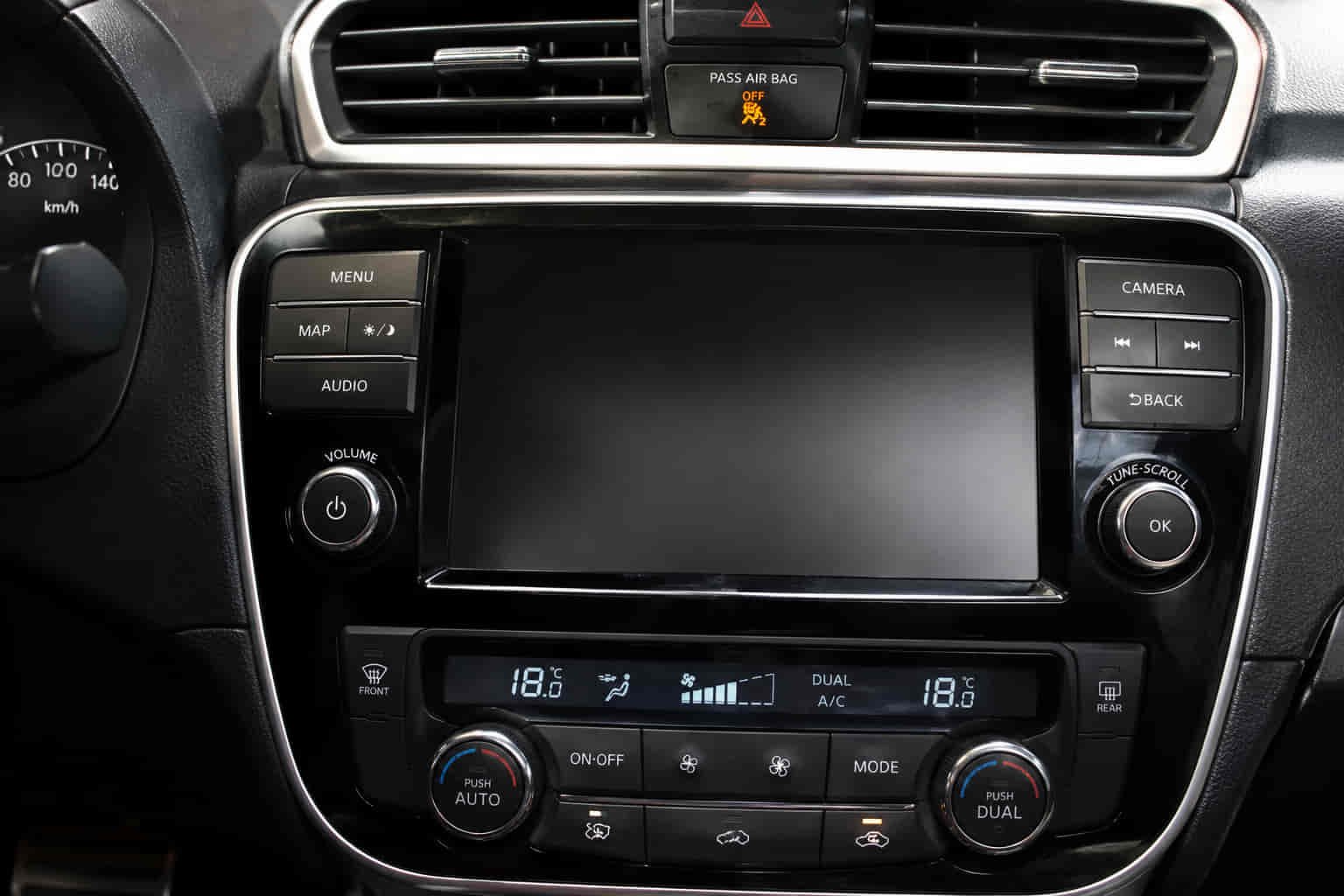
A Nissan display that stops working can affect much more than entertainment functions. Modern Nissan infotainment screens control navigation, backup camera displays, Bluetooth connectivity, Apple CarPlay, Android Auto, vehicle settings, and NissanConnect services. When the display fails, drivers may lose access to several critical features at once.
Some Nissan owners encounter a completely black screen that never powers on. Others experience a frozen display, touchscreen failures, delayed responses, flickering screens, or a system that continuously restarts. In many cases, these problems appear suddenly after a battery replacement, software update, electrical fault, or prolonged exposure to extreme temperatures.
The Nissan infotainment system depends on multiple electronic components working together. The display unit, touchscreen digitizer, head unit, control modules, wiring, vehicle battery, and software systems must communicate properly for the screen to function.
Fortunately, many display problems are caused by software glitches, power interruptions, blown fuses, or communication faults rather than complete hardware failure. Understanding the root cause helps prevent unnecessary repairs and reduces diagnostic time.
This guide explains the 10 most common reasons a Nissan display stops working and the solutions that restore normal operation.
What Are the Signs That the Nissan Display Is Not Working?
The most obvious symptom is a completely blank or black screen. However, display-related problems can appear in several different forms depending on the component that has failed.
Some drivers notice that the screen powers on but remains frozen on the Nissan logo. Others find that the display works normally while the touchscreen becomes completely unresponsive. In certain cases, the system continuously reboots and never fully loads.
Flickering screens, distorted images, missing menus, and intermittent operation are also common warning signs. The display may function properly for part of a drive before suddenly shutting off.
Connectivity problems can provide additional clues. Apple CarPlay, Android Auto, Bluetooth, navigation, and backup camera functions often stop working when the infotainment system experiences deeper communication issues.
Identifying the specific symptom helps determine whether the problem originates from software, power supply, communication systems, or display hardware.
Why Is the Vehicle Battery Weak or Disconnected?
A weak vehicle battery is one of the most overlooked causes of Nissan display problems. The infotainment system relies on stable voltage to power the display, head unit, communication modules, and touchscreen functions.
When battery voltage drops below normal operating levels, electronic modules may fail to initialize correctly during startup. As a result, the display may remain blank, reboot repeatedly, freeze during loading, or behave unpredictably.
Battery-related issues commonly appear after extended vehicle storage, cold weather conditions, or aging battery performance. Drivers often experience display failures alongside slow engine cranking, warning lights, and other electrical anomalies.
Battery replacement can also create temporary infotainment issues. Disconnecting power may reset system memory and trigger communication faults that affect display operation.
Because modern infotainment systems depend heavily on stable electrical power, battery condition should always be verified before more advanced diagnostics begin.
Why Is a Blown Fuse Preventing the Display from Turning On?
A blown fuse can completely disable the Nissan display because fuses protect infotainment circuits from electrical overloads. When a fuse fails, power is immediately interrupted to prevent damage to sensitive electronic components.
The infotainment system often uses multiple fuses that support the display, head unit, touchscreen, audio system, and communication modules. A failure within any of these circuits may prevent the display from operating normally.
Electrical surges, short circuits, aftermarket accessory installations, and wiring faults are common causes of blown fuses. In some situations, the display may suddenly stop working without any warning signs.
Unlike software-related problems, fuse failures often result in a completely dead screen with no startup logo, backlight, or touchscreen response.
Inspecting infotainment-related fuses is one of the simplest diagnostic procedures and can quickly eliminate a common cause of display failure.
Why Has the NissanConnect System Frozen?
Software freezes are among the most common causes of display problems in Nissan vehicles. The NissanConnect system continuously processes navigation data, smartphone connections, audio information, and vehicle settings. Temporary software conflicts can occasionally cause the system to stop responding.
A frozen system may display the Nissan logo indefinitely, remain stuck on a menu screen, or ignore touchscreen input entirely. In some cases, audio functions continue operating while the display becomes unresponsive.
Software instability often develops after updates, interrupted startup sequences, smartphone connectivity issues, or corrupted temporary data. As system resources become overloaded, normal operation may be disrupted.
Restarting the infotainment system frequently resolves temporary freezes because it clears memory and reloads essential software processes.
Because software conflicts are significantly more common than hardware failures, system resets are often one of the first recommended troubleshooting steps.
Why Is the Touchscreen Digitizer Failing?
The touchscreen digitizer is the component responsible for detecting touch input. If the digitizer fails, the display may appear normal while becoming completely unresponsive to user interaction.
Over time, repeated use can affect digitizer performance. Heat exposure, physical impact, moisture intrusion, and component wear may gradually reduce touch sensitivity or cause complete failure.
Drivers often report symptoms such as delayed responses, random touch activation, dead zones on the screen, or a touchscreen that no longer registers input. The display itself remains visible, but menus cannot be controlled properly.
Digitizer failures are frequently mistaken for software issues because the screen continues displaying information normally. However, the problem originates within the touch-detection layer rather than the display panel.
If the display image remains clear but touch functions fail consistently, the touchscreen digitizer becomes a primary suspect.
Why Is the Head Unit Experiencing Problems?
The head unit serves as the central processing component of the Nissan infotainment system. It controls display output, audio processing, navigation functions, smartphone integration, and communication with vehicle electronics.
When the head unit develops faults, the display may become blank, freeze unexpectedly, reboot continuously, or lose communication with connected systems. Because nearly every infotainment function depends on the head unit, failures often affect multiple features simultaneously.
Heat exposure, voltage fluctuations, aging electronic components, and internal software corruption can all contribute to head unit problems. In some cases, the display powers on but never completes the startup sequence because the head unit cannot finish initialization.
Head unit failures often produce symptoms beyond the display itself. Bluetooth connectivity, navigation functions, backup camera operation, and audio performance may also become unreliable.
Because the head unit acts as the system’s central controller, diagnosing its condition is essential when multiple infotainment functions fail simultaneously.
Why Is the Wiring Harness Damaged?
The wiring harness is responsible for carrying power and data between the display, head unit, control modules, and other vehicle systems. If wiring becomes damaged, the Nissan display may stop working entirely or behave unpredictably.
Modern infotainment systems depend on dozens of communication circuits operating simultaneously. A loose connector, damaged wire, corroded terminal, or broken ground connection can interrupt these signals and prevent normal display operation.
Wiring damage often develops after vehicle repairs, aftermarket accessory installations, water intrusion, rodent activity, or long-term vibration. Unlike software issues that typically affect system performance consistently, wiring faults often create intermittent symptoms.
Drivers may notice that the display works normally on some trips but fails on others. The screen may flicker, restart unexpectedly, or shut off completely when driving over bumps.
Because wiring problems can mimic both software and hardware failures, inspecting connectors and communication circuits becomes important when simpler troubleshooting steps do not resolve the issue.
Why Is the Display Backlight Failing?
A failing display backlight can make the Nissan screen appear completely dead even though the infotainment system itself remains operational.
The display panel relies on a backlight system to illuminate information shown on the screen. If the backlight fails, images may still be present but become extremely difficult or impossible to see under normal lighting conditions.
Many drivers initially assume the entire display has failed when the actual problem involves only the illumination system. In some cases, faint images remain visible when viewed closely or under direct sunlight.
Backlight failures are commonly caused by aging electronic components, heat exposure, internal circuit damage, or power supply issues. Symptoms often begin gradually, with screen brightness becoming inconsistent before complete failure occurs.
Unlike head unit failures, backlight problems generally do not affect audio, Bluetooth, navigation calculations, or smartphone connectivity. The system continues functioning, but the display becomes invisible.
Recognizing this distinction helps prevent unnecessary replacement of fully functional infotainment components.
Why Is the Software Update Causing Problems?
Software updates occasionally introduce display issues when the installation process is interrupted or compatibility conflicts develop between infotainment modules.
Modern Nissan infotainment systems rely on firmware to control display functions, smartphone integration, navigation services, audio processing, and communication with vehicle electronics. If software becomes corrupted, display performance may be affected immediately.
Drivers often encounter problems after updating NissanConnect, Apple CarPlay, Android Auto, or other connected vehicle services. The screen may freeze, reboot continuously, display error messages, or remain stuck on the startup logo.
Incomplete software installations can create additional complications. If power is interrupted during an update, critical files may become corrupted and prevent normal system startup.
Software-related display problems frequently resemble hardware failures even though no physical component has actually failed. Verifying software integrity is therefore an important diagnostic step before considering replacement parts.
Why Is the CAN Bus Communication System Faulty?
The CAN Bus system acts as the communication network that connects electronic control modules throughout the vehicle. The Nissan display depends heavily on this network because it exchanges information with multiple systems simultaneously.
Navigation, backup camera functions, steering wheel controls, climate settings, vehicle status information, and smartphone integration all rely on CAN Bus communication. If network communication becomes interrupted, the display may lose access to essential information or stop functioning entirely.
Faulty modules, damaged wiring, communication errors, and electrical disturbances can disrupt CAN Bus operation. When this occurs, the display may freeze, reboot unexpectedly, fail to load certain menus, or display communication-related error messages.
Because multiple systems share the same communication network, CAN Bus problems often affect more than just the display. Drivers may also experience issues involving backup cameras, audio controls, dashboard warnings, and vehicle settings.
Diagnosing communication network faults usually requires advanced diagnostic equipment capable of monitoring module communication in real time.
What Should You Do If the Nissan Display Still Does Not Work?
If the Nissan display remains inoperative after basic troubleshooting, a systematic diagnostic approach becomes necessary. The objective is identifying whether the issue originates from power supply, software, communication systems, or hardware components.
The first step is verifying battery condition and inspecting infotainment-related fuses. These checks eliminate two of the most common causes of display failure and can often be completed quickly.
A system reset should follow. Restarting NissanConnect may clear temporary software conflicts and restore normal operation without additional repairs.
If the display remains blank, evaluating symptoms becomes critical. A completely black screen often suggests power supply, fuse, backlight, or hardware issues. A frozen display typically points toward software or communication problems.
Testing associated functions such as Bluetooth, audio playback, backup cameras, navigation, and steering wheel controls can also provide valuable clues regarding the affected component.
When basic troubleshooting fails, professional diagnostics may be necessary to evaluate the head unit, communication network, display hardware, and control modules.
Which Nissan Models Commonly Experience Display Problems?
Display issues can affect virtually any Nissan model equipped with NissanConnect or modern infotainment technology. Because these systems share similar electronic architectures, many display-related symptoms appear across multiple vehicle lines.
Models such as Nissan Altima, Nissan Sentra, Nissan Rogue, Nissan Murano, Nissan Pathfinder, Nissan Kicks, Nissan Frontier, Nissan Maxima, Nissan Armada, and Nissan Leaf frequently appear in discussions involving infotainment display troubleshooting.
Older vehicles often experience hardware-related issues involving display backlights, touchscreen digitizers, wiring, and aging electronic components. Newer vehicles are more likely to encounter software conflicts, smartphone integration issues, and communication errors.
Environmental factors also influence reliability. Vehicles operating in regions with extreme temperatures, high humidity, or heavy vibration exposure may experience display problems more frequently.
In most cases, the underlying cause is more important than the specific model because similar electronic systems are used throughout the Nissan lineup.
How Can You Prevent Future Nissan Display Issues?
Preventing display problems requires maintaining both the infotainment system and the vehicle’s electrical infrastructure. Because modern displays rely on multiple interconnected technologies, preventative maintenance significantly improves reliability.
Maintaining a healthy vehicle battery is one of the most important steps. Stable voltage helps ensure that infotainment modules, displays, and communication systems initialize correctly every time the vehicle starts.
Keeping software updated also improves system stability. Manufacturers frequently release updates that address bugs, improve compatibility, and enhance overall infotainment performance.
Protecting the interior from excessive heat can extend display life. Prolonged exposure to high temperatures accelerates wear on touchscreens, display panels, and electronic control units.
Avoiding low-quality aftermarket electronics further reduces the risk of communication conflicts and electrical interference. Poorly installed accessories can affect infotainment circuits and contribute to display failures.
Routine inspection of electrical connections, battery condition, and software status helps prevent minor issues from developing into larger infotainment problems.
Read more: Nissan Not Detecting Key Fob
Conclusion
A Nissan display that is not working may be affected by a weak battery, blown fuse, software freeze, touchscreen digitizer failure, head unit malfunction, wiring damage, backlight failure, software corruption, or CAN Bus communication problems. Although display failures can appear serious, many are caused by relatively simple electrical or software issues.
Successful troubleshooting begins by identifying the specific symptom. A black screen, frozen display, touchscreen failure, flickering image, or repeated reboot cycle often points toward a different root cause. Understanding these differences simplifies diagnosis and repair.
Most Nissan display issues can be corrected through battery maintenance, fuse replacement, software resets, communication diagnostics, and system updates. Complete hardware replacement is typically required only when physical components have actually failed.
By maintaining the vehicle’s electrical system, keeping software current, and addressing warning signs early, Nissan owners can significantly improve infotainment reliability and reduce the likelihood of future display failures.