
A Nissan Pathfinder key fob should make every trip easier. With a single press, you can lock or unlock the doors, start the engine remotely on supported models, and access your vehicle without removing the key from your pocket. When these features suddenly stop working, even a simple task like unlocking the driver’s door can become frustrating. Many owners immediately assume the key fob has failed completely, but in reality, the problem is often much easier to solve.
If your Nissan Pathfinder key fob is not working, the cause could range from a weak battery and poor electrical contact to signal interference, programming issues, or a fault within the vehicle’s Intelligent Key system. Some problems can be fixed in just a few minutes at home, while others require professional diagnosis. Knowing the difference can save both time and unnecessary repair costs.
This guide explains the fifteen most common reasons why a Nissan Pathfinder key fob stops working and provides proven solutions for each situation. You will also learn how to identify the exact symptom, replace the key fob battery correctly, determine whether the issue comes from the vehicle or the key itself, and understand when it is time to contact a qualified locksmith or a Nissan dealership. By following the troubleshooting steps in the correct order, you can often restore normal operation without replacing the entire key fob.
What Is Causing Your Nissan Pathfinder Key Fob to Stop Working?
Before replacing the battery or scheduling a repair, it is important to identify the exact symptom. Different symptoms often point to different causes. A key fob that works only when held close to the vehicle usually has a different problem than one that does not respond at all. Starting with the correct diagnosis helps you avoid unnecessary expenses and saves valuable time.
| Symptom | Most Likely Cause | Recommended Solution |
|---|---|---|
| Key fob does not respond at all | Dead battery, damaged circuit board, defective buttons | Replace the battery first, then inspect the key fob for physical damage |
| Vehicle says “No Key Detected” | Weak battery, Intelligent Key communication issue, antenna problem | Hold the key fob against the Start button and test again |
| Lock and unlock buttons work only at close range | Weak battery or radio signal interference | Install a new battery and move away from electronic devices |
| Remote start does not work | Remote start conditions are not met or the battery is weak | Verify all remote start requirements before troubleshooting the key fob |
| Key fob works only sometimes | Loose battery contacts, moisture damage, internal wear | Inspect the battery terminals and clean the inside of the key fob |
| Key fob stopped working after battery replacement | Battery installed incorrectly or poor contact | Check battery polarity and ensure the battery sits firmly in place |
| Mechanical key unlocks the door but remote buttons do not work | Electronic failure inside the key fob | Test a spare key if available and consider reprogramming or replacement |
| Only one button does not work | Worn internal switch or damaged rubber button | Inspect the button mechanism and replace the key fob shell if necessary |
The table above provides a quick starting point, but every symptom deserves a closer inspection. In many cases, several issues can produce similar warning signs. For example, a weak battery may cause limited operating range, delayed button response, or a “No Key Detected” message on the dashboard. Likewise, a damaged circuit board may produce the same symptoms as severe moisture damage. For that reason, the following sections explain each possible cause in detail and outline the most effective solution for every situation.
Dead or Weak Key Fob Battery
A weak or depleted battery is the most common reason a Nissan Pathfinder key fob stops working. Since the Intelligent Key relies on a small lithium coin battery to transmit radio signals, even a slight drop in voltage can reduce its operating range or prevent communication with the vehicle altogether. In many cases, the key fob begins showing warning signs long before the battery fails completely.
You may notice that you need to press the buttons several times before the doors respond. The vehicle might unlock only when you stand very close to it, or the dashboard may display a warning indicating that the Intelligent Key battery is low. Some owners also experience intermittent operation, where the key fob works normally one moment and becomes completely unresponsive the next. These symptoms often appear gradually, making them easy to overlook until the battery can no longer provide enough power.
Replacing the battery is usually the quickest and least expensive solution. Most Nissan Pathfinder Intelligent Keys use a CR2032 lithium coin battery, although certain model years may use a different type. Always confirm the correct battery specification in your owner’s manual or by checking the existing battery before purchasing a replacement. Choosing a high quality battery from a reputable manufacturer can also improve long term reliability.
After installing the new battery, test every function, including lock, unlock, panic alarm, liftgate release, and remote start if equipped. If every feature returns to normal, the battery was almost certainly the only problem. However, if the key fob still fails to communicate with the vehicle, continue with the next troubleshooting step because another issue may be preventing the Intelligent Key system from operating correctly.
Battery Installed Incorrectly
Replacing the battery seems simple, but even a small mistake can prevent the Nissan Pathfinder key fob from working properly. Many owners assume the new battery is defective when the real problem is incorrect installation. Since the battery supplies power to every electronic component inside the key fob, proper placement is essential for reliable communication with the vehicle.
The most common mistake is installing the battery with the wrong polarity. The positive side must face the correct direction according to the battery compartment markings. Another frequent issue occurs when the battery does not sit flat inside the holder. If the battery shifts slightly, the metal contacts may fail to maintain a consistent electrical connection, causing intermittent operation or complete failure.
It is also worth considering the quality of the replacement battery. Low quality or old batteries may not provide their full rated voltage, even if they are brand new. Choosing a trusted battery brand reduces the chance of early failure and ensures more stable performance. After reinstalling the battery, close the key fob securely and test every button before assuming another fault exists.
Dirty or Bent Battery Contacts
Even with a new battery installed correctly, the Nissan Pathfinder key fob may still fail if the battery contacts cannot deliver power to the internal circuit board. Over time, dust, moisture, oxidation, and normal wear can affect these small metal terminals. Because the contacts are delicate, even a slight loss of pressure may interrupt the electrical connection.
Open the key fob and inspect the battery compartment carefully. Look for dirt, white corrosion, or metal tabs that appear flattened. If the contacts are dirty, gently clean them with a cotton swab lightly dampened with isopropyl alcohol. Allow the area to dry completely before reinstalling the battery. Never use excessive force or sharp tools because the contacts can bend or break easily.
If one of the metal terminals has lost its spring tension, it may no longer press firmly against the battery. In some cases, carefully restoring the contact to its original position improves the connection. However, if the contact is cracked or severely damaged, replacing the key fob may be the only permanent solution.
Key Fob Case Is Not Fully Closed
After replacing the battery, many people focus only on the battery itself and overlook the condition of the key fob housing. A case that is not fully snapped together can prevent the internal components from sitting in their correct positions. As a result, the buttons may not activate the switches beneath them, even though the battery is working normally.
Inspect the entire edge of the key fob and make sure every retaining clip is locked into place. If one corner remains open, the rubber button pad may shift slightly and reduce the pressure applied to the internal switches. This can make certain buttons feel soft, require multiple presses, or stop responding completely.
While the key fob is open, examine the rubber button pad for tears, deformation, or excessive wear. Years of daily use can gradually weaken the material, making it less effective at pressing the electronic switches on the circuit board. Replacing a worn outer shell is often much less expensive than replacing the entire Intelligent Key and may restore normal button operation if the electronics remain in good condition.
Before moving on to more advanced troubleshooting, verify that the battery is installed correctly, the contacts are clean, and the case is completely sealed. These simple inspections resolve a surprising number of Nissan Pathfinder key fob issues and eliminate the need for unnecessary programming or costly replacement.
Damaged or Worn Out Buttons
The buttons on a Nissan Pathfinder key fob are designed to withstand daily use, but they are not immune to wear. After years of repeated pressing, the rubber button pad may lose flexibility, or the tiny switches mounted on the circuit board may begin to fail. When this happens, one or more functions may stop working even though the battery is fully charged.
A common symptom is that only one button becomes unresponsive. For example, the unlock button may stop working while the lock button continues to function normally. Some owners notice they must press a button much harder than before or hold it down for several seconds before the vehicle responds. These signs usually indicate mechanical wear rather than a battery problem.
Begin by inspecting the outside of the key fob. Torn rubber, missing button covers, or excessive wear around frequently used buttons can prevent proper contact with the internal switches. If the housing is damaged but the electronics remain functional, replacing the outer shell may restore normal operation. However, if the electronic switch itself has failed, the circuit board may require professional repair or complete replacement.
Water Damage Inside the Key Fob
Although Nissan key fobs are designed to tolerate everyday use, they are not waterproof. Rain, spilled drinks, high humidity, or accidental immersion in water can allow moisture to enter the housing and damage sensitive electronic components. Even a small amount of liquid can begin corroding the circuit board and reduce the reliability of the radio signal.
Water damage often causes unpredictable behavior. The key fob may work intermittently, trigger random button presses, or stop responding altogether. In severe cases, corrosion can permanently damage the internal electronics, making repair impossible.
If the key fob becomes wet, remove the battery immediately to reduce the risk of electrical damage. Leave the housing open and allow it to dry naturally in a well ventilated area. Carefully inspect the circuit board for signs of corrosion, including white or green deposits around metal components. If corrosion is visible, cleaning with high purity isopropyl alcohol may help remove light residue. However, extensive corrosion usually indicates that replacement is the safest long term solution.
Many people place wet electronics in rice, but this method does little to remove moisture trapped inside electronic components. Proper drying and inspection are far more effective than relying on household remedies.
Signal Interference
A Nissan Pathfinder key fob communicates with the vehicle through low power radio signals. Under normal conditions, these signals travel several feet without difficulty. However, nearby electronic devices or environmental factors can interfere with transmission and make the key fob appear faulty even when it is operating correctly.
Common sources of interference include mobile phones, wireless chargers, laptop computers, security systems, radio transmitters, and buildings with heavy metal construction. Parking garages, airports, and industrial facilities may also contain equipment that temporarily disrupts wireless communication.
If your key fob suddenly loses range or works only when held very close to the vehicle, move to another location and test it again. Remove other electronic devices from the same pocket or bag and keep the key fob separate from metal objects that could reduce signal strength. If normal operation returns after changing locations, interference was likely the cause rather than a mechanical failure.
Persistent interference in multiple locations usually points to another issue, such as a weak battery or an internal fault within the key fob itself.
Weak or Dead Vehicle Battery
Many drivers assume the key fob is responsible whenever the doors fail to unlock or the engine refuses to start. However, the problem may actually originate from the vehicle’s battery. The Intelligent Key system depends on several electronic control modules that require stable battery voltage. If the vehicle battery becomes weak, these systems may not respond correctly even when the key fob is functioning normally.
A weak vehicle battery often produces additional warning signs. Interior lights may appear dim, the engine may crank slowly, dashboard warning lights may flicker, or the electrical system may behave inconsistently. In some cases, the push button start system displays a warning message because the vehicle cannot communicate properly with the Intelligent Key.
Testing the vehicle battery is an important step before replacing the key fob or scheduling expensive repairs. A simple battery test can quickly determine whether the battery still provides sufficient voltage. If the battery is several years old or repeatedly loses charge, replacing it may restore normal operation of the entire Intelligent Key system.
Once the vehicle battery has been confirmed to be in good condition, continue troubleshooting the remaining possible causes. This systematic approach prevents unnecessary replacement of parts that are still working correctly and makes it much easier to identify the true source of the problem.
The Key Fob Needs to Be Reprogrammed
A Nissan Pathfinder key fob may stop working if the vehicle no longer recognizes its digital identification. Although this problem is less common than a weak battery, it can occur after replacing electronic components, losing all keys, or purchasing a replacement key fob.
Several warning signs can point to a programming issue. The lock and unlock buttons may stop responding. The push button start system may also display a key related warning. In many cases, replacing the battery does not solve the problem because the vehicle cannot verify the key.
Most modern Nissan Pathfinder models require professional equipment to program a key fob. A qualified locksmith or Nissan dealer can connect a diagnostic scanner to the vehicle and register the Intelligent Key correctly. Before scheduling this service, make sure the replacement key fob matches your Pathfinder model year. An incompatible key fob cannot communicate with the vehicle, even after programming.
The Key Fob Is Not Registered to the Vehicle
Registration allows the vehicle to recognize a specific key fob. Without registration, the Intelligent Key system blocks access to protect the vehicle from unauthorized use. This situation often affects owners who purchase a used or aftermarket key fob.
The mechanical emergency key may still unlock the driver’s door. However, the engine may not start because the immobilizer cannot verify the electronic key. You may also see messages such as “Key ID Incorrect” or “No Key Detected” on the instrument panel.
A locksmith or Nissan dealer can register the key with the Body Control Module. Once the registration process is complete, the vehicle should recognize the key immediately. If the warning message remains, another fault may affect the Intelligent Key system.
Intelligent Key System Malfunction
The problem does not always come from the key fob. In some cases, the Intelligent Key system inside the vehicle fails to communicate with the key correctly. This system controls key detection, vehicle security, and push button starting.
Several components work together inside the system. These include the Body Control Module, interior antennas, the immobilizer, electrical wiring, and electronic control units. If one component stops working, the entire system may lose communication with the key.
Common symptoms include repeated “No Key Detected” messages, inconsistent push button starting, or passive entry that suddenly stops working. A technician can scan the vehicle for diagnostic trouble codes and identify the faulty component. This approach saves time and prevents unnecessary replacement of a working key fob.
Push Button Start Cannot Detect the Key
Many owners think the key fob has failed when the engine refuses to start. In reality, the vehicle may simply struggle to detect the Intelligent Key. A weak battery, radio interference, or an electronic communication problem can all produce the same symptom.
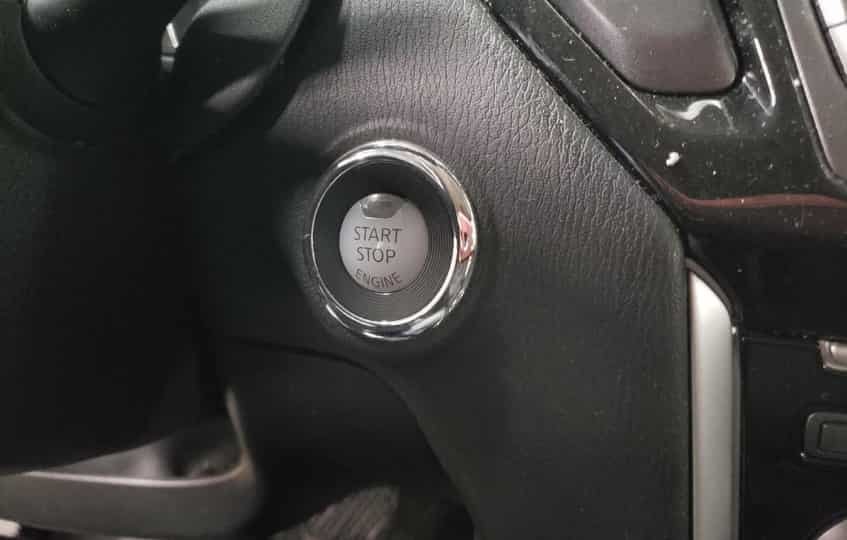
Fortunately, Nissan provides an emergency starting method. Hold the front of the key fob against the push button start switch. Next, press the brake pedal. Then press the Start button while keeping the key fob in place. The backup antenna inside the vehicle can detect the key at a very short distance and may allow the engine to start.
If this method starts the engine, replace the key fob battery as soon as possible. Next, test every remote function again. If the problem returns after installing a new battery, inspect the Intelligent Key system for additional faults. A systematic inspection will help you identify the real cause without replacing parts unnecessarily.
Remote Start Conditions Are Not Met
Many Nissan Pathfinder owners think the key fob has stopped working because the remote start feature does not respond. However, the key fob may operate normally while the vehicle blocks remote starting for safety reasons. Before looking for a fault, check whether the vehicle meets every required condition.
The doors must remain locked before you activate remote start. The hood and liftgate must also stay fully closed. In addition, the transmission must be in Park, and the vehicle must not display certain warning messages. Some models also disable remote start when the fuel level becomes too low or when the check engine light is on.
Try locking the vehicle again and repeat the correct remote start sequence. If the engine starts normally, the key fob is working as expected. If the feature still fails, continue testing the remaining remote functions. This simple comparison helps you determine whether the problem affects only remote start or the entire Intelligent Key system.
The Mechanical Key Works but the Remote Functions Do Not
Every Nissan Pathfinder Intelligent Key includes a mechanical emergency key. This small key unlocks the driver’s door even when the electronic system stops working. If the mechanical key opens the door but the remote buttons do not respond, the problem usually affects the electronic portion of the key fob.
Start by checking whether the key fob battery is fully charged and installed correctly. Next, inspect the buttons and battery contacts for visible damage. If another key fob is available, test it with the vehicle. This comparison quickly shows whether the fault comes from the original key or from the vehicle itself.
The mechanical key and the electronic transmitter perform different tasks. The metal key operates the door lock directly. The remote buttons communicate with the vehicle through radio signals. Understanding this difference helps narrow the diagnosis and prevents unnecessary repairs.
The Key Fob Has Reached the End of Its Service Life
Like any electronic device, a key fob does not last forever. Years of daily use, accidental drops, moisture, and normal wear gradually reduce the reliability of its internal components. Eventually, the circuit board, transmitter, or internal switches may fail completely.
A worn key fob often shows several symptoms at the same time. The operating range becomes shorter. Some buttons stop working. The vehicle may recognize the key only occasionally, even after installing a new battery. These signs usually indicate internal damage rather than a simple battery problem.
If you have already replaced the battery, cleaned the contacts, and ruled out vehicle related faults, replacing the key fob may be the most practical solution. Choose a replacement that matches your Nissan Pathfinder model year. After installing the new key, complete the required programming and registration process to restore full functionality.
How to Replace a Nissan Pathfinder Key Fob Battery
Replacing the battery takes only a few minutes and requires very few tools. A careful installation reduces the risk of damaging the key fob and helps restore reliable operation.
First, remove the mechanical emergency key from the key fob. Locate the release button and slide the key out of the housing. Next, use a small plastic pry tool or a flat tool wrapped with a soft cloth to separate the two halves of the case. Work slowly to avoid damaging the plastic clips.
Remove the old battery and note its position before installing the new one. Insert the replacement battery with the correct polarity and make sure it sits securely inside the battery compartment. Avoid touching both battery surfaces unnecessarily because oil from your fingers may reduce electrical contact over time.
After installing the battery, align both halves of the key fob and press them together until every clip locks into place. Reinsert the mechanical key and test each button. Check the lock, unlock, panic alarm, liftgate release, and remote start functions if your Pathfinder includes those features. If every function responds normally, the battery replacement was successful.
What to Do If the Key Fob Still Does Not Work After Battery Replacement
A new battery does not always solve the problem. If your Nissan Pathfinder key fob still does not work, inspect the key and the vehicle step by step. A systematic approach helps you find the real cause without replacing parts unnecessarily.
Start by opening the key fob again. Confirm that the battery sits in the correct position and touches both battery terminals securely. Next, inspect the metal contacts for dirt, corrosion, or damage. Even a small amount of corrosion can interrupt the electrical connection.
If the key fob still does not respond, test a spare key if you have one. A working spare key indicates that the original key fob has failed. If neither key works, the problem may involve the vehicle instead of the key.
Continue by checking the vehicle battery. Low voltage can prevent the Intelligent Key system from operating correctly. You should also try the emergency starting procedure by holding the key fob against the push button start switch. If the engine starts, the vehicle can still detect the key at close range.
When these steps do not restore normal operation, contact a qualified automotive locksmith or a Nissan dealer. A professional can scan the Body Control Module, check for fault codes, and verify that the key remains programmed and registered.
Which Option Should You Choose?
Both a Nissan dealer and a qualified automotive locksmith can repair key related problems. The best choice depends on the type of fault, your budget, and how quickly you need a solution.
A Nissan dealer has direct access to factory diagnostic equipment and genuine replacement parts. This option works well for complex security system faults or warranty repairs. However, dealer services often cost more and may require a longer appointment wait.
An experienced automotive locksmith can replace batteries, cut emergency keys, program new key fobs, and register Intelligent Keys for many Pathfinder models. In many cases, a locksmith charges less than a dealership and can provide mobile service at your location.
Before choosing either option, request a written estimate. Ask whether the quoted price includes programming, key registration, and emergency key cutting. Comparing these details helps you avoid unexpected costs.
Frequently Asked Questions
Why is my Nissan Pathfinder key fob not working after I replaced the battery?
The battery may not sit correctly inside the compartment, or it may face the wrong direction. Dirty battery contacts, damaged buttons, or a programming issue can also prevent the key fob from working.
Can I start my Nissan Pathfinder with a dead key fob?
Yes. Hold the front of the key fob against the push button start switch. Then press the brake pedal and the Start button. The backup antenna may detect the key and allow the engine to start.
Does a new battery automatically fix every key fob problem?
No. A fresh battery solves only battery related issues. Problems involving programming, internal damage, signal interference, or the Intelligent Key system require additional diagnosis.
Do I need to program the key fob after replacing the battery?
No. Replacing the battery alone does not erase the key programming. If the key stops working after a battery replacement, inspect the battery installation before considering reprogramming.
How long does a Nissan Pathfinder key fob battery last?
Most key fob batteries last between two and four years. Battery life depends on driving habits, climate, and daily usage.
When should I replace the entire key fob?
Replace the key fob if it has internal water damage, a cracked circuit board, failed buttons, or repeated communication problems that continue after installing a new battery and completing all troubleshooting steps.
Conclusion
A Nissan Pathfinder key fob can stop working for many different reasons, but most problems follow a logical pattern. A weak battery, poor battery contact, worn buttons, signal interference, and a low vehicle battery remain the most common causes. Fortunately, you can diagnose many of these issues at home with a careful inspection and a few simple tests.
Always begin with the easiest solutions. Replace the battery, inspect the contacts, and confirm that the key fob housing closes completely. Next, test the spare key if one is available and check the vehicle battery. These basic steps solve many problems without expensive repairs.
If the key still fails to communicate with the vehicle, the issue may involve programming, key registration, or the Intelligent Key system. At that point, a qualified locksmith or a Nissan dealer can perform a full diagnostic inspection and restore normal operation.
Following this step by step approach helps you identify the real cause, avoid unnecessary replacement costs, and get your Nissan Pathfinder back on the road as quickly as possible.